The best mini printers range from pocket sized sticker makers to portable printers for full size documents, so the right choice depends on what you plan to print. Consider paper format, app and device compatibility, and whether you need labels, study graphics, or travel documents before choosing.
Quick Top Products
Phomemo M02 Pro Mini Sticker Printer
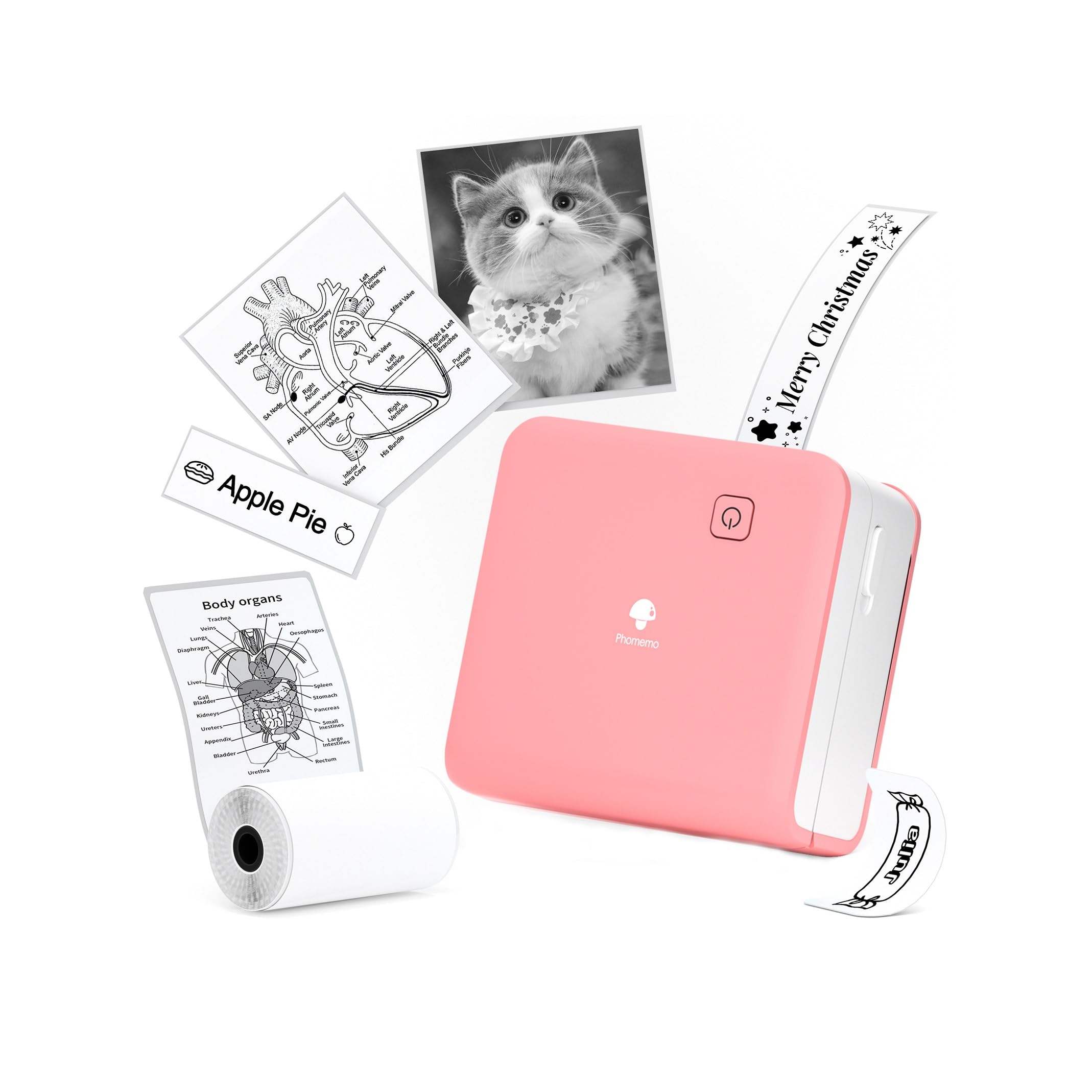
- Prints at 300 DPI for detailed text and graphics.
- Accepts 15mm, 25mm, and 53mm thermal rolls.
- Connects to iOS and Android through Bluetooth.
Best For: Students and crafters who want a pocket printer that accepts several label widths and offers 300 DPI output.

Phomemo Q302 Portable Thermal Printer
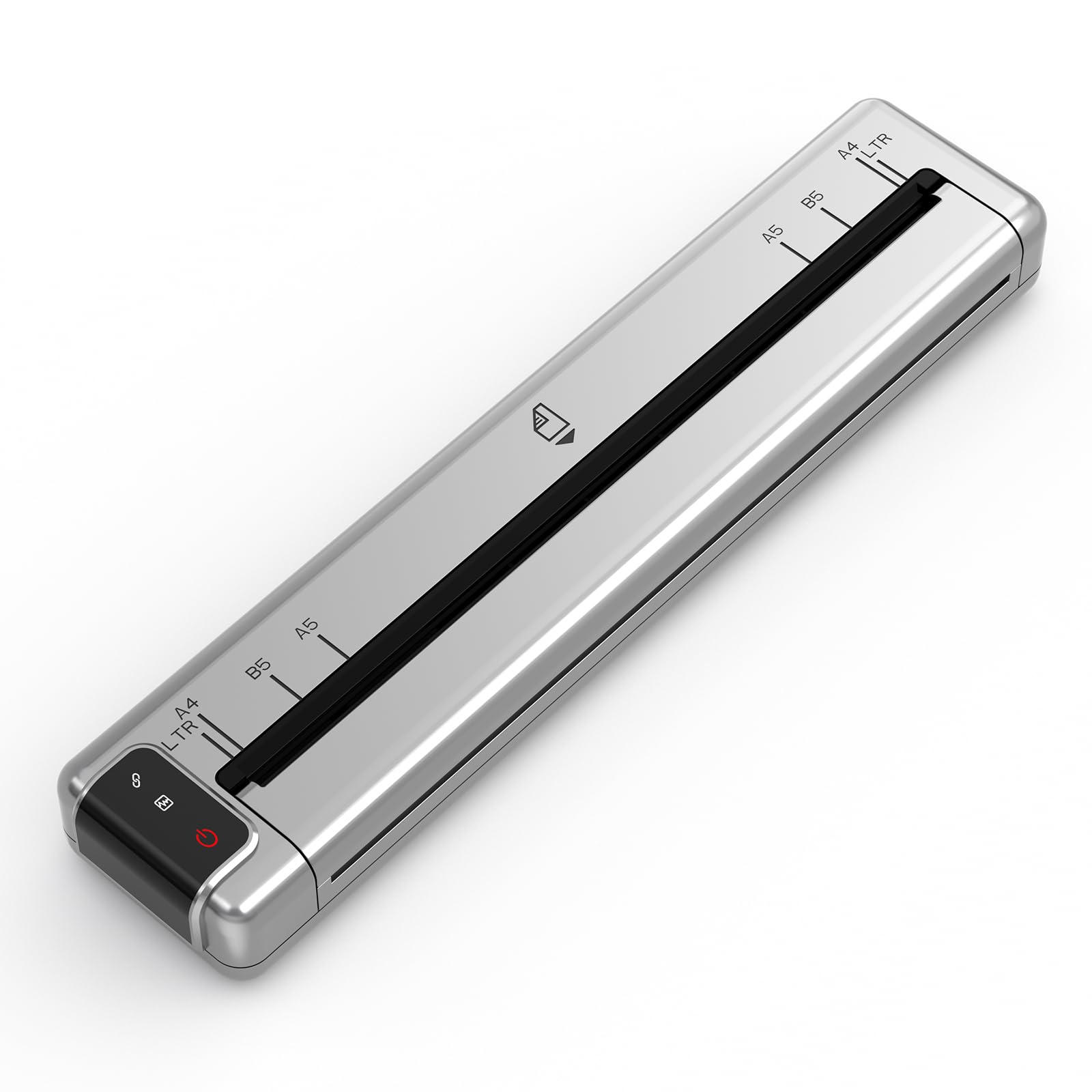
- Supports US Letter, A4, B5, and A5 thermal paper sizes.
- Prints at 300 DPI without ink or cartridges.
- Includes a velvet pouch, thermal paper, and charger.
Best For: Travelers and students who need a portable printer for documents and want quieter operation with several paper sizes.
NIIMBOT B1 Bluetooth Label Maker
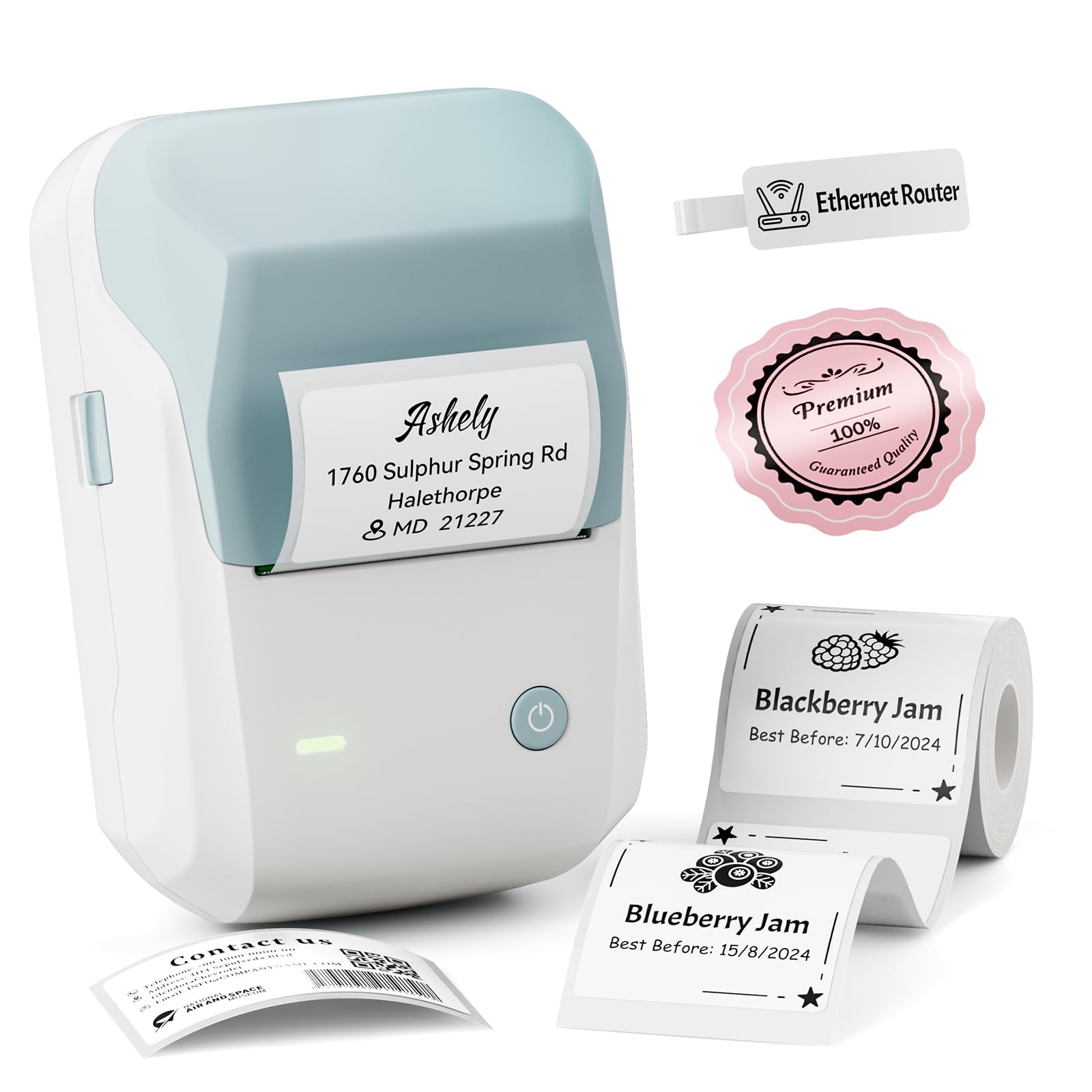
- Supports label widths from 20 to 50mm.
- Offers USB computer printing with a driver.
- Has a built-in rechargeable battery.
Best For: Teachers and small businesses that need wider labels, barcodes, or QR codes from a phone or computer.
Sticker Maker Machine - T02 Mini Printer Sticker Maker for Kids, Mini Thermal Printer Portable Sticker Printer Bluetooth Inkless AI Sticker Maker Print Pods for Gifts, Early Education, DIY, Journal
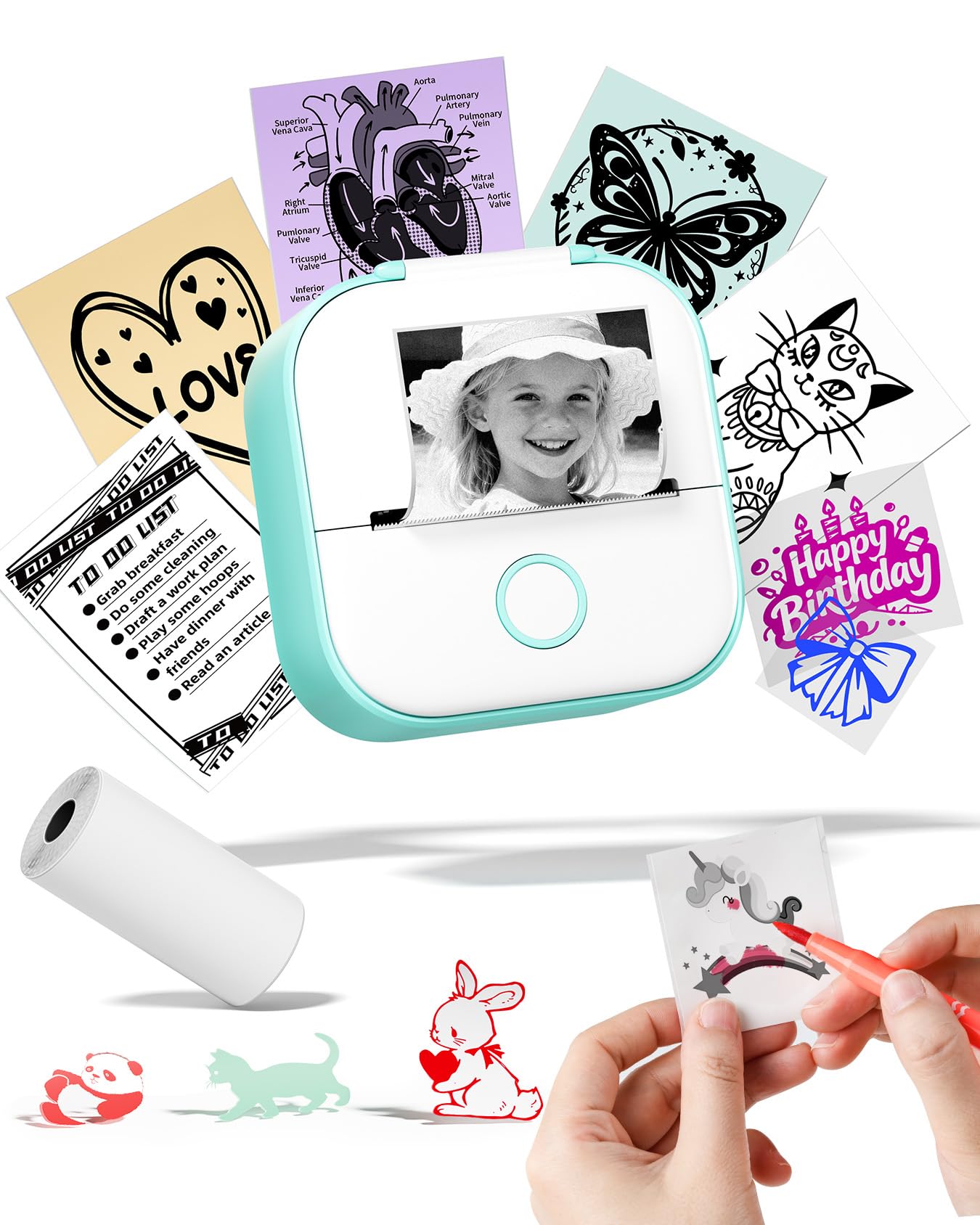
- Connects to iOS or Android devices through the app.
- The app supports OCR, scan, and templates.
- Prints without ink.
Best For: Students and teachers who want a compact printer for notes, diagrams, and custom small labels from a phone.
Nelko PM230 Sticker Printer
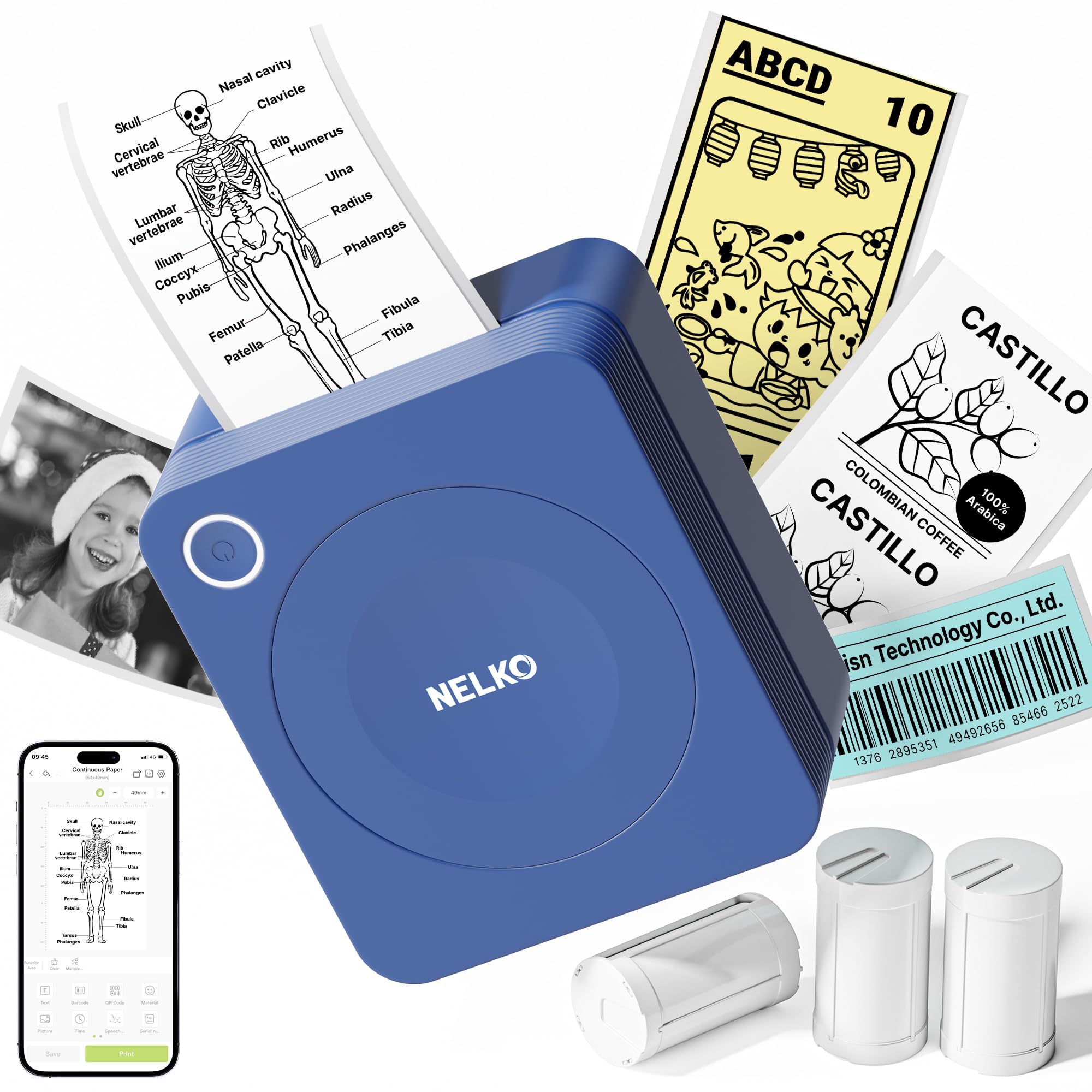
- Includes three rolls of 54mm-wide white sticker paper.
- App includes AI text-to-image, background removal, and OCR.
- Connects to iOS and Android phones via Bluetooth.
Best For: Students and teachers who want app-based study graphics, OCR, and AI-assisted editing in a compact printer.
Phomemo T02 Mini Sticker Printer
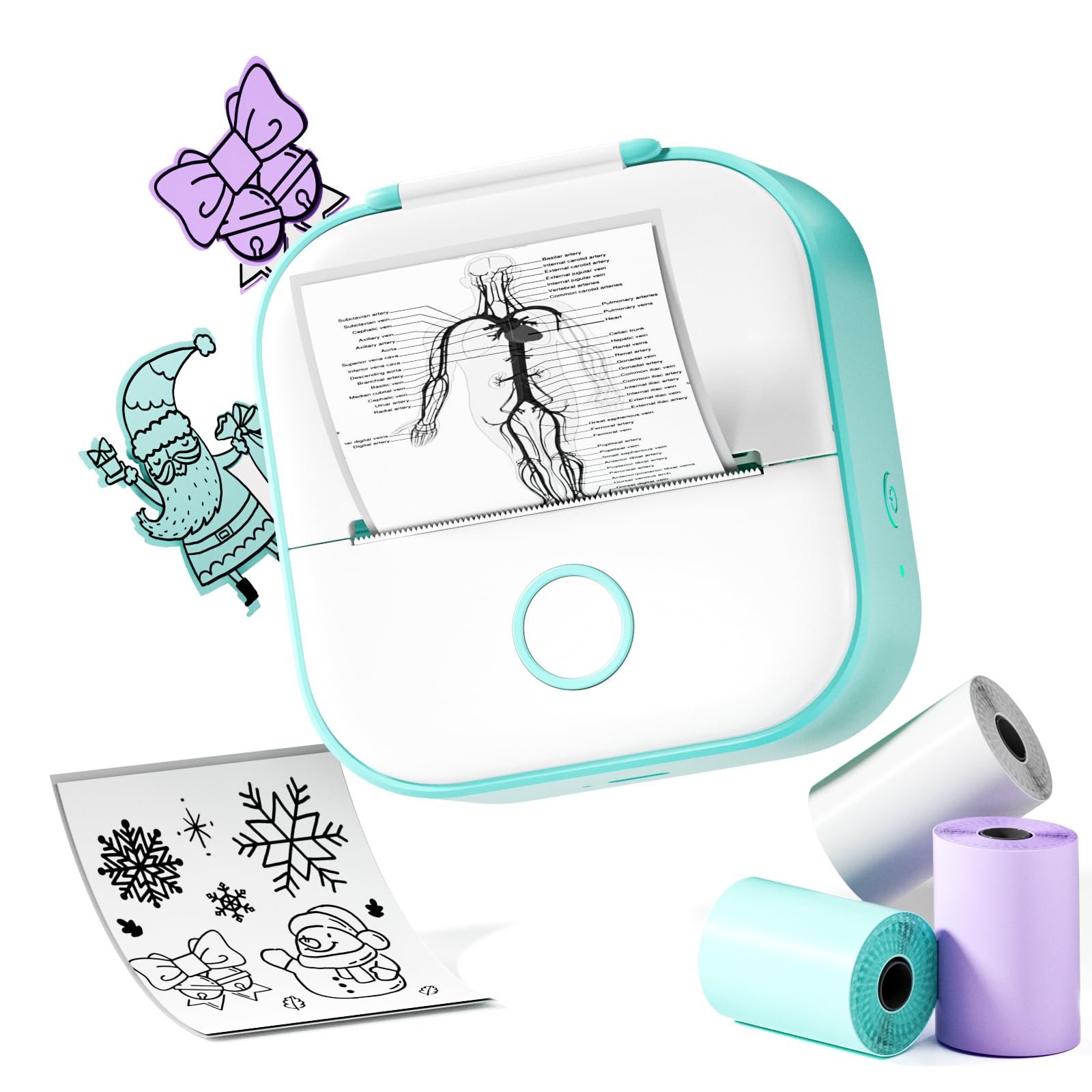
- Uses thermal printing without ink cartridges.
- Designed for pocket portability.
- The app lets users edit and personalize prints.
Best For: Students and casual creators who want an easy-to-carry printer for text, photos, labels, and sticker designs.
Phomemo D30 Bluetooth Label Maker
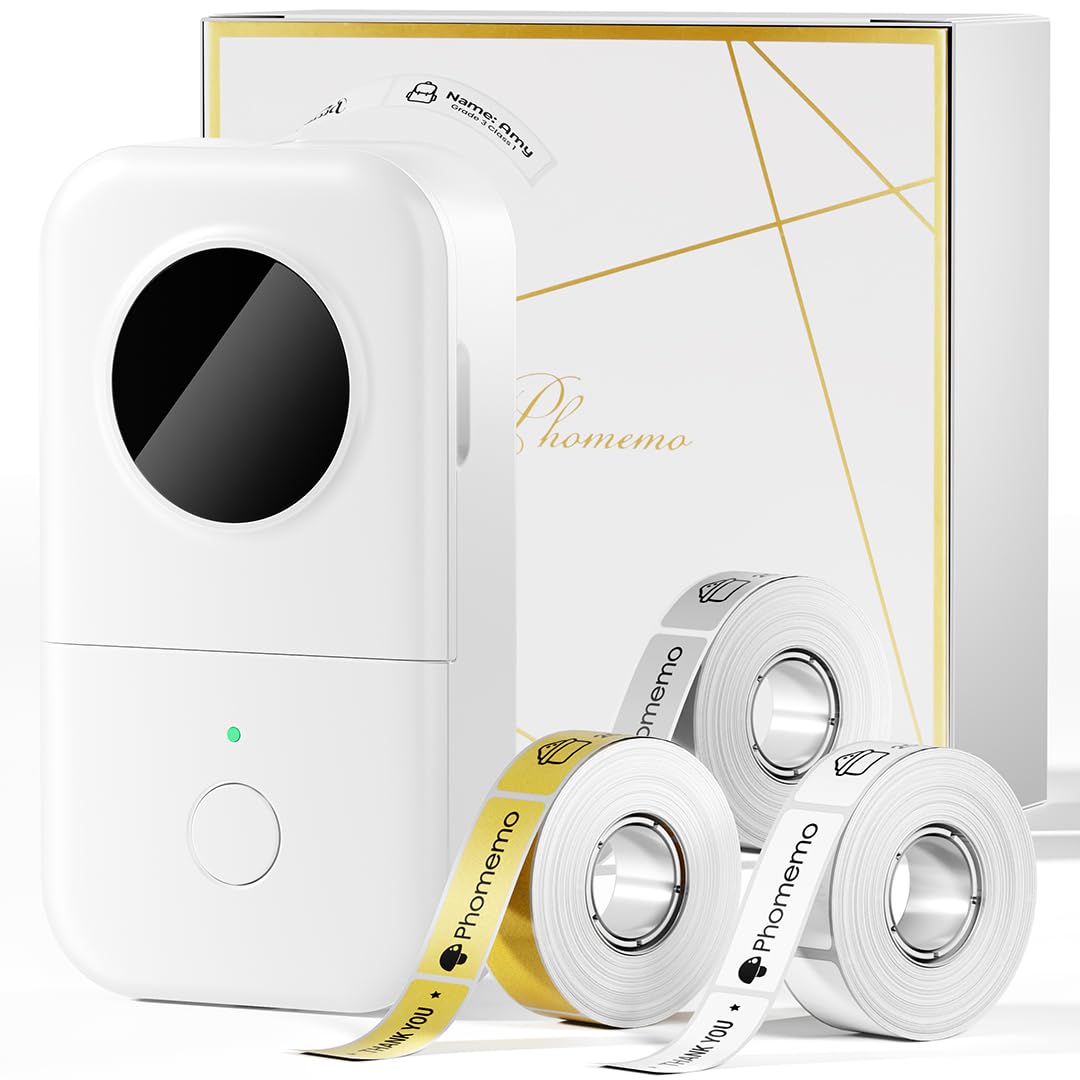
- Includes white, gold, and clear tapes.
- Supports continuous tape and fixed-length labels.
- Prints without ink, toner, or ribbons.
Best For: Home organizers and small sellers who want phone-designed labels, QR codes, and several tape finishes.
Memoking T02 AI Sticker Printer
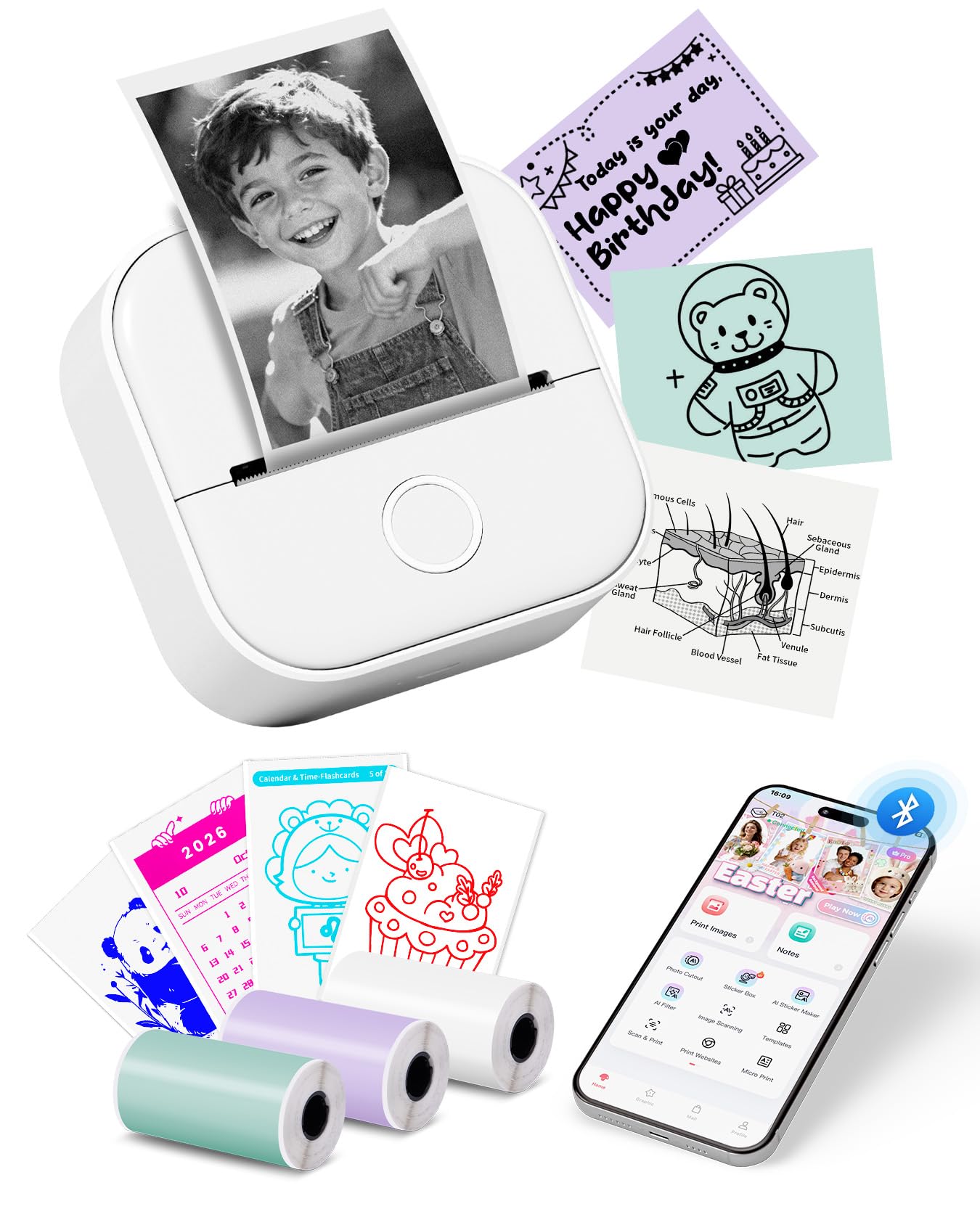
- App offers AI photo cutout, sticker, filter, image blending, and voice-to-image tools.
- Package includes three rolls of thermal paper.
- The printer measures 3.39 x 3.39 x 1.42 inches.
Best For: Families, students, and small businesses interested in AI-assisted sticker designs and varied small-print projects.
Sticker Printer - T02 Mini Printer Gifts for Teen Girls, Sticker Maker Machine Mini Thermal Printer Portable Label Printer Bluetooth Photo Printer Print Pods Sticker Box for Study Note, Journaling,DIY
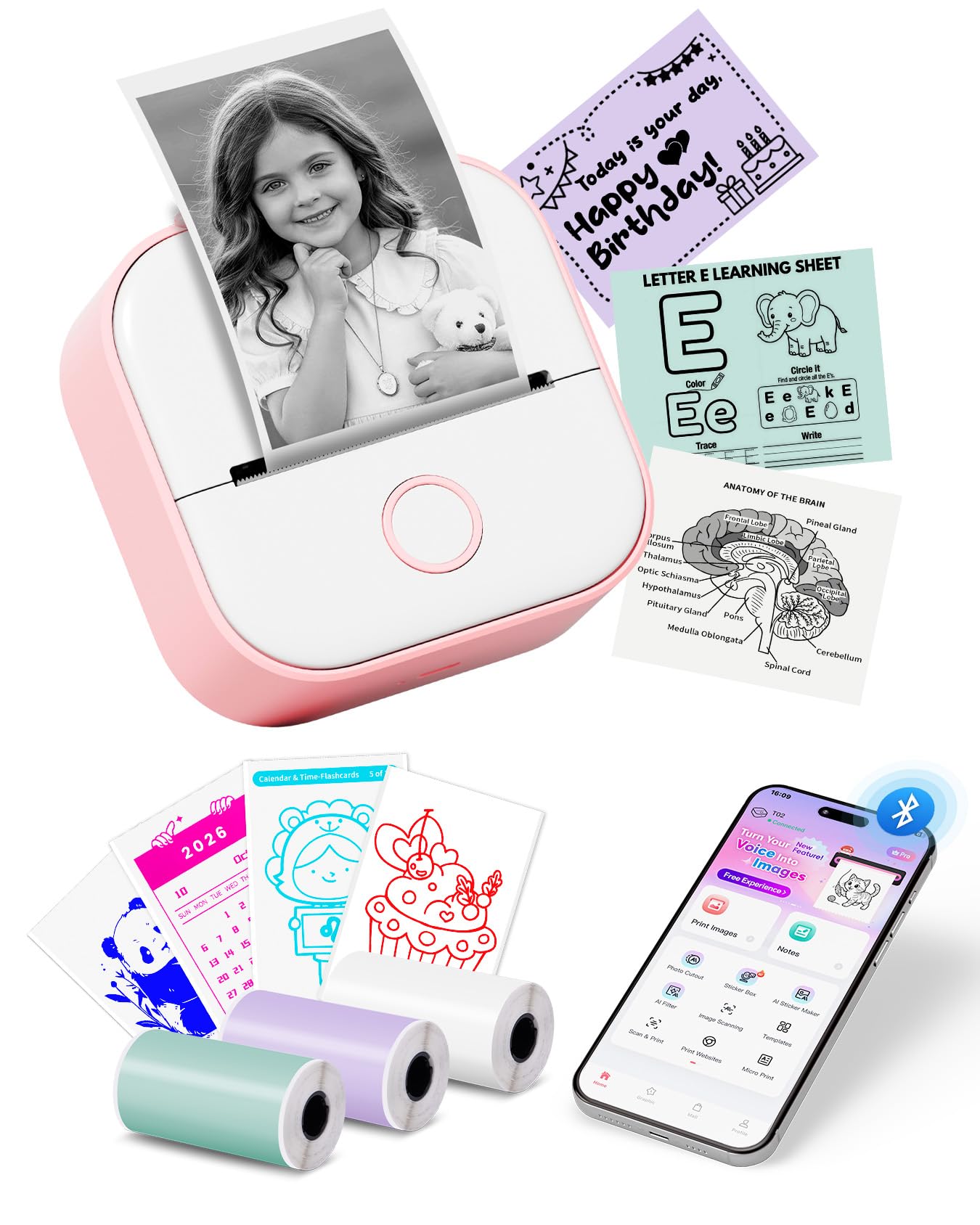
- Includes white, purple, and green thermal paper rolls.
- Compatible with iOS and Android devices through the app.
- Does not support computer printing.
Best For: Students and craft users who want a pocket printer bundled with three colored thermal rolls.
Sharp Detail Across Three Paper Widths
Phomemo Mini Sticker Printer - Print Pods M02 Pro 300dpi Mini Pocket Printer, Sticker Printer Maker Thermal Label Machine for Photo Printing, DIYs, Study Notes, Travel, Work and Study, Gift, Pink
The Phomemo M02 Pro is a compact thermal printer for small labels, study notes, and creative prints. Its 300 DPI resolution is a useful fit for text and graphics, and it accepts 15mm, 25mm, and 53mm thermal rolls.
Bluetooth connects it to iOS and Android devices through the Phomemo app, which includes templates, fonts, and icons. It prints without ink, toner, or ribbons.
The output is monochrome, so colored designs depend on compatible paper rather than colored ink. Choose it when variable paper width and detailed small prints matter more than full-size documents.
Best For: Students and crafters who want a pocket printer that accepts several label widths and offers 300 DPI output.
| Pros | Cons |
|---|---|
|
|
Choose the M02 Pro if you want one pocket printer for several narrow label widths as well as study and craft prints. Its 300 DPI output and broad roll-size support distinguish it from models centered on a single paper width.
Check what rolls are included and the cost of replacements before buying, since neither detail is established here. Also remember that thermal output is monochrome; colored or transparent paper changes the print surface, not the printer's ink color.
Quiet Printing for Shared Spaces
Phomemo Ultra-Light Q302 Portable Printer, Wireless Inkless Thermal, WiFi Bluetooth for US Letter/A4/A5/B5 Thermal Paper, Compact Printer, Compatible with Android iOS Phone & Laptop
The Q302 brings a document printer format to the portable printer category. It supports US Letter, A4, B5, and A5 thermal paper, and can print Word, PDF, Slides, TXT, Excel, and image files.
Bluetooth and WiFi connect with a phone app, while USB-C supports computer printing after driver installation. Phomemo specifies noise below 55 dB and a 300 DPI resolution.
The included package has 20 US Letter thermal sheets, a pouch, cables, and a charger. It still prints monochrome on special thermal paper, so check both the paper size and ongoing supply needs for your workload.
Best For: Travelers and students who need a portable printer for documents and want quieter operation with several paper sizes.
| Pros | Cons |
|---|---|
|
|
Pick the Q302 if you want portable document printing across several common thermal paper sizes and value quiet operation in libraries, cafes, or meetings. Its bundle includes paper, a pouch, and a charger, which makes it a ready-to-carry option.
Before purchase, confirm that your documents and device workflow match the supported formats and connection methods. Wireless phone printing is available, while computer use requires USB-C and a driver.
Wider Labels for Classroom and Small Business
NIIMBOT Label Maker Machine with Tape, B1 Bluetooth Label Printer, 2 Inch Large Waterproof Label, Inkless Thermal Label Maker for Kids School Items, Classroom Teacher, Light Blue
The NIIMBOT B1 is a handheld thermal label maker for labels wider than many pocket sticker printers handle. It supports 20 to 50mm label widths and connects to iOS or Android phones through the NIIMBOT app.
For computer printing, it can use USB with a downloaded driver. The app provides fonts, borders, symbols, barcodes, and QR codes, which suits classroom name labels, storage organization, and small-business tags.
Its rechargeable battery is rated for up to 100 days of standby. Check label compatibility and the app workflow before buying, especially if an iPad is your main device, since iPad compatibility is excluded.
Best For: Teachers and small businesses that need wider labels, barcodes, or QR codes from a phone or computer.
| Pros | Cons |
|---|---|
|
|
The B1 is the practical choice when label width and business-oriented formats matter more than photo-style sticker printing. It accepts labels up to 50mm wide and offers barcode and QR code tools, while its small-business and classroom uses include price tags and name labels.
Check that the label rolls you need are compatible. If you plan to print from a computer, account for the USB driver setup; iPad users should choose a different option.
Student Notes and Classroom Graphics
Sticker Maker Machine - T02 Mini Printer Sticker Maker for Kids, Mini Thermal Printer Portable Sticker Printer Bluetooth Inkless AI Sticker Maker Print Pods for Gifts, Early Education, DIY, Journal
This Memoking T02 is a palm-size thermal printer designed for study aids, memos, and sticker projects. Its app combines text, pictures, tables, emoji, and QR codes, with OCR and scan functions for turning study material into compact prints.
It connects to iOS and Android devices over Bluetooth through the Phomemo app. The output is monochrome and uses thermal paper, so it is aimed at quick reference graphics and labels rather than color photos or standard document pages.
Consider this model for a mobile study setup, and verify paper availability and the app workflow for your phone before relying on it for regular class materials.
Best For: Students and teachers who want a compact printer for notes, diagrams, and custom small labels from a phone.
| Pros | Cons |
|---|---|
|
|
Choose this T02 if the main job is printing study graphics, short notes, or small creative designs from a phone. Its scan and OCR functions provide a specific study-focused advantage, while the app also supports QR codes and banners.
It is less suitable for someone who needs color output or full-page documents. Before buying, check that the paper format and roll supply fit the amount and kind of printing you expect.
Scan and AI Tools for Study Prints
Nelko Sticker Printer, PM230 Print Pod Mini Bluetooth Portabel Sticker Maker with 3 Rolls Paper, Print Pods with Multiple Templates for Phone & Tablet, Smart AI APP Family, Blue
The Nelko PM230 is a small thermal sticker printer aimed at study notes, classroom diagrams, and everyday creative prints. It comes with three rolls of 54mm-wide white sticker paper, and the app supports AI text-to-image, background removal, OCR, and document scanning.
Bluetooth connects it to iOS and Android phones; computer printing is not supported. It prints in black and white only, even when the app offers image tools, so think of it as a compact reference and label printer rather than a color photo device.
Check the charging setup as well: the package does not include a charging adapter, and fast-charging adapters are not compatible.
Best For: Students and teachers who want app-based study graphics, OCR, and AI-assisted editing in a compact printer.
| Pros | Cons |
|---|---|
|
|
Select the PM230 for a compact study and classroom printer when its 54mm paper width and three included rolls fit your needs. The app's OCR, scanning, and AI editing features are distinctive, but this remains a monochrome, phone-connected device.
It cannot replace a computer printer for assignments or standard pages. Confirm your charging adapter setup before purchase, and consider whether the supplied 54mm paper format is right for the labels and graphics you plan to make.
Pocket Printer for Quick Creative Work
Phomemo Mini Sticker Printer- Sticker Maker Machine T02, Print Pods Mini Thermal Printer Bluetooth Pocket Label Maker Inkless for DIY Printing, Study Notes, Photos, Memos, Kids/Students Green
The Phomemo T02 is a pocket-size thermal printer built for quick, phone-based creative printing. It connects through the Phomemo mobile app, where users can edit and personalize prints.
Its intended jobs include photos, text, labels, study materials, and sticker designs. Thermal printing removes the need for ink cartridges, while the small format makes it easier to take to class, a library, or a cafe than a document printer.
The supplied details do not establish paper sizes, included rolls, or device compatibility beyond the app workflow. Check those practical details before choosing it for a regular printing routine.
Best For: Students and casual creators who want an easy-to-carry printer for text, photos, labels, and sticker designs.
| Pros | Cons |
|---|---|
|
|
This T02 fits casual mobile printing where portability and app editing are more important than a defined paper range or documented bundle. It can handle varied small creative jobs, but the available details leave important buying specifics unclear.
Before choosing it, verify phone compatibility and which paper rolls are available or included. If you need clear paper-size choices or a known starter supply, another option in this roundup provides more detail.
Label Templates with Three Tape Types
Phomemo D30 Label Maker with 3 Tapes, Bluetooth Wireless Mini Pocket Smartphone Label Maker Machine, Small Thermal Printer Rechargeable Labeler for Home Office Labeler, Works with Tablet, Phones
The Phomemo D30 is a compact Bluetooth label maker for organizing supplies, marking cables, creating price tags, and printing small-business labels. It includes three tapes: white, gold, and clear.
The app provides templates, symbols, frames, fonts, barcodes, QR codes, and image tools, while the printer supports both continuous and fixed-length labels. Its direct thermal output uses no ink, but the print itself is black text; color comes from choosing patterned or colored label tape.
Consider it when labels are the goal. It is not a general-purpose printer for photos or full-page documents.
Best For: Home organizers and small sellers who want phone-designed labels, QR codes, and several tape finishes.
| Pros | Cons |
|---|---|
|
|
Pick this D30 when organization labels, price tags, and QR codes are your main needs, especially if the included mix of tape finishes is useful. It combines flexible label lengths with a template-heavy phone app.
Its output is black text, so the tapes determine the visual color rather than the printer. Check tape widths and replacement availability before buying, since the supplied details do not identify those specifications.
AI Design and Scan Features for Creative Labels
Memoking Mini Printer - Sticker Printer T02 Portable Thermal Inkless Sticker Maker Machine, Bluetooth Pocket Labeler for Study Graphics, Anatomical Diagrams, Photos, Receipts, DIY,Gift
This Memoking T02 centers on creative phone printing, with an app that offers AI photo cutout, sticker, filter, image blending, and voice-to-image functions. It also supports study notes and diagrams through a scan function, and can print on white, colored, or clear transparent thermal paper.
The printer itself produces monochrome output and uses no ink. Its listed dimensions are 3.39 x 3.39 x 1.42 inches, and the package includes three rolls.
The combination suits crafts, school aids, and small labels, but it is not intended for standard document printing. Check the paper roll format and app compatibility for your devices.
Best For: Families, students, and small businesses interested in AI-assisted sticker designs and varied small-print projects.
| Pros | Cons |
|---|---|
|
|
Choose this version if AI-based image editing and a three-roll starter bundle are more important than business-style label widths. The app tools support crafts and visual study aids, while the compact dimensions make the printer easy to carry.
Output remains monochrome, so the AI features change the design rather than enabling color ink printing. Confirm that your phone works with the app and that the available roll format suits your projects.
Three Colored Rolls for Sticker Projects
Sticker Printer - T02 Mini Printer Gifts for Teen Girls, Sticker Maker Machine Mini Thermal Printer Portable Label Printer Bluetooth Photo Printer Print Pods Sticker Box for Study Note, Journaling,DIY
This T02 package includes three rolls in white, purple, and green, making it a useful choice for people who want to start with more than plain white sticker paper. The pocket printer connects to iOS and Android through the Phomemo app and prints monochrome images on thermal paper.
Its intended uses include study notes, diagrams, photos, labels, and DIY designs. Computer printing is not supported, so all print jobs depend on the app and a mobile device.
The records identify the paper colors and roll count, but not their dimensions or lengths. Check those details if a particular label size matters.
Best For: Students and craft users who want a pocket printer bundled with three colored thermal rolls.
| Pros | Cons |
|---|---|
|
|
This bundle is suited to mobile creative work where the colors of the paper matter and a small starter set is convenient. The printer produces monochrome marks, so the white, purple, and green rolls provide the color.
It relies on an app rather than a computer workflow. Before buying, verify the roll width and length, particularly if you need to print repeat labels or want to stock matching replacements.
How to Choose Mini Printers
How We Picked Best Mini Printers
This roundup focuses on genuinely compact printers for pocket-sized stickers, labels, and study graphics. It includes models with distinct uses, such as the M02 Pro's several paper widths, the NIIMBOT B1's wider labels, and the Q302's portable document format.
Full-size letter printers are included only where portability and paper range create a clear document-printing use case; label makers are kept distinct from general sticker printers.
We considered how each printer connects to phones or computers, the paper format it supports, the supplies included, and the types of jobs its app enables. Monochrome thermal printing is common across these choices, so color paper should not be confused with color ink output.
Product-specific details like paper dimensions and computer compatibility also matter before purchase.
Comparing Mini Printers by Format and Workflow
The first decision is whether you need a label specialist, a pocket sticker printer, or a travel document printer. A label maker such as the D30 or B1 focuses on tape and label layout.
Pocket models such as the Memoking and Phomemo T02 options handle notes, diagrams, photos, and creative stickers on smaller thermal rolls. The Q302 supports larger document formats for people who need a portable page printer.
Connection requirements can quickly narrow the field. The Q302 offers Bluetooth, WiFi, and USB-C for computers, while several T02 models rely on an app and do not print from computers.
Check whether your device is supported and whether computer use needs a driver. For a mini printer used during class or travel, an easy phone workflow may be more practical than a broader set of connections.
| Product | Standout features | Best for |
|---|---|---|
| Phomemo M02 Pro Mini Sticker PrinterCheck Price |
| Students and crafters who want a pocket printer that accepts several label widths and offers 300 DPI output. |
| Phomemo Q302 Portable Thermal PrinterCheck Price |
| Travelers and students who need a portable printer for documents and want quieter operation with several paper sizes. |
| NIIMBOT B1 Bluetooth Label MakerCheck Price |
| Teachers and small businesses that need wider labels, barcodes, or QR codes from a phone or computer. |
| Sticker Maker Machine - T02 Mini Printer Sticker Maker for Kids, Mini Thermal Printer Portable Sticker Printer Bluetooth Inkless AI Sticker Maker Print Pods for Gifts, Early Education, DIY, JournalCheck Price |
| Students and teachers who want a compact printer for notes, diagrams, and custom small labels from a phone. |
| Nelko PM230 Sticker PrinterCheck Price |
| Students and teachers who want app-based study graphics, OCR, and AI-assisted editing in a compact printer. |
| Phomemo T02 Mini Sticker PrinterCheck Price |
| Students and casual creators who want an easy-to-carry printer for text, photos, labels, and sticker designs. |
| Phomemo D30 Bluetooth Label MakerCheck Price |
| Home organizers and small sellers who want phone-designed labels, QR codes, and several tape finishes. |
| Memoking T02 AI Sticker PrinterCheck Price |
| Families, students, and small businesses interested in AI-assisted sticker designs and varied small-print projects. |
| Sticker Printer - T02 Mini Printer Gifts for Teen Girls, Sticker Maker Machine Mini Thermal Printer Portable Label Printer Bluetooth Photo Printer Print Pods Sticker Box for Study Note, Journaling,DIYCheck Price |
| Students and craft users who want a pocket printer bundled with three colored thermal rolls. |
Choose Paper for Labels, Stickers, and Documents
Paper dimensions determine what the printer can make. The M02 Pro accepts 15mm, 25mm, and 53mm rolls; the NIIMBOT B1 supports labels from 20 to 50mm; and the Nelko PM230 arrives with 54mm-wide rolls.
Those formats suit compact labels and reference graphics, while the Q302 handles US Letter, A4, B5, and A5 thermal paper for documents. Match your intended output to the actual media rather than assuming all mini printers take interchangeable rolls.
Thermal printers need thermal paper, and their monochrome printheads do not create full-color output. Clear or colored sticker stock can change the background, but the print remains black and white.
Included supplies vary, too: some come with several rolls or tapes, while others leave the starter supply unclear. Check both included media and replacement availability before choosing a printer for frequent use.
Which Mini Printer Fits Your Daily Use?
For study graphics and variable label widths, the Phomemo M02 Pro offers three supported roll widths and 300 DPI output. For wider organizational or retail labels, the NIIMBOT B1 supports up to 50mm label width and barcode tools.
The Nelko PM230 adds AI editing and scanning functions with a known 54mm paper format, while a T02 bundle may be a better fit for mobile creative prints and included rolls.
If you need portable full-page documents, choose a document printer such as the Q302 and verify that thermal paper costs and computer setup work for your routine. If your goal is organizing jars, labeling school supplies, or printing small creative notes, a pocket printer or label maker is a better category fit.
The best mini printer is the one whose paper format and connection workflow match the job you will repeat most often.