The best microphones for video calls make speech easier to hear and manage, whether you work at a desk or share calls with others. Choose based on your connection, available space, and need for monitoring, quick mute, or control over how the microphone picks up sound.
Quick Top Products
FIFINE K683A USB Desktop Microphone

- Connects by USB-A or USB-C without an extra driver.
- Has a gain knob, instant mute button, and headphone jack.
- Includes a tripod stand and detachable pop filter.
Best For: Desk workers who want plug-and-play setup, a physical mute button, and headphone monitoring.

MAONO PD400X Dynamic Microphone
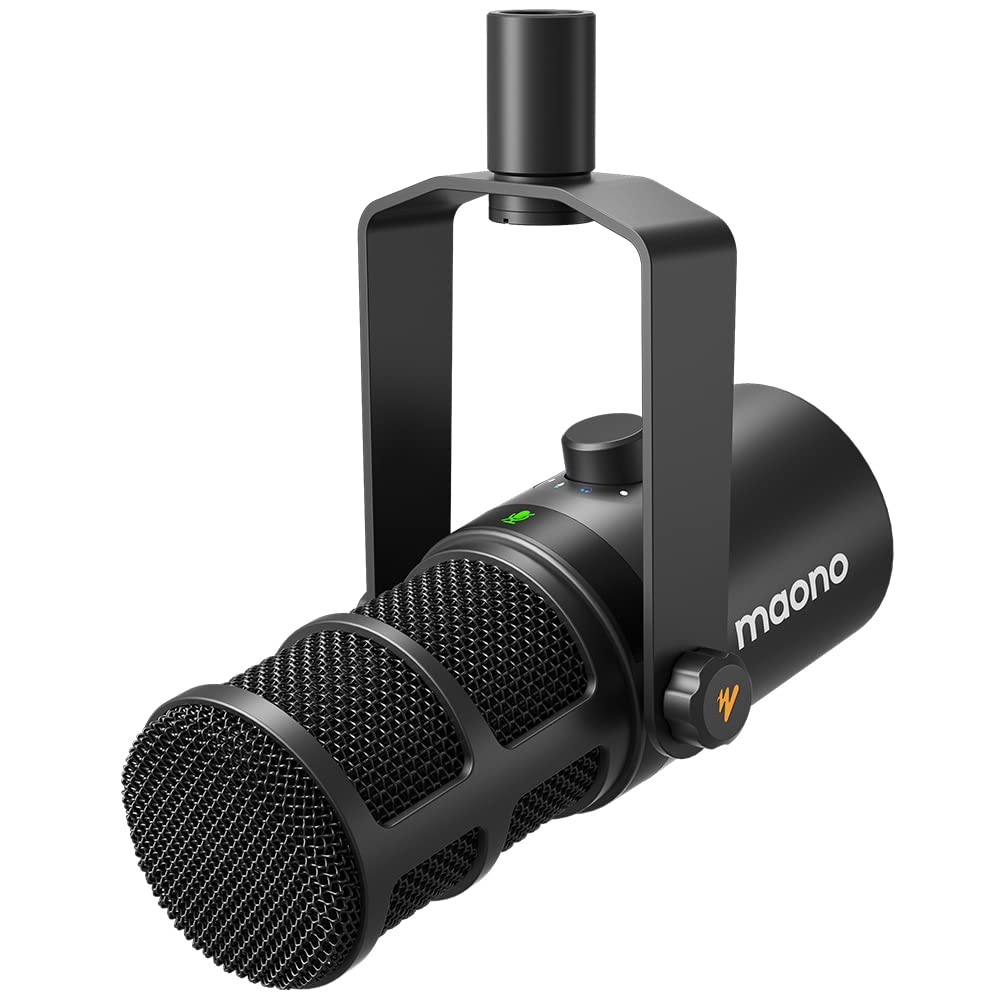
- Offers USB and XLR outputs for computer or audio-interface use.
- The digital knob controls gain, headphone volume, and monitor mix.
- MAONO Link includes EQ, limiter, and compressor controls.
Best For: People who want USB call controls now and the option to connect to an audio interface later.
FIFINE K669B USB Microphone

- Connects directly to a desktop or laptop over USB.
- Has a volume knob on the microphone.
- Includes a stable tripod stand and metal construction.
Best For: Budget-minded callers who want a compact mic with a physical volume control and tripod.
Samson Q2U Dynamic Microphone

- Provides USB-C and XLR connections.
- USB-C connects directly to a computer with a USB-C interface.
- Includes a desktop tripod, windscreen, and both USB-C and XLR cables.
Best For: Callers who want a handheld dynamic mic that can also connect to an XLR audio setup.
Samson Q9U XLR/USB Dynamic Microphone
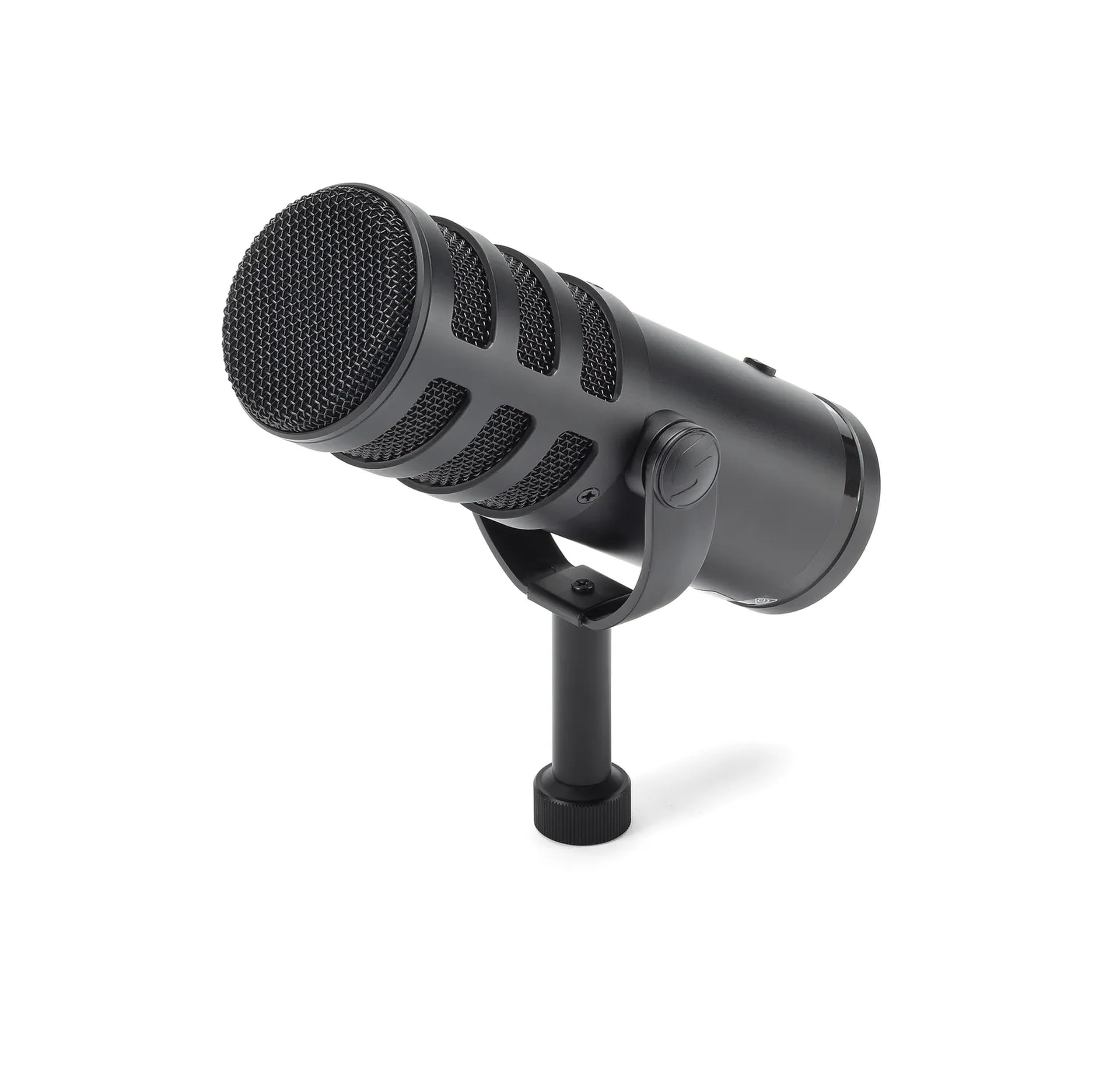
- Supports XLR and USB-C connections.
- Includes zero-latency headphone monitoring and an onboard mute switch.
- USB recording supports 24-bit/96kHz resolution.
Best For: Frequent callers who want a dynamic broadcast mic with direct USB-C, monitoring, and a mute switch.
JLab Talk USB Microphone
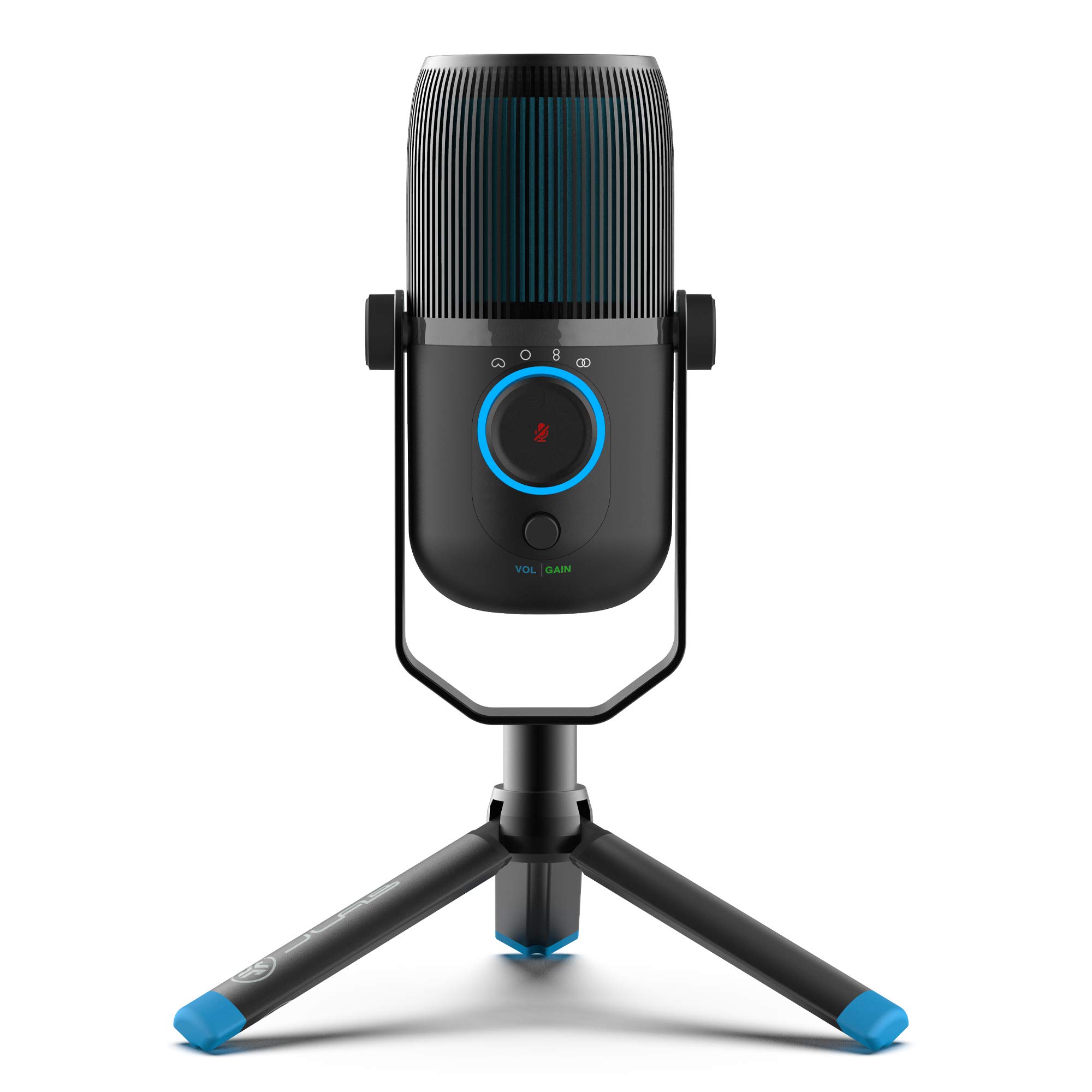
- Offers cardioid, omnidirectional, stereo, and bidirectional modes.
- Includes a 6.5-foot USB/USB-C cable and driver-free setup.
- Provides gain and volume controls plus a 3.5mm AUX input.
Best For: People who switch between solo calls, group conversations, and stereo recording on one desktop mic.
JLab Talk Pro USB Microphone
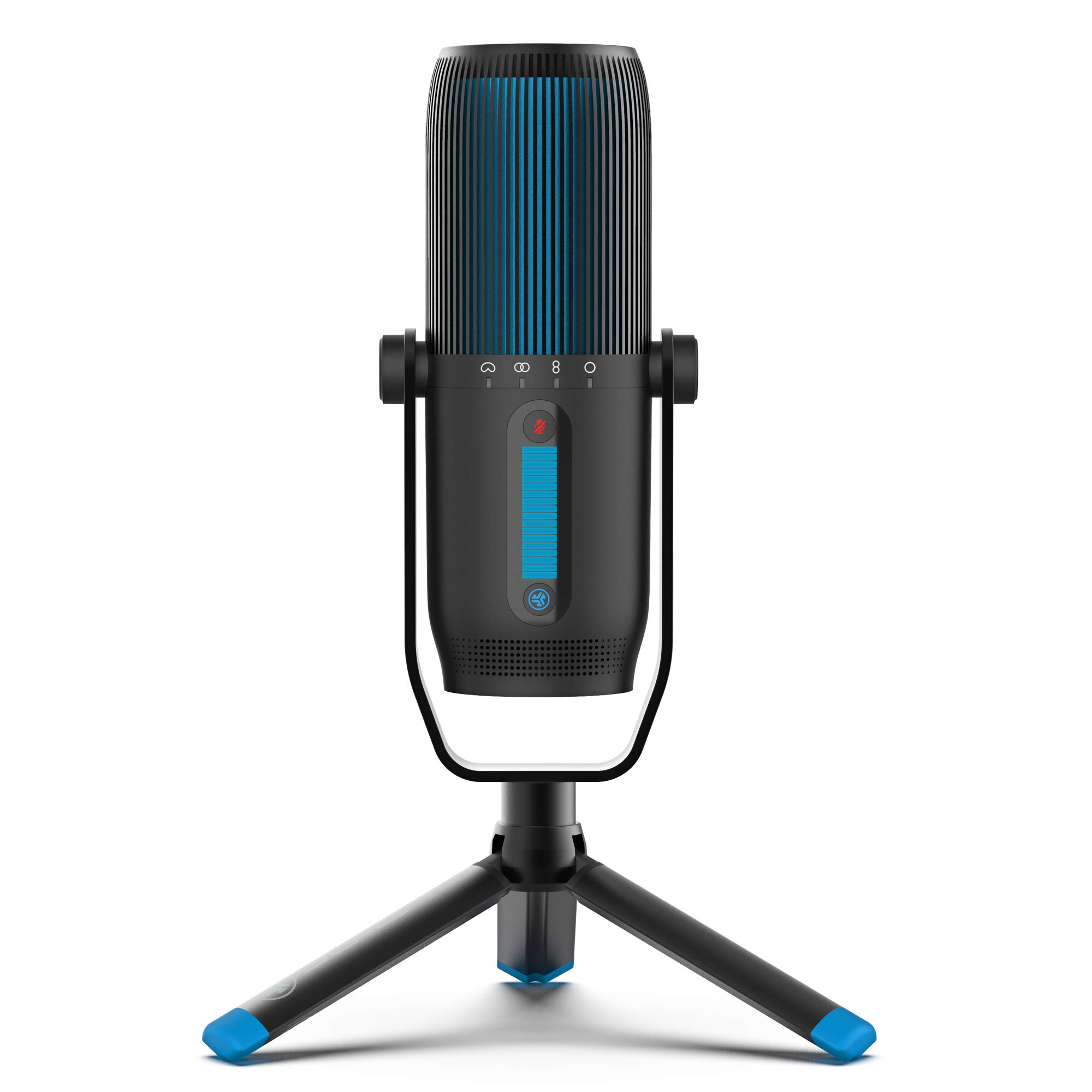
- Offers Cardioid, Omnidirectional, Stereo, and Bidirectional modes.
- Has gain, volume, quick mute, and real-time headphone listening.
- Includes a 10-foot USB/USB-C cable and plug-and-play operation.
Best For: Users who want multiple pickup patterns and a desktop mic for calls plus recording work.
FIFINE AmpliGame A8 USB Microphone
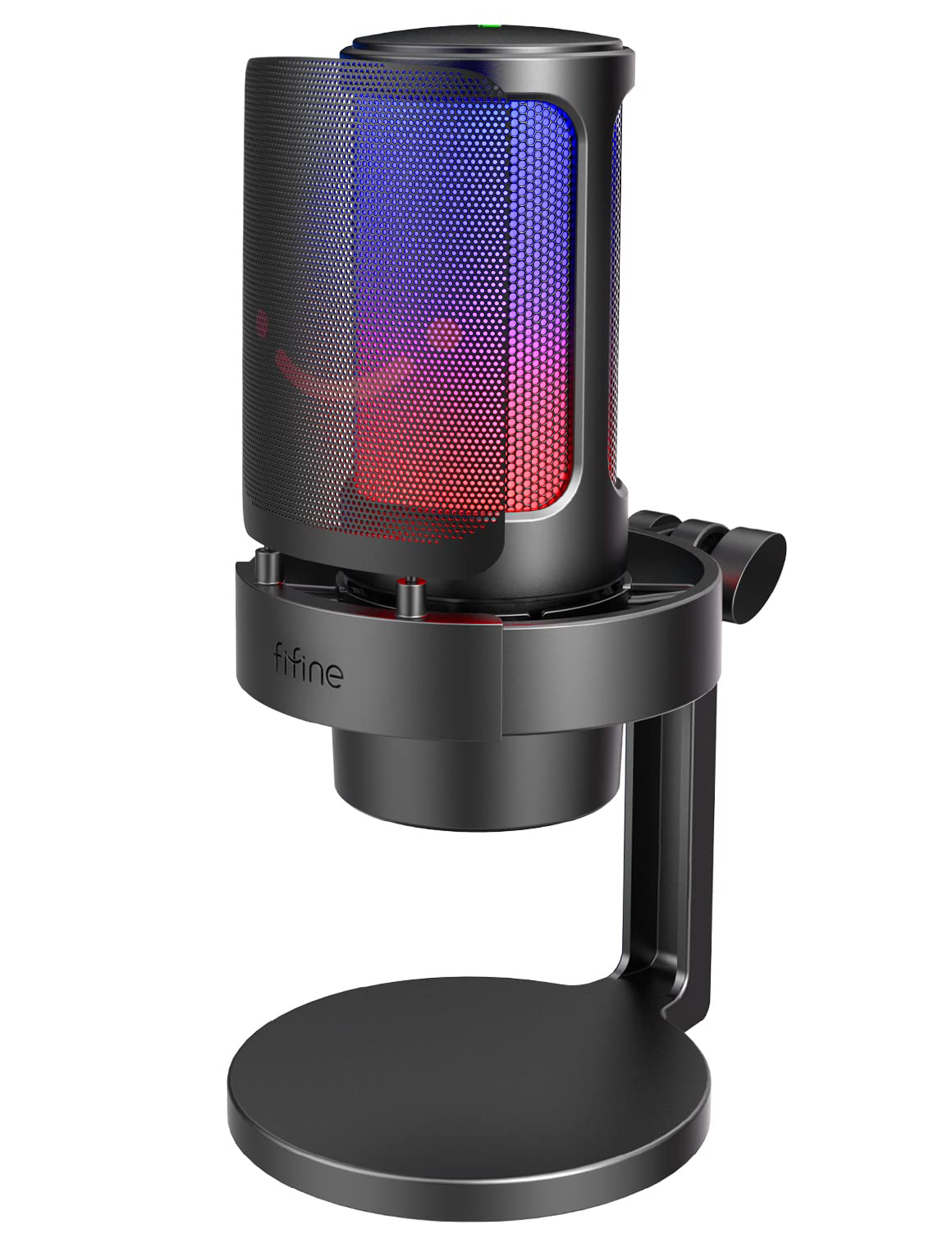
- Plug-and-play setup works with PC, Mac, and PS5.
- Has a gain knob, one-tap mute, and headphone jack.
- Includes a pop filter and shock mount.
Best For: Video callers who also stream and want an adjustable mic with monitoring and mute controls.
MAONO DGM20 USB Gaming Microphone
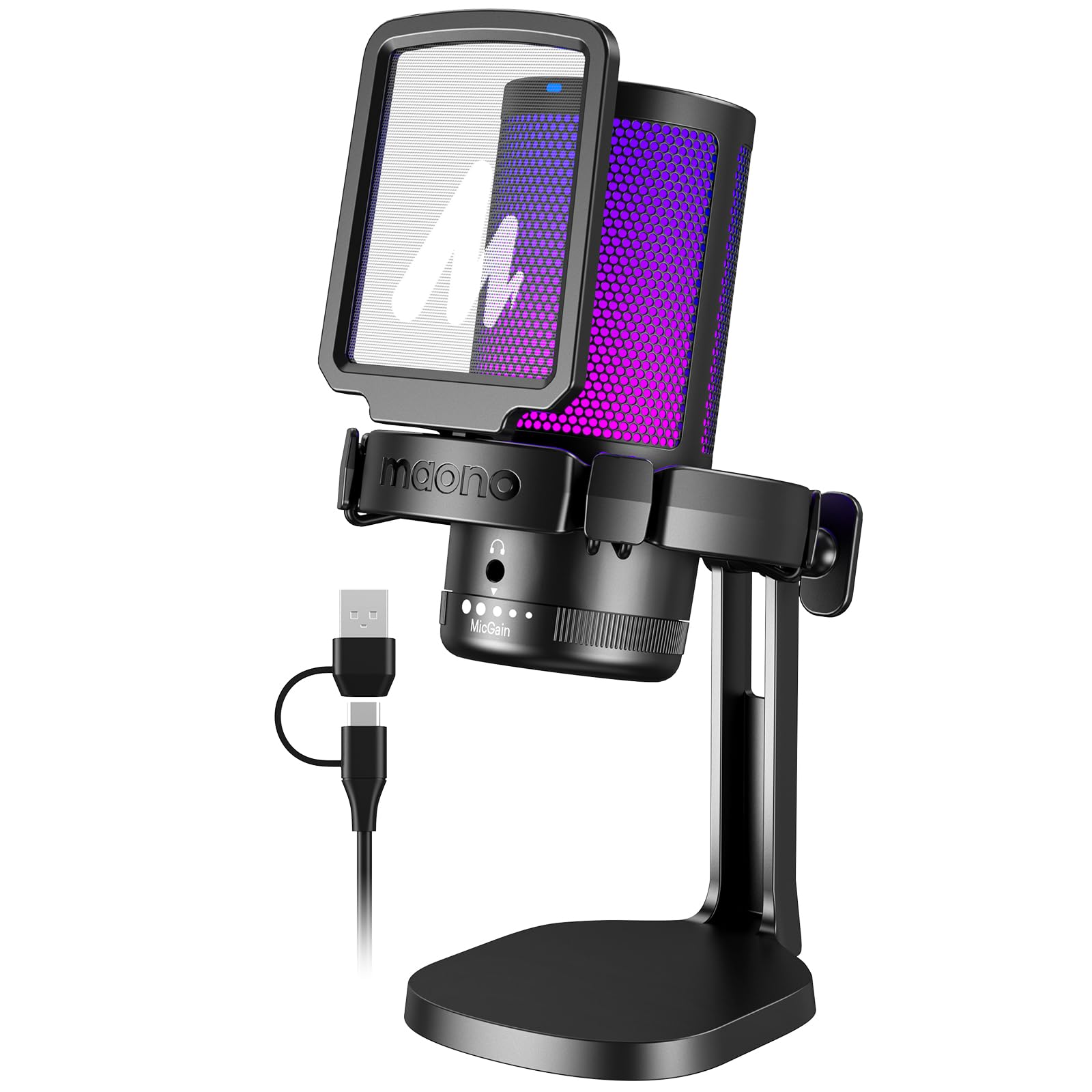
- Has adjustable one-key noise cancellation and a cardioid pattern.
- Provides one-click mute, gain control, and headphone monitoring.
- Uses plug-and-play USB with a USB and USB-C cable.
Best For: Callers in a home office who want one-key noise cancellation and direct headphone monitoring.
Simple Controls for Work Calls
FIFINE USB Desktop PC Microphone with Pop Filter for Computer and Mac, Studio Condenser Mic with Gain Knob Mute Button Headphone Jack for Gaming Streaming Recording YouTube, Extra USB-C Plug-K683A
The FIFINE K683A is a straightforward USB desktop microphone for calls, streaming, and recording. It connects to Windows and Mac computers, as well as PS4, through USB-A or USB-C without an extra driver.
Its cardioid condenser design focuses on sound from the front, while a gain knob, instant mute button, and headphone jack make common call adjustments accessible at the mic. A tripod stand and detachable pop filter are included.
Its fixed desktop position suits a stable workstation, though it does not offer the supplied boom arm found with some larger kits.
Best For: Desk workers who want plug-and-play setup, a physical mute button, and headphone monitoring.
| Pros | Cons |
|---|---|
|
|
Choose the K683A if you want a simple USB desktop mic with easy mute and gain access. It has a tripod, so it can sit on the desk without an arm clamp or separate stand.
The cardioid pickup and headphone monitoring suit focused one-person calls. Check that you can place it in front of you and speak toward the side marked with the FIFINE logo.
Its stated compatibility excludes Xbox, so confirm your call device has a supported USB connection.
Software Tuning for a Home Office
MAONO Dynamic Microphone, USB/XLR Podcast PC Microphone with Software, EQ,Tap-to-Mute, Headphone Jack, Gain Knob & Volume Control, Studio Mic for Broadcast, Recording, Streaming & Gaming (PD400X)
The MAONO PD400X combines USB convenience with an XLR output for a more configurable desk audio setup. On USB, its three-in-one digital knob adjusts microphone gain, headphone volume, and monitor mix, while a touch mute key with an LED indicator provides quick call privacy.
The MAONO Link app adds vocal tone options and controls for EQ, limiter, and compressor in advanced mode. Its dynamic capsule and cardioid pattern are intended to reject unwanted background noise.
The product notes do not identify a stand or arm in the package, so plan for a compatible support if you do not already have one.
Best For: People who want USB call controls now and the option to connect to an audio interface later.
| Pros | Cons |
|---|---|
|
|
The PD400X fits callers who want immediate USB control but may later route audio through a mixer or interface. Its software tuning gives more options than a basic plug-and-play mic, though those features depend on USB mode.
Check whether you already have a desk stand or arm and whether your computer supports the intended connection. If you only need simple voice calls, its added routing and processing controls may be more than you need.
Low-Fuss USB Call Setup
FIFINE USB Microphone, Metal Condenser Recording Microphone for MAC OS, Windows, Cardioid Laptop Mic for Recording Vocals, Voice Overs, Streaming, Meeting and YouTube Videos-K669B
The FIFINE K669B is a simple USB condenser microphone for computer calls, voice chat, and recording. It connects directly to a desktop or laptop with the included USB cable, and its tripod stand keeps the setup self-contained.
A volume knob sits on the mic, while its cardioid pickup pattern focuses on the front voice and is intended to reduce background noise. The metal body and small desk footprint suit a basic work or gaming station.
It does not include a headphone monitoring jack in the supplied details, so callers who want to hear their own mic feed should check that limitation before choosing it.
Best For: Budget-minded callers who want a compact mic with a physical volume control and tripod.
| Pros | Cons |
|---|---|
|
|
Pick the K669B for straightforward calls on a computer when you want a tripod-based setup and an onboard volume knob. Its USB connection and cardioid pattern keep setup uncomplicated.
The tradeoff is fewer call-focused controls than models with an explicit mute button and headphone monitoring. Confirm your computer has USB-A or a suitable adapter, and position the front of the mic toward your voice.
It is not a fit for Xbox or phone use.
Handheld Option with USB and XLR
Samson Q2U Dynamic USB-C/XLR Microphone
The Samson Q2U is a dynamic handheld microphone with both USB-C and XLR connections. Its USB-C interface plugs directly into a computer with a compatible port, while XLR offers another route for an audio interface or mixer.
The included package contains a desktop tripod stand, tripod extension, mic clip, windscreen, USB-C cable, and XLR cable. That makes it a flexible option for a desk that may also support podcasting or recording.
The supplied details do not mention a dedicated mute button, gain control, or headphone monitoring, so check whether those functions matter for your call routine.
Best For: Callers who want a handheld dynamic mic that can also connect to an XLR audio setup.
| Pros | Cons |
|---|---|
|
|
The Q2U suits someone who wants a handheld mic that can move between direct USB calls and an XLR recording setup. Its included tripod makes desk use possible, and the windscreen helps manage breath noise near the mic.
Check that your computer has a USB-C interface for direct connection, or plan to use compatible XLR equipment. The supplied details do not identify a quick mute or monitoring controls, so it may be less convenient for frequent call adjustments.
Broadcast-Style Monitoring and Mute
SAMSON Q9U XLR/USB Dynamic Broadcast Microphone
The Samson Q9U is a dynamic broadcast microphone that supports USB-C and XLR, offering a direct computer connection alongside a path into a mixer or interface. Over USB, it records at 24-bit/96kHz without driver downloads.
A zero-latency headphone output supports real-time monitoring, and the onboard mute switch silences both USB and XLR outputs. Its cardioid pattern is designed to keep the voice forward while minimizing ambient pickup.
The details do not identify a stand or cable package, so check what you need for desk positioning and connection before ordering, especially if you do not already own microphone support.
Best For: Frequent callers who want a dynamic broadcast mic with direct USB-C, monitoring, and a mute switch.
| Pros | Cons |
|---|---|
|
|
Choose the Q9U if calls are part of a broader broadcast or recording setup and you value a hardware mute plus direct monitoring. It offers more connection flexibility than a USB-only desk mic, but the listed details do not settle how it will be mounted or which cables come in the box.
Check your desk support and USB-C or XLR path before buying. The higher-resolution recording modes may matter more for production work than ordinary calls.
Multiple Pickup Patterns for Shared Calls
JLab Talk USB Microphone, USB-C Output, Cardioid, Omnidirectional, Stereo or Bidirectional, 96k Sample Rate, 20Hz, 20kHz Frequency Response, Volume, Gain Control, Quick Mute, Plug & Play
The JLab Talk offers four pickup modes: cardioid, omnidirectional, stereo, and bidirectional. That flexibility can help when the same desk mic is used for individual video calls as well as meetings around a table or two-person conversations.
It connects through a 6.5-foot USB/USB-C cable and works without drivers. Gain and volume controls are onboard, and a 3.5mm input supports real-time listening.
The mic can also use a standard 5/8-inch mount for a tripod or other stand. The supplied details do not specify whether a stand is included, so check the package contents and desk setup needs.
Best For: People who switch between solo calls, group conversations, and stereo recording on one desktop mic.
| Pros | Cons |
|---|---|
|
|
The Talk is a useful fit if your calls vary between solo and multi-person use, since its four patterns let you adapt how it captures sound. For everyday one-person calls, cardioid mode is the most directly relevant option; omnidirectional or bidirectional modes can suit shared conversations.
Check whether the package includes a stand or whether you need a compatible mount. Its broader pattern options and recording resolution are useful extras, though not essential for a basic call mic.
Higher-Resolution Multi-Pattern Capture
JLab Talk Pro USB Microphone, USB-C Output, Cardioid, Omnidirectional, Stereo, Bidirectional, 192k Sample Rate, 20Hz-20kHz Frequency Response, Volume, Gain Control, Quick Mute, Plug & Play
The JLab Talk Pro combines four pickup patterns with USB connectivity, making it adaptable for solo calls, group conversations, and other recording tasks. Cardioid, omni, stereo, and bidirectional modes cover different room and speaker arrangements.
It has gain and volume controls, quick mute, and a 3.5mm input for zero-latency listening. The included 10-foot USB/USB-C cable and driver-free setup support a flexible desk arrangement, while a standard 5/8-inch input accepts a compatible stand.
Stand inclusion is not specified in the supplied details, so check whether you need to add one.
Best For: Users who want multiple pickup patterns and a desktop mic for calls plus recording work.
| Pros | Cons |
|---|---|
|
|
Pick the Talk Pro if you expect to use one mic for calls and more varied recording, and want quick mute and multiple pickup patterns. Its longer included cable may help place it on a desk, while the 5/8-inch mount provides another positioning option.
Check the package for a stand before purchasing. For one-person calls, a simpler cardioid USB microphone may cover the core need with fewer mode choices.
Desktop Mic with RGB and Headphone Monitoring
FIFINE Gaming Microphone, USB PC Mic for Streaming, Podcasts, Recording, Condenser Computer Desktop Mic on Mac, with RGB Control, Mute Touch, Headphone Jack, Pop Filter, Stand-AmpliGame A8
The FIFINE AmpliGame A8 is a USB condenser desktop microphone with call-friendly controls and a gaming-oriented design. It connects to PC, Mac, and PS5 by plug and play, and its cardioid pickup pattern is intended to reduce fan or vent noise behind the mic.
A gain knob adjusts input level, while a one-tap mute and 3.5mm headphone jack support quick control and monitoring. It includes a pop filter, shock mount, and stand.
The product notes recommend a recording range of 6 to 12 inches, so it works best when the desk layout lets you position it close to your voice.
Best For: Video callers who also stream and want an adjustable mic with monitoring and mute controls.
| Pros | Cons |
|---|---|
|
|
The A8 suits a desk where the mic can sit within its recommended 6 to 12 inch range and where monitoring and quick mute are useful. Its included stand, pop filter, and shock mount make it a fuller desk package than a bare microphone.
RGB lighting is a setup detail rather than a call requirement. Check available space and whether you can keep the capsule facing you; if you need the mic farther away, consider a boom-arm arrangement.
Noise-Cancellation Controls for Busy Rooms
MAONO USB Gaming Microphone for PC, Noise Cancellation Condenser Mic with RGB, Mute, Gain, Computer Desk Mic for Streaming, Podcast, Chat, Twitch, YouTube, Discord, PS5, PS4, GamerWave DGM20 Black
The MAONO DGM20 is a USB condenser desktop mic with a one-key noise cancellation function and cardioid pickup pattern. It is designed to focus on voice in front of the microphone, while its noise cancellation can be switched on or off with a long press.
The mic also has one-click mute, a gain control knob, and a 3.5mm headphone monitoring jack for real-time listening. Plug-and-play USB and a supplied USB/USB-C cable support computers and consoles.
The software noise cancellation feature is limited to Windows, so check your operating system if you plan to use that specific adjustment.
Best For: Callers in a home office who want one-key noise cancellation and direct headphone monitoring.
| Pros | Cons |
|---|---|
|
|
Choose the DGM20 if your work area has distracting background sound and you want a hardware-accessible noise-cancellation setting alongside mute and gain. Its cardioid pattern and headphone monitoring add useful call control without requiring an XLR setup.
Check whether the Windows-only software feature is available on your computer; the USB mic itself supports broader device types. If your room is already quiet, a simpler mic may provide the controls you need with less emphasis on noise processing.
How to Choose Microphones For Video Calls
How We Picked Microphones for Video Calls
We prioritized microphones with useful call features and practical computer connections: plug-and-play USB, accessible mute or gain controls, headphone monitoring, and pickup patterns suited to one speaker or a shared table. The choices include simple tripod desk mics, flexible multi-pattern models, dynamic USB/XLR options, and a feature-rich USB mic with visible status indicators.
We also considered what comes in the box and where each mic can sit. A desktop tripod is convenient when desk space is available.
A boom arm can bring a mic closer and clear the keyboard area, but it needs a compatible clamp and enough room. Check whether a stand, cable, and the connection type you need are included before buying.
Comparing Microphones for Video Calls
For a one-person call, cardioid models such as the FIFINE K683A and K669B focus on the voice in front of the microphone. The K683A adds a mute button and headphone monitoring; the K669B keeps the setup simpler with a volume knob and tripod.
The MAONO DGM20 adds a noise-cancellation control, with its software adjustment limited to Windows.
Shared conversations call for more flexible pickup. The JLab Talk and Talk Pro offer cardioid, omnidirectional, stereo, and bidirectional modes.
The Samson Q2U, Q9U, and MAONO PD400X instead stand out for USB and XLR connectivity, which can suit someone who may add a mixer or interface. The SteelSeries Alias adds software routing and visible mute and level feedback.
| Product | Standout features | Best for |
|---|---|---|
| FIFINE K683A USB Desktop MicrophoneCheck Price |
| Desk workers who want plug-and-play setup, a physical mute button, and headphone monitoring. |
| MAONO PD400X Dynamic MicrophoneCheck Price |
| People who want USB call controls now and the option to connect to an audio interface later. |
| FIFINE K669B USB MicrophoneCheck Price |
| Budget-minded callers who want a compact mic with a physical volume control and tripod. |
| Samson Q2U Dynamic MicrophoneCheck Price |
| Callers who want a handheld dynamic mic that can also connect to an XLR audio setup. |
| Samson Q9U XLR/USB Dynamic MicrophoneCheck Price |
| Frequent callers who want a dynamic broadcast mic with direct USB-C, monitoring, and a mute switch. |
| JLab Talk USB MicrophoneCheck Price |
| People who switch between solo calls, group conversations, and stereo recording on one desktop mic. |
| JLab Talk Pro USB MicrophoneCheck Price |
| Users who want multiple pickup patterns and a desktop mic for calls plus recording work. |
| FIFINE AmpliGame A8 USB MicrophoneCheck Price |
| Video callers who also stream and want an adjustable mic with monitoring and mute controls. |
| MAONO DGM20 USB Gaming MicrophoneCheck Price |
| Callers in a home office who want one-key noise cancellation and direct headphone monitoring. |
Choosing a USB Microphone for Meetings
USB is the simplest path for most computer calls. Confirm whether your device has USB-A or USB-C and check cable details, especially if your computer sits far from the mic.
Some models include mic-side controls, so you can mute or adjust gain without reaching for call software. Headphone monitoring is useful when you want to hear the mic feed, but it is a separate feature from normal meeting audio.
Check pickup pattern against how you meet. Cardioid is geared toward a speaker in front of the mic; omnidirectional and bidirectional modes can accommodate people around a table or on opposite sides of a mic.
These modes do not replace good placement: keep the active side pointed toward the intended speaker and consider nearby noise sources.
Desk Placement, Monitoring, and Room Noise
A desktop tripod is easy to place but takes up desk area. A boom arm can free surface space and bring the mic closer, though some models require a separate arm or clamp.
For example, the SteelSeries Alias includes a desktop stand while its boom arm is sold separately; the Q9U's supplied details do not identify a stand. Check your desk edge, monitor layout, and included mount before choosing a form factor.
Dynamic microphones and cardioid pickup appear across several options, but room-noise performance depends on mic placement and the surrounding space. The DGM20 adds a noise-cancellation control, and the Alias provides software noise cancellation.
Both are tools to consider, not substitutes for checking your operating system and call software compatibility.
Who Should Buy Which Video Call Microphone?
For an uncomplicated work desk, the FIFINE K683A pairs USB setup with mute, gain, and headphone monitoring. The K669B is a simpler tripod mic with a volume knob.
Choose the JLab Talk or Talk Pro if switching pickup patterns for group calls matters.
For future audio gear expansion, consider a USB/XLR model such as the Samson Q2U, Q9U, or MAONO PD400X, and verify the stand and cable situation. The DGM20 suits someone who wants a noise-cancellation control, while the SteelSeries Alias is geared toward callers who also stream and want software routing and visible status feedback.