The JLab Go Work review is for buyers who want an on-ear headset built around work calls, device switching, and long stretches away from a charger.
JLab Go Work Review Summary
The quick verdict

10,000+ ratings
Read Amazon ReviewsJLab Go Work
A practical fit for work calls and switching between devices, with wired listening available when wireless is not convenient.
- Bluetooth multipoint connects the headset to two devices simultaneously.
- The included USB-C to 3.5mm cable lets you plug in for wired use.
- Playtime is rated at 45+ hours on one charge.
- The rotating boom microphone moves up for listening and down for calls or video conferences.

Pros
- Connect wirelessly to two devices at once, or plug in with the included USB-C to 3.5mm cable.
- The rotating boom mic accommodates both calls and listening without the mic in front of the face.
Consider before buying
- The on-ear format may be a poor match if you prefer headphones that cover the ears.
- The EQ choice is limited to Work and Music modes, so buyers seeking more preset options may want a different setup.
Read the full review summary
Go Work combines Bluetooth multipoint for two devices with a wired USB-C to 3.5mm connection, so it can suit a work setup that shifts between a computer and phone.
Its rotating boom mic can move out of the way for listening, while dual microphones and headset controls address calls and everyday operation.
The appeal is strongest for desk-based buyers who want a headset that can cover meetings and casual listening in one pair.
The 45+-hour playtime and Cloud Foam earcups make it a plausible all-day work option, though fit and microphone performance in a specific room or outdoors are personal factors to check.
The buying factors
JLab Go Work Scorecard
Editorial scores reflect listed features and buyer fit; they are not laboratory measurements or customer ratings.
Device flexibility
Bluetooth multipoint connects two devices at once, and the included USB-C to 3.5mm cable gives you a wired listening option.
Work call setup
A rotating boom mic and dual-microphone calling setup make calls a central part of the design.
Playtime
The stated 45+ hours on one charge is a useful fit for buyers who prefer infrequent charging.
On-headset controls
Buttons handle playback, calls, volume, mute, and track control, with a red LED to show when the boom mic is muted.
Listening flexibility
The boom mic rotates away for listening, and Work or Music EQ modes offer two preset options.
Included essentials
The box includes a charging cable, wired-use cable, and a two-year JLab warranty.
Key Features and Specifications of JLab Go Work
- Bluetooth multipoint connects the headset to two devices simultaneously.
- The included USB-C to 3.5mm cable lets you plug in for wired use.
- Playtime is rated at 45+ hours on one charge.
- The rotating boom microphone moves up for listening and down for calls or video conferences.
- Dual microphones are used for calling, and a red LED indicates mute status.
- Headset buttons cover playback, calls, volume, mute, and track control; two EQ modes are available.
Pros and Cons of JLab Go Work
Pros
- Connect wirelessly to two devices at once, or plug in with the included USB-C to 3.5mm cable.
- The rotating boom mic accommodates both calls and listening without the mic in front of the face.
- 45+ hours of playtime is suited to buyers who want fewer charging interruptions.
- Dedicated headset buttons include call and mute controls, with an LED mute indicator.
Consider before buying
- The on-ear format may be a poor match if you prefer headphones that cover the ears.
- The EQ choice is limited to Work and Music modes, so buyers seeking more preset options may want a different setup.
- For frequent outdoor calls, check microphone performance in windy conditions before buying.
Who Should Buy JLab Go Work?
Good fit
Choose Go Work if your routine moves between a computer and phone and you want one headset connected to both. You can also plug in with the included USB-C to 3.5mm cable.
It also suits workdays with regular calls: the boom mic rotates into position for conversations and away for listening, while buttons provide access to mute, volume, and call controls.
The 45+ hour playtime and Cloud Foam earcups may appeal if you want a work-oriented headset for extended use without frequent charging.
Who should skip it
Skip it if an on-ear fit is not your preference; the earcups sit on the ears rather than around them.
Look elsewhere if your main requirement is a wide selection of sound presets: Go Work offers Work and Music modes.
JLab Go Work Review: How It Fits a Workday
A headset built around switching devices
Bluetooth multipoint lets the headset connect to two devices at once, such as a computer and phone, while the included USB-C to 3.5mm cable gives you a wired option.
This suits desk setups where you move between calls and other listening and want one headset for both.
Call controls and mic placement
The boom microphone rotates between call and listening positions, and the headset buttons cover calls, playback, volume, and mute.
A red light at the boom tip helps make mute status visible, which can be useful when switching between meetings.
Playtime and comfort considerations
The 45+ hour rating targets buyers who want to charge less often, and Cloud Foam earcups are intended for all-day comfort.
Those details make sense for a work headset, but they cannot guarantee a comfortable fit for every listener; the on-ear placement is the more concrete fit consideration.
A simple two-mode sound choice
Work and Music EQ modes let you make a basic adjustment between work use and casual listening.
This is a straightforward choice rather than a broad customization system, so buyers who like tuning several presets should weigh that limit before choosing.
Alternatives to JLab Go Work
Battery-focused alternative

2,000+ ratings
Read Amazon ReviewsJLab Studio Wireless On-Ear Headphones
Choose Studio for its foldable design and three EQ presets; choose Go Work for its rotating call boom, wired option, and 45+ hours of playtime.
- Studio has a foldable design, built-in mic, and EQ3 presets; its playtime is rated at 30+ hours.
- Go Work is call oriented, with a rotating boom microphone, Bluetooth multipoint for two devices, and an included cable for wired use.
Battery-focused alternative
1,000+ ratings
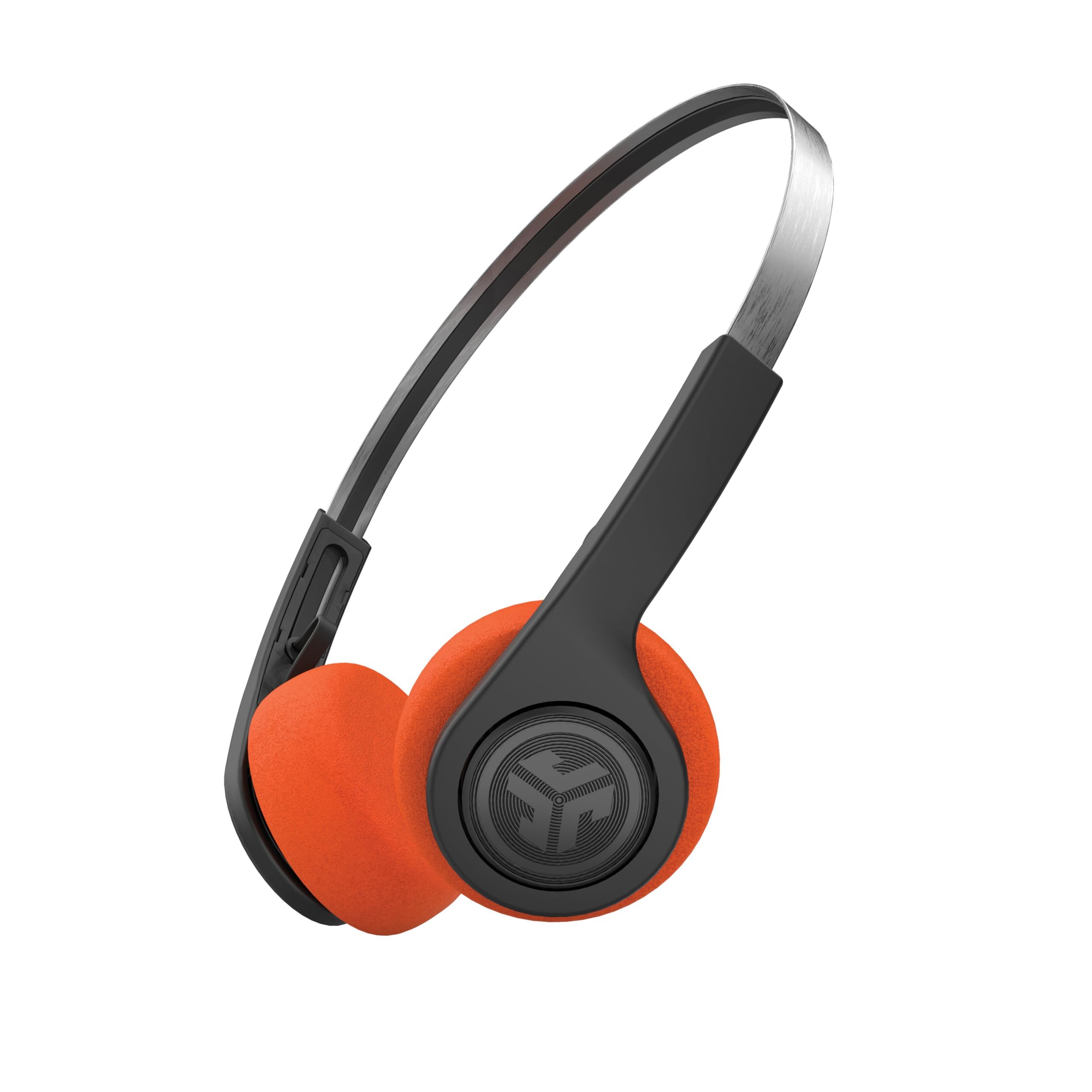
Read Amazon ReviewsJLab Rewind 2 Retro Wireless On-Ear Headphones
Choose Rewind 2 for its retro styling and USB-C charging; choose Go Work for its call-focused boom mic, wired option, and 45+ hours of playtime.
- Rewind 2 has a retro design, Bluetooth multipoint, USB-C charging, and 20+ hours of playtime.
- Go Work emphasizes calls with its rotating boom mic and includes a USB-C to 3.5mm cable for wired listening; its playtime is 45+ hours.
Is JLab Go Work Worth It?
JLab Go Work is worth considering if you want an on-ear headset for calls, with Bluetooth connection to two devices at once and the option to plug in with the included USB-C to 3.5mm cable.
Its rotating boom, red mute indicator, and headset controls for calls and volume suit practical desk use.
The main tradeoffs are its on-ear fit and two-mode EQ.
If those suit your preferences, the 45+ hour playtime rating and call-first controls make Go Work a sensible choice for a work desk or home office; check mic performance in wind if outdoor calls are part of your routine.
Your review at a glance
10,000+ ratings
Read Amazon ReviewsJLab Go Work
A practical fit for work calls and switching between devices, with wired listening available when wireless is not convenient.
- Bluetooth multipoint connects the headset to two devices simultaneously.
- The included USB-C to 3.5mm cable lets you plug in for wired use.
- Playtime is rated at 45+ hours on one charge.
- The rotating boom microphone moves up for listening and down for calls or video conferences.