Creating videos, podcasts, streams, or music can call for very different tools. These 11 gift ideas for content creators span recording, editing, sharing, and staying connected.
Consider the recipient’s devices and everyday workflow first. A practical accessory that fits their setup may be more useful than another piece of gear to learn.
11 Gift Ideas for Content Creators
MAONO Wave T5 Mini Wireless Lavalier Microphone

- The wireless microphone records at 48kHz/24-bit.
- Choose from four professional voice presets for different recording styles.
- The charging case provides 40 hours of total use.
Best Gift For: A mobile video creator who wants a compact microphone for recording on the move.

FIFINE T669 USB Microphone Kit

- The microphone connects to a PC or laptop with plug-and-play USB.
- The kit includes an adjustable boom arm stand and an 8.2ft USB cable.
- A double pop filter helps minimize popping sounds.
Best Gift For: A podcaster or voiceover creator building a computer-based home recording setup.
HP Sprocket Select 2.3x3.4 Instant Photo Printer

- Print 2.3” x 3.4” photographs from a smartphone or social media.
- The glossy sticky-back paper uses ZINK technology.
- The HP app offers editing tools, frames, and filters.
Best Gift For: A social creator who enjoys turning phone photos into tangible keepsakes or custom stickers.
Nulaxy 18-Inch Telescopic Rotating Laptop Stand
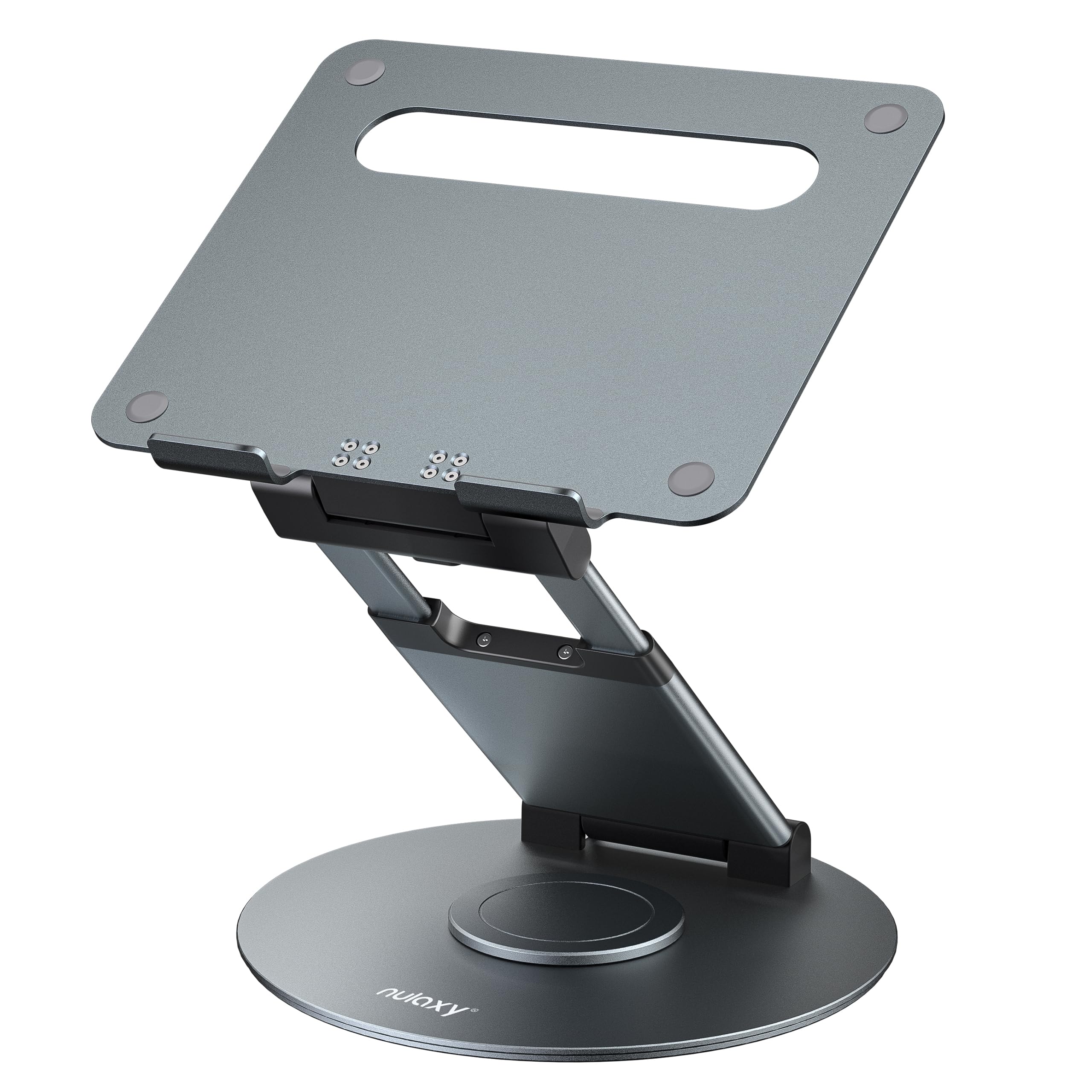
- The stand rotates to share a screen with someone nearby.
- Its height adjusts up to 18 inches.
- It fits laptops and tablets up to 17 inches.
Best Gift For: Someone who wants to share their laptop screen during meetings or collaborative work.
HUANUO FlowLift Dual Monitor Stand

- Fits computer screens from 13 to 32 inches, weighing 4.4 to 19.8 lbs, with 75x75mm or 100x100mm VESA mounting holes.
- The arms offer tilt, swivel, and rotation adjustments.
- Built-in cable management guides wires along the arms.
Best Gift For: A creator with two compatible monitors who wants to clear desk space and adjust screen positions.
Audioengine A2+ Wireless Computer Speakers

- The speakers have real wood cabinets and custom-tuned components.
- The integrated 24-bit DAC connects directly to a computer through USB-C.
- Connect wirelessly or through USB-C, RCA, or 3.5mm AUX inputs.
Best Gift For: A music creator or editor who wants compact speakers for desktop listening.
TP-Link BE6500 Dual-Band WiFi 7 Router
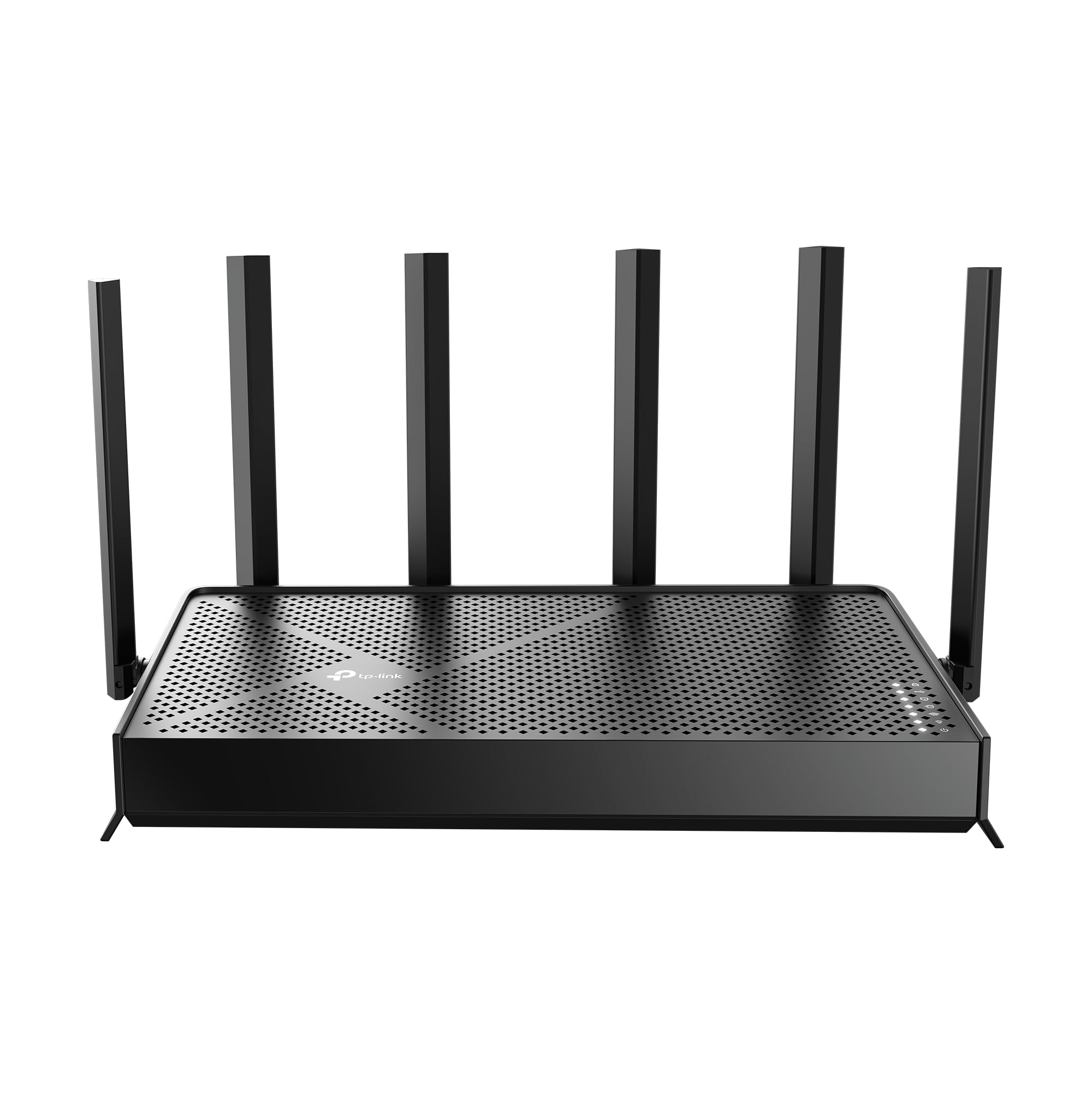
- Wi-Fi 7 supports Multi-Link Operation, Multi-RUs, and 4K-QAM.
- The router has dual 2.5 Gbps ports and three 1 Gbps LAN ports.
- The Tether app or a web interface can be used to manage network settings.
Best Gift For: A creator whose home workflow depends on a connected mix of devices and online tools.
SABRENT USB-C and USB-A SD Card Reader

- USB-C and USB-A connectors support transfers across compatible devices.
- Dual slots support SD and Micro SD card formats.
- The plug-and-play reader needs no drivers or software.
Best Gift For: A camera creator who wants a compact way to transfer memory-card files to compatible devices.
5000mAh Slim Magnetic Wireless Power Bank

- The 5000mAh battery is designed for portable backup power.
- It combines MagSafe-compatible wireless charging with USB-C output.
- The slim design is 11.8mm thick.
Best Gift For: Someone who wants backup power for an iPhone during commuting, travel, or everyday emergencies.
SteelSeries Aerox 3 Wireless Gaming Mouse

- The mouse has a lightweight 68g holey shell.
- Its wireless connections include 2.4GHz and Bluetooth 5.0.
- The interior is shielded from water splashes, dust, and dirt, with IP54-rated technology.
Best Gift For: A gaming streamer or creator who wants a wireless mouse for gameplay and desk use.
JLab Go Work Wireless Headset (1 Pack)

- Bluetooth multipoint connects two devices simultaneously.
- The headset offers 45+-hour playtime on one charge.
- A red LED at the boom mic indicates when mute is on.
Best Gift For: A creator who regularly switches between computer work, mobile calls, and video conferences.
Choosing gifts for content creators by workflow
When choosing gifts for content creators, start with what the person makes most often and where they work. Someone recording spoken videos may value a microphone or headset, while a camera-focused creator may appreciate an easier route for moving files.
A musician or editor might use desktop speakers regularly.
Think about the moment that slows them down. Is it setting up a desk, recording in a noisy place, keeping a phone charged, or moving footage from a camera?
A gift that eases a recurring step can feel especially thoughtful because it supports the work they already enjoy.
If you are unsure about their exact setup, ask a friend who collaborates with them or look for clues in their workspace. Check device compatibility before choosing a connector-dependent accessory.
A small addition that fits their workflow is often easier to welcome than a large change to it.
Budget and practical tradeoffs
Set a comfortable budget before comparing options. Small everyday accessories can make useful gifts, while larger desk or audio equipment may suit a recipient who has asked for an upgrade.
The right choice depends on their needs and what they already own, rather than on a higher price alone.
For a more substantial present, consider whether it will complete an existing setup. A desk accessory can make more sense when the recipient already has compatible equipment, and speakers may be most appreciated by someone who listens at a desk.
For modest spending, choose a useful item that solves one specific inconvenience.
For gifts for content creators, check actual prices and current product details before buying. Compatibility matters for ports, computers, phones, memory cards, monitor fittings, and network devices.
Confirm dimensions and available desk space when gifting equipment meant to stay in one place.
Personal touches for gifts for content creators
A personal note can connect a practical gift to the recipient’s creative routine. Mention the project they are working on, a video you enjoyed, or the care they put into their music or photos.
That gives even a straightforward piece of equipment a more individual feel.
You can make the presentation part of the gift without adding assumptions about what they need. Wrap a small accessory with a handwritten card, or pair a larger item with a note offering to help set it up if they would like.
Avoid configuring accounts or changing their devices without asking.
For gifts for content creators, keep any add-ons relevant to what they already use. If you know their preferred device or format, a compatible accessory may be welcome; if you do not, let them choose it themselves.
A flexible gift receipt also gives them room to find the right fit.
Choosing the right setup fit
Some creator gear depends on the rest of the workspace. A microphone may need a compatible computer or phone connection; a monitor mount requires suitable screens and a desk.
Check those details with care, or choose a gift that has fewer setup requirements when you cannot confirm them.
Consider where the person works and whether portability matters. Someone who films while traveling may value a compact item they can carry, while a home-based editor may have more use for desk equipment.
Ask about their plans if a gift depends on a particular project or location.
Pay attention to whether an item is a complete gift for its intended use. Check included components, any separate accessories they might need, and the recipient’s existing setup.
A quick compatibility conversation can prevent a thoughtful present from becoming an extra research task.
Last-minute buying advice
For a last-minute purchase, favor products that match a device or routine you already know. Recheck the exact model, connector, and variant before placing an order.
Then review the seller’s current delivery estimate and return terms, since timing and options can vary.
When there is not enough time to confirm a technical fit, choose a lower-dependency gift, such as a portable accessory, or give a note explaining that you would like to choose the exact item together. That keeps the gesture thoughtful and gives the recipient a say in equipment that affects their setup.
Keep the gift simple to open and easy to understand. Include a short note about why it reminded you of their work, and leave the product unopened if they may need to exchange it.
A considered choice and a little flexibility can make a useful present feel personal.