The best wireless earbuds for work depend on whether you need to hear colleagues nearby, reduce background noise, or move between a laptop and phone. These picks span open-ear designs, noise control, independent-earbud use, and long battery options for different work settings.
Quick Top Products
SHOKZ OpenFit 2
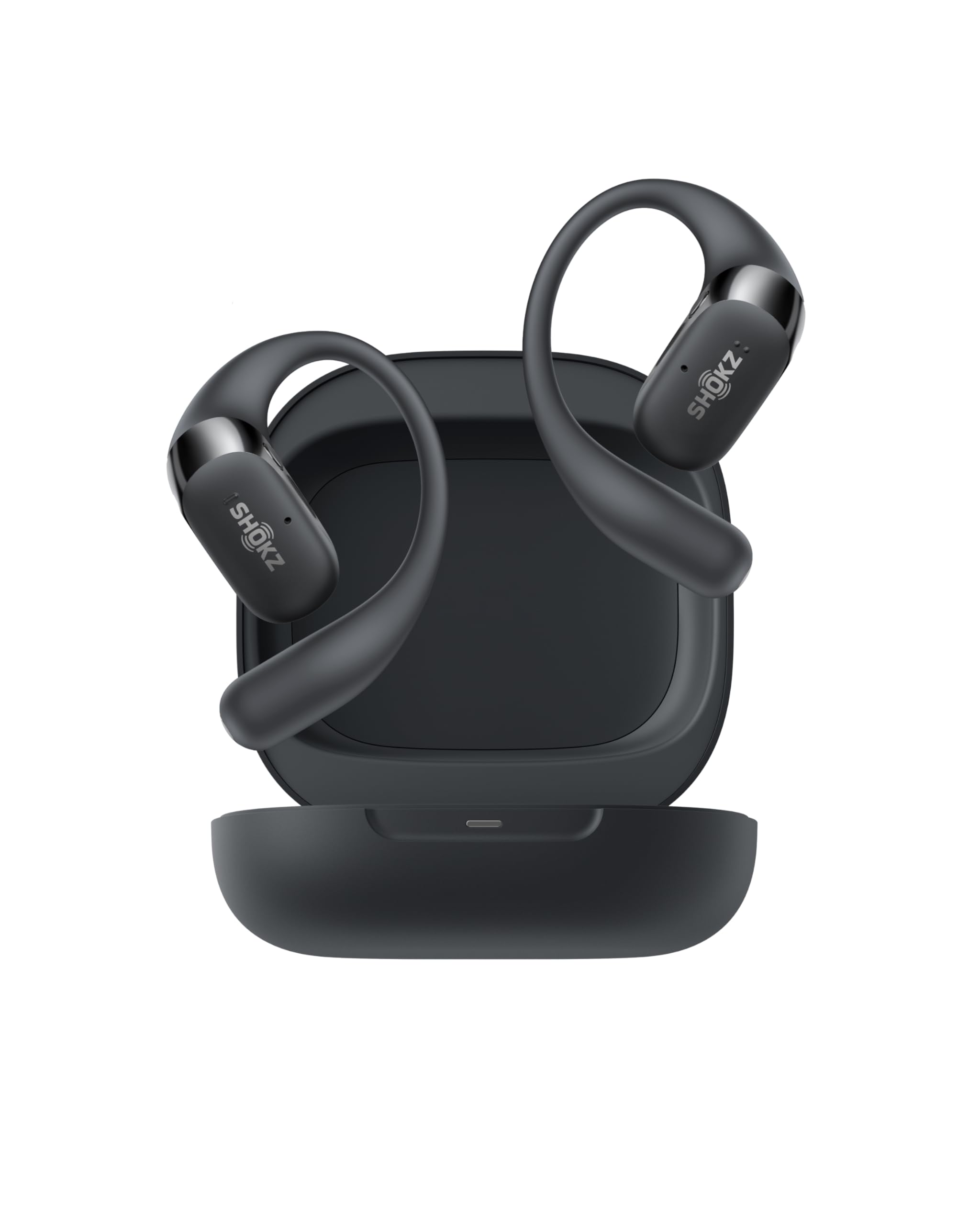
- Open-ear listening keeps you connected to your surroundings.
- Switch between two paired devices using physical buttons.
- The case provides up to 48 hours of total listening.
Best For: Workers who want open-ear awareness, long single-charge listening, and physical controls for calls and device switching.

SHOKZ OpenFit Air
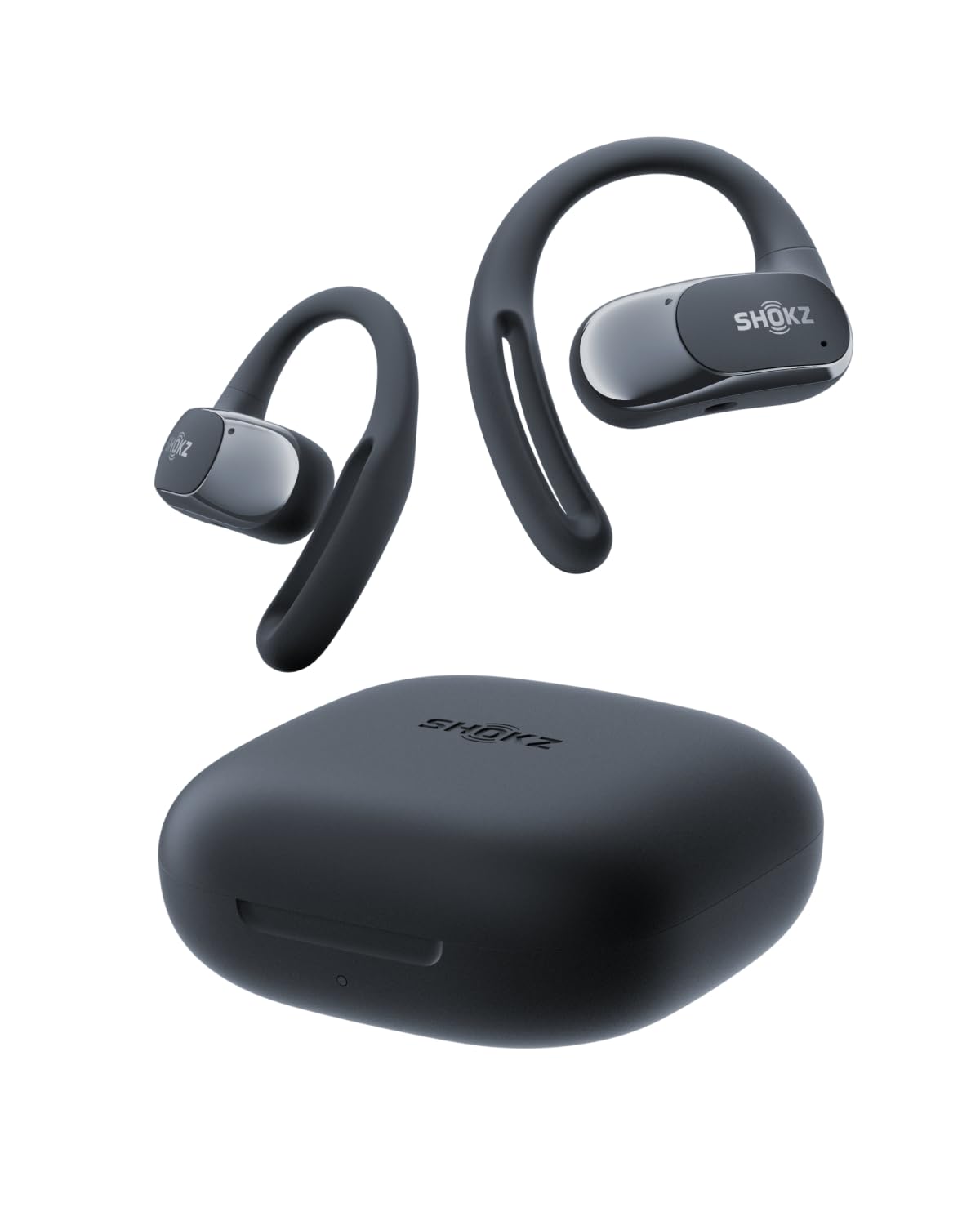
- Four smart microphones and IP54 water resistance help keep you connected through daily activities.
- Four smart microphones are included.
- The case supports up to 28 hours of listening.
Best For: People who prefer open ears and want to connect two devices for work and everyday listening.
JLab Go Pop ANC
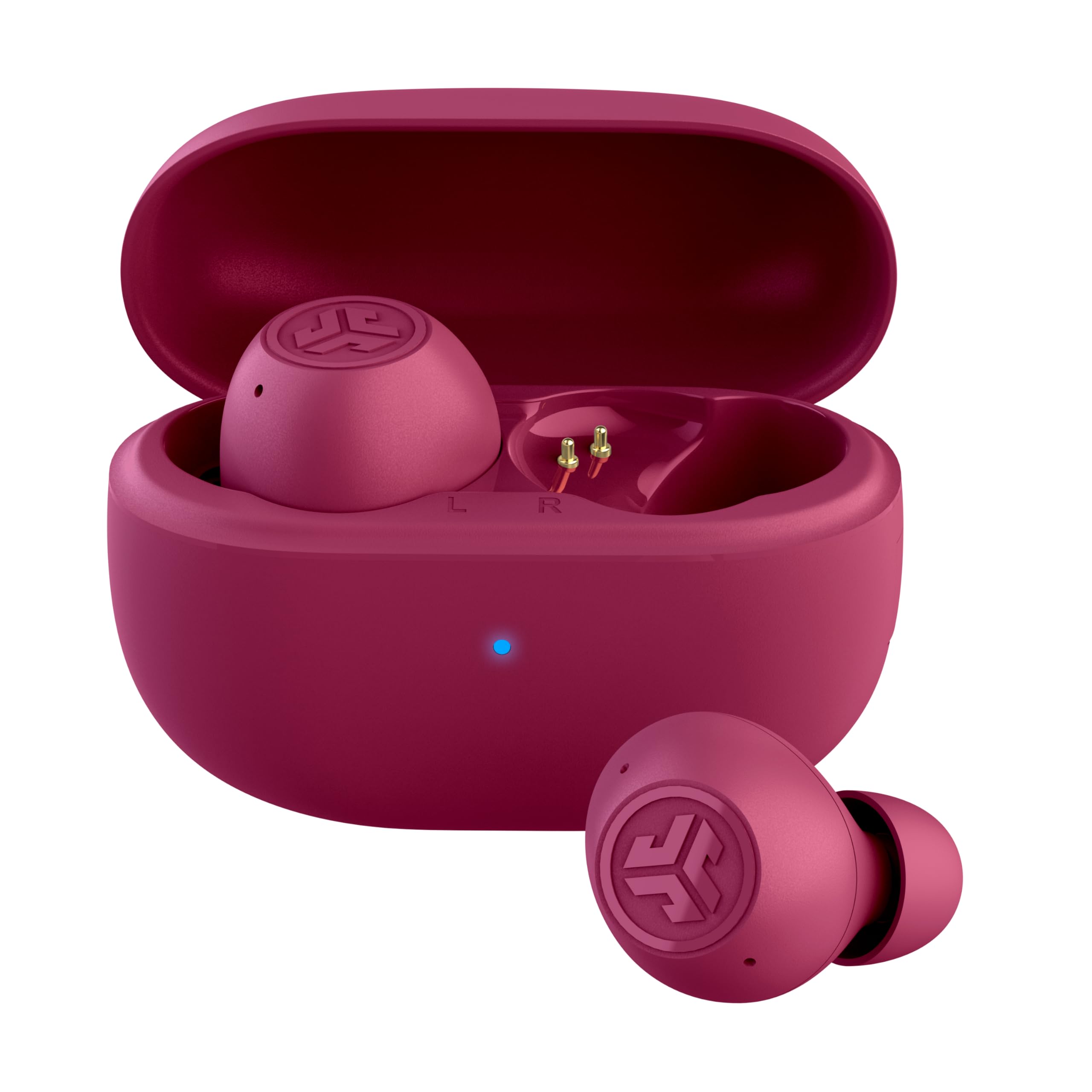
- Choose ANC On, ANC Off, or Be Aware listening modes.
- Each earbud supports independent use.
- The case has a built-in USB-C cable.
Best For: Commuters and desk workers who want compact in-ear earbuds with active noise control and independent-earbud use.
JLab JBuds Mini
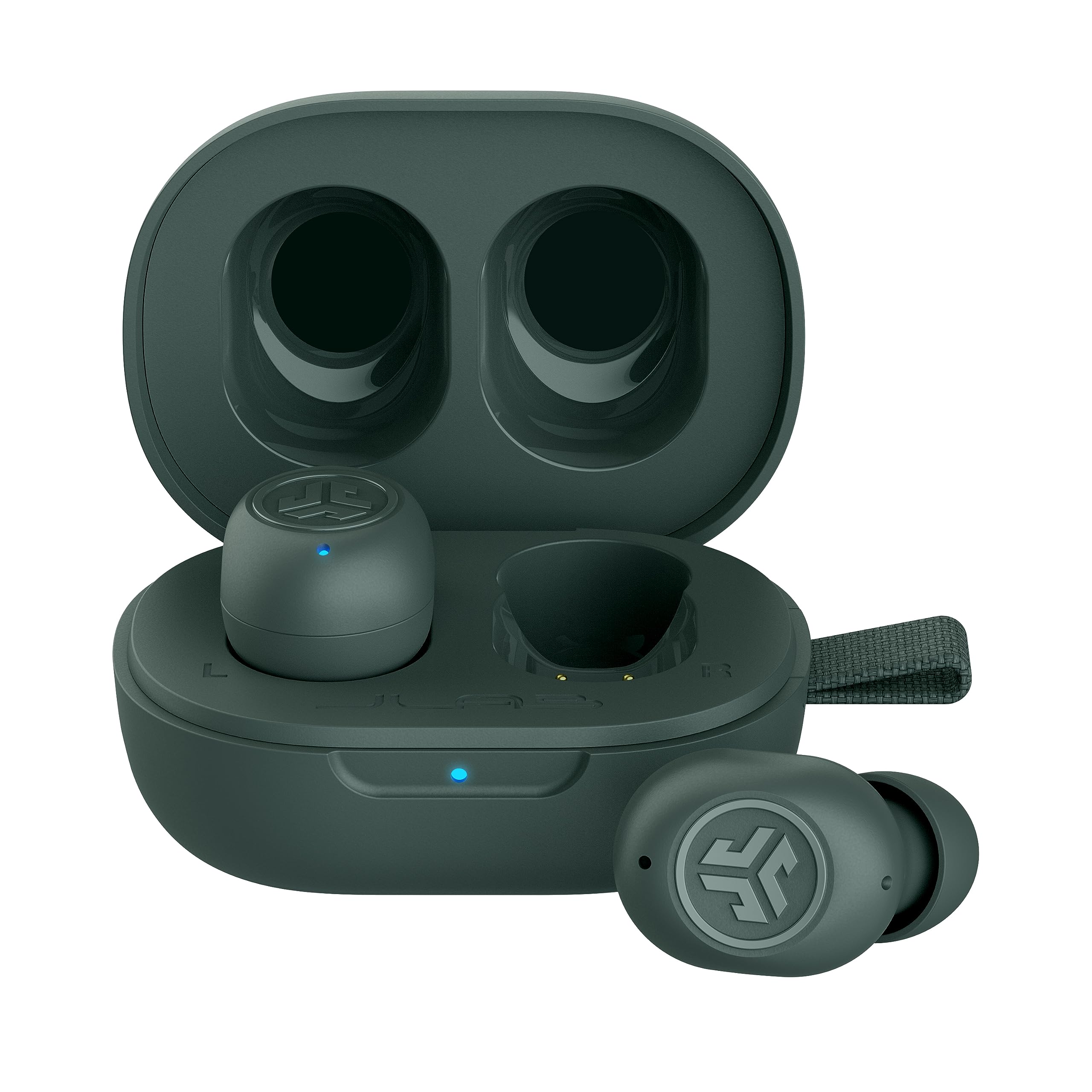
- Bluetooth multipoint connects to two devices at once.
- Be Aware Audio lets ambient sound in.
- The case extends listening to 20 hours total.
Best For: Workers who want a very small earbud and multipoint connections for a phone and computer.
Donner Dobuds ONE
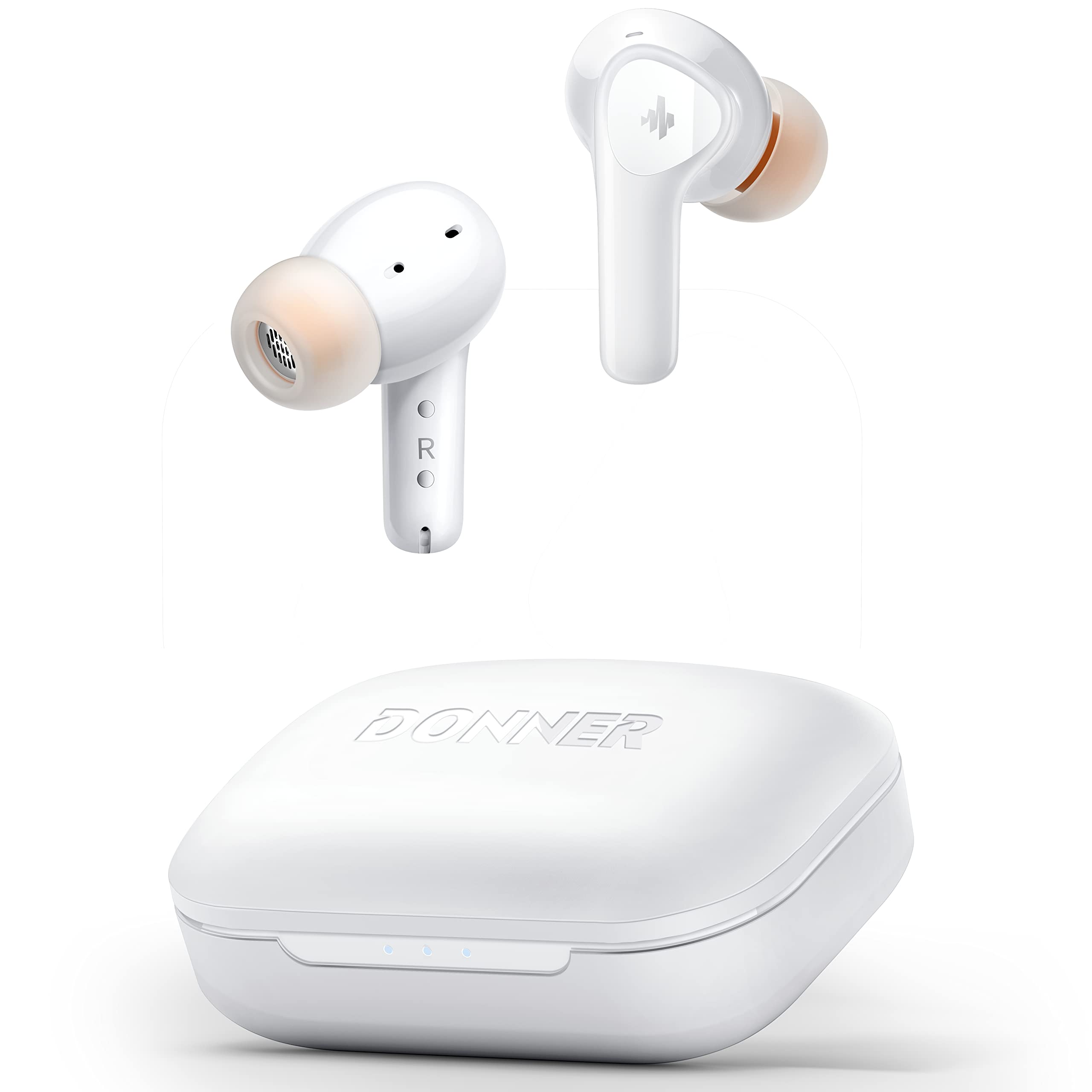
- Active noise cancelling and transparency mode are available.
- Five eartip sizes are included.
- Four built-in microphones support calls.
Best For: Listeners who want in-ear noise cancelling, app-based sound adjustments, and calls from a two-device work setup.
JLab Flex Open Earbuds
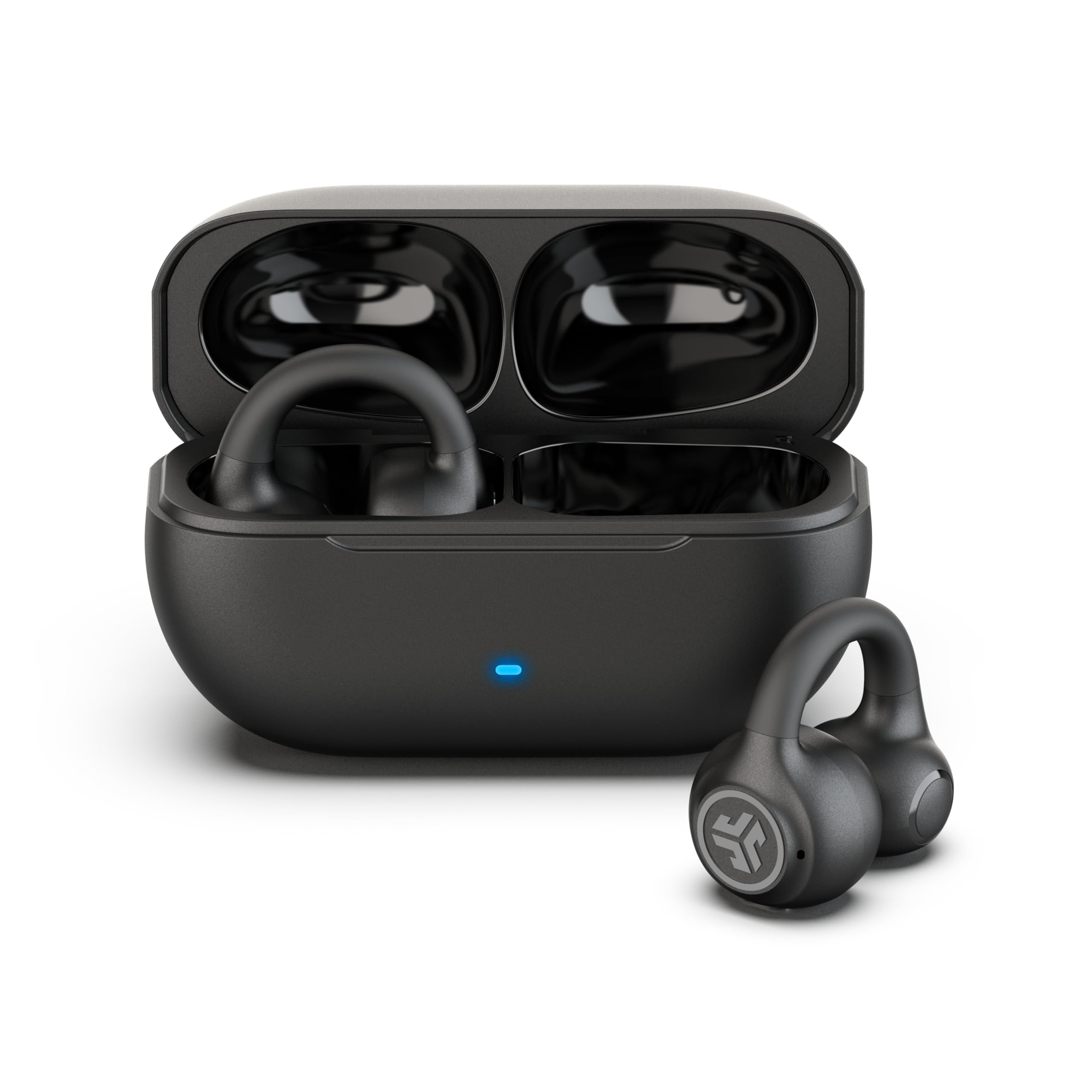
- The clip-on cuff sits around the outer ear without eartips.
- Bluetooth multipoint connects two devices simultaneously.
- A MEMS noise-cancelling microphone supports calls.
Best For: People who dislike in-ear tips and want an open-ear clip design with simultaneous laptop and phone pairing.
SHOKZ OpenDots 2
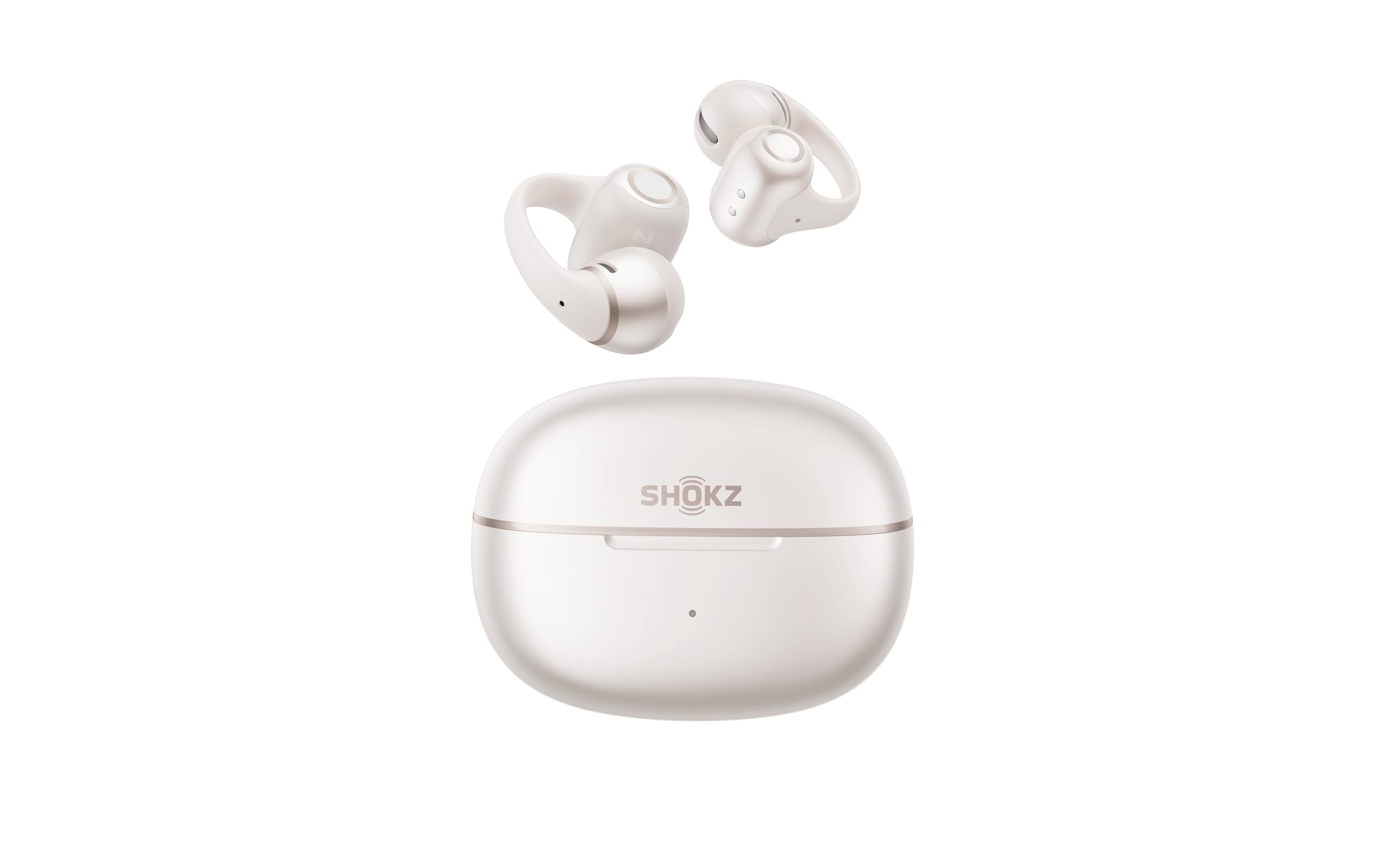
- The earbuds can be worn interchangeably in either ear.
- Multipoint pairing supports two devices.
- The case supports up to 40 hours and Qi wireless charging.
Best For: Workers seeking open-ear clip-on earbuds with multipoint pairing, wireless charging, and interchangeable buds.
Amazfit Up
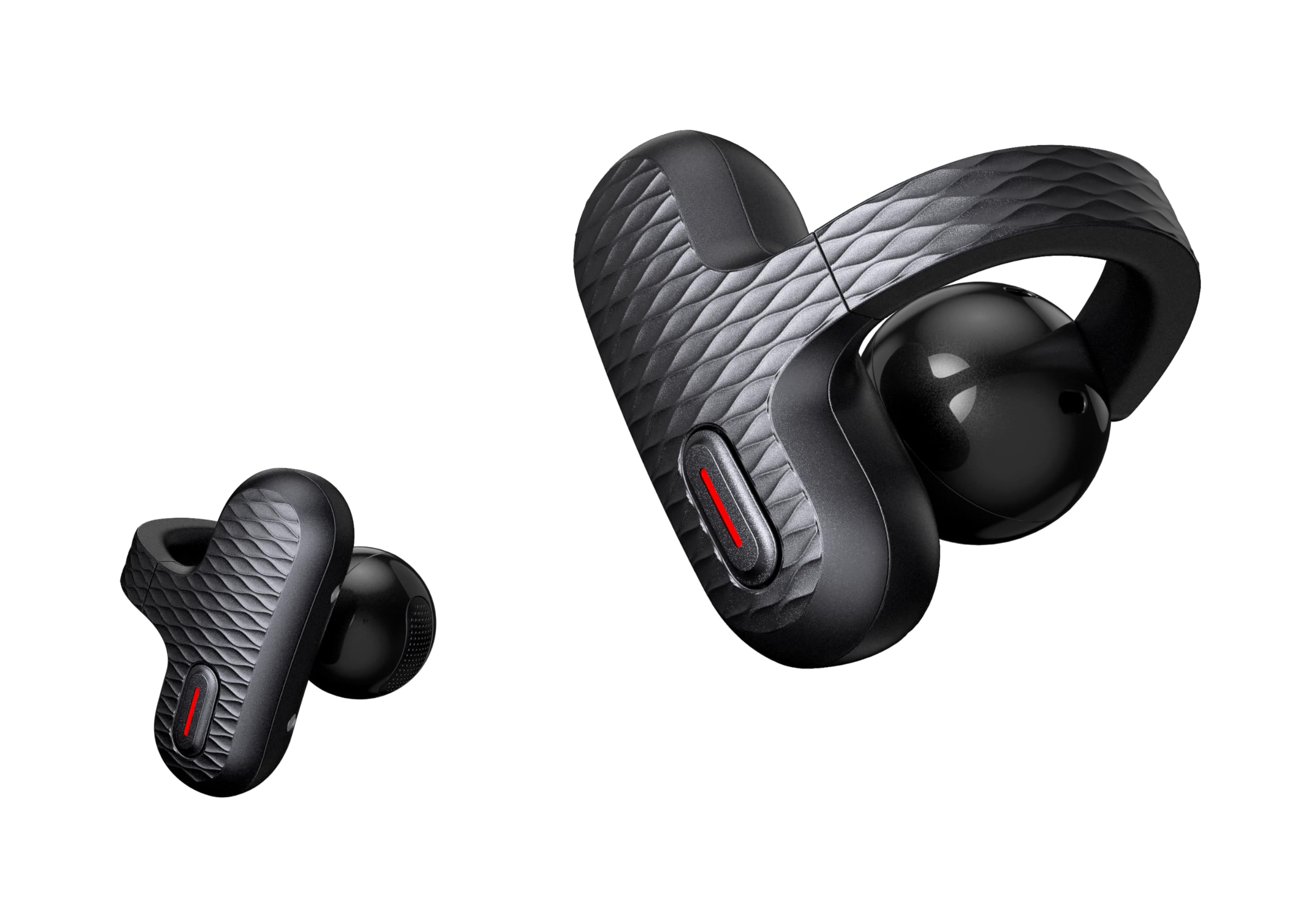
- The open-ear design leaves the ear canal unobstructed.
- Pairing begins as you remove the earbuds from the case.
- Touch controls are resistant to humidity and sweat.
Best For: Workers who want open-ear comfort, touch controls, and quick access to calls and voice assistants.
Rythflo WH03 Neckband Earbuds
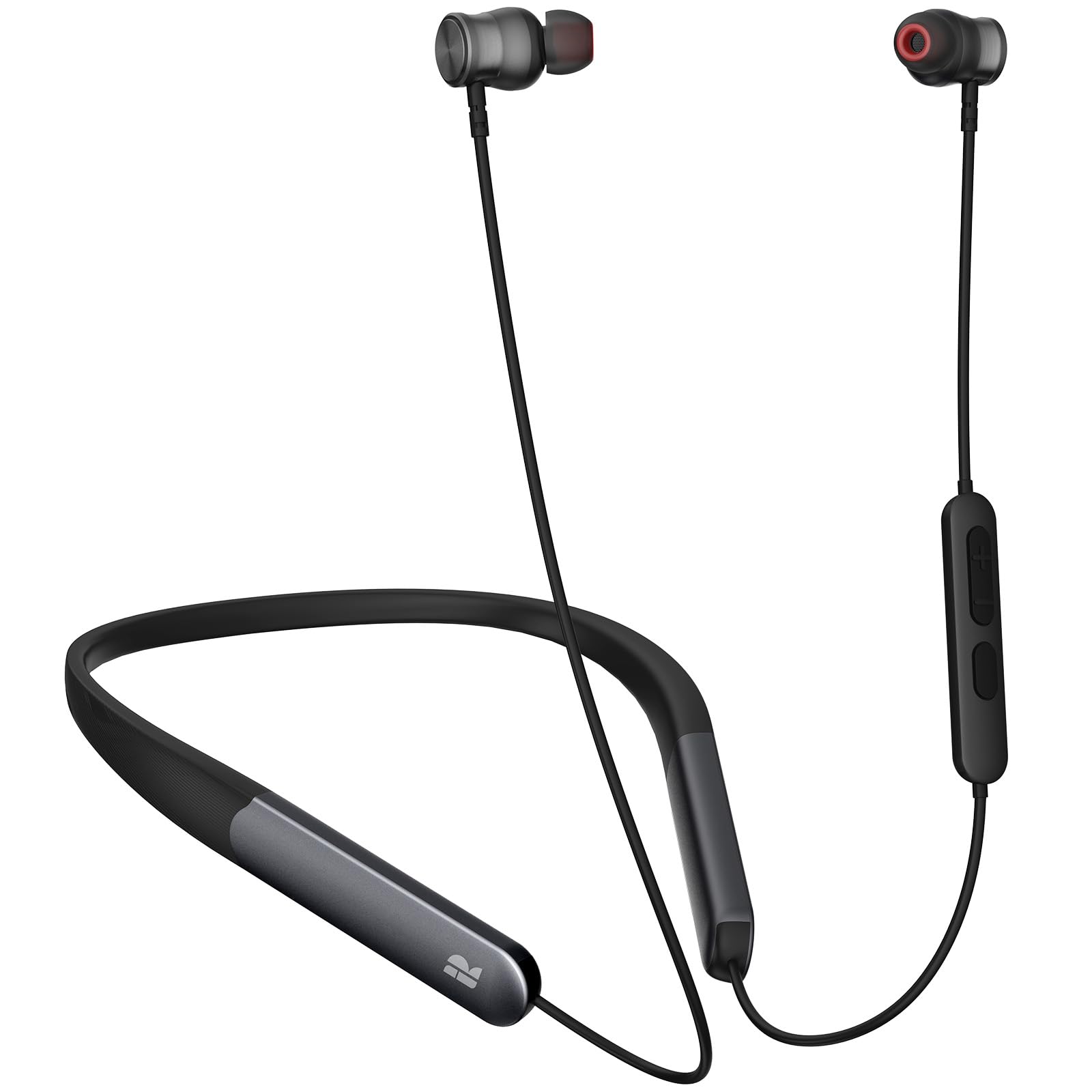
- The included accessory list names a detachable neckband.
- Bluetooth 5.3 is specified.
- The notes describe up to 150 hours of playtime.
Best For: Workers who prefer a neckband with magnetic earbuds and extended stated playtime between charges.
JLab Go Air Tones+
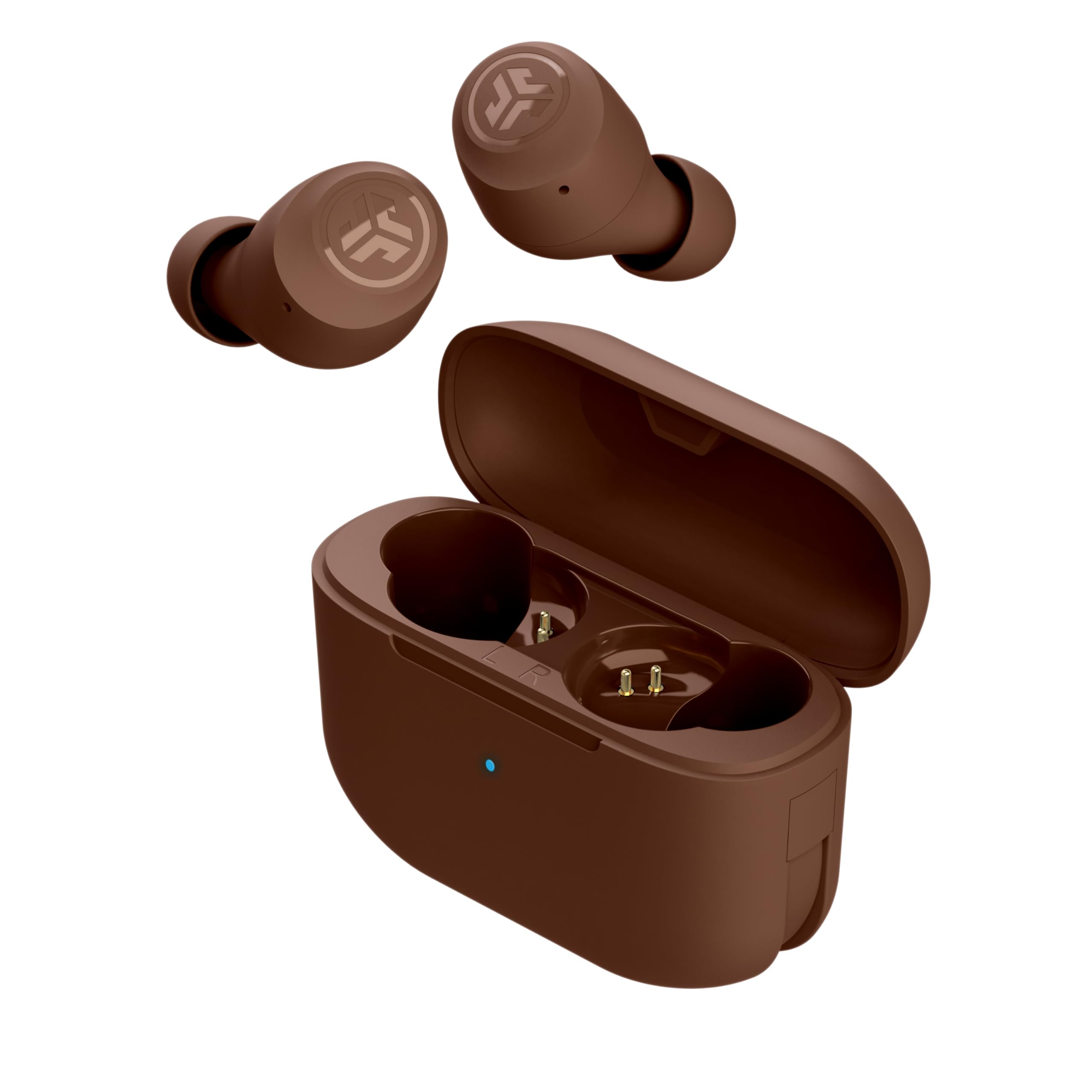
- The case is smaller than a credit card.
- Three EQ presets are available in the JLab app.
- Playtime is 9-plus hours per earbud and 26-plus additional hours from the case.
Best For: Workers wanting compact true wireless earbuds, long case-supported playtime, and app-based EQ choices.
Laptop and Phone Switching
SHOKZ OpenFit 2 Open-Ear Headphones,True Wireless Bluetooth Earphones with Microphone,Earhook Earbuds with 48 Hours of Playtime,Fast Charging,IP55 Water-Resistant,with Carrying Bag,Black,Bluetooth5.4
The OpenFit 2 keeps the ear canal open, which can suit desk work where you need to stay aware of people around you. Its dual noise-cancelling microphones support calls, while physical buttons handle volume, tracks, calls, and switching between two paired devices.
The case extends total listening time, and a quick charge can add listening time when you are in a hurry. This is an earhook design, so fit is personal; check whether that style feels comfortable for your workday.
Open-ear audio also leaves more ambient sound present than an ear-sealing design.
Best For: Workers who want open-ear awareness, long single-charge listening, and physical controls for calls and device switching.
| Pros | Cons |
|---|---|
|
|
Choose these if you want an open-ear fit and regularly move between a work computer and phone. The physical buttons may be convenient during calls, and the case supports extended listening between charges.
Open-ear awareness means nearby conversation remains easier to hear, but it also allows ambient sound into your listening space. Check the earhook fit and whether this balance suits your office before choosing it over an in-ear model.
Open-Ear Calls With Multipoint
SHOKZ OpenFit Air - Open-Ear Headphones, True Wireless Earbuds, Water Resistant, Secure Earhooks for Daily Use, Black
The OpenFit Air pairs an open-ear fit with multipoint pairing for two devices, a useful combination when work involves a laptop and phone. Four smart microphones support calls, while the Shokz app offers personalized EQ modes and customizable button functions.
The case supports up to 28 hours of total listening, with up to 6 hours from a charge and a quick-charge option. Because this design leaves your ears open, it helps you stay aware of nearby activity but offers less isolation from office chatter than an in-ear design.
Consider the earhook fit and the listening environment where you take calls.
Best For: People who prefer open ears and want to connect two devices for work and everyday listening.
| Pros | Cons |
|---|---|
|
|
Pick the OpenFit Air if preserving awareness matters and two-device pairing fits your routine. Its four microphones and app controls provide useful work features, while the open-ear layout keeps nearby conversation accessible.
The single-charge listening period is more limited than some alternatives here, so plan on using the case during a long day. Check that the earhook design is comfortable for you and that your calls take place in an environment where open-ear audio is suitable.
Compact Noise Control
JLab Go Pop ANC True Wireless Earbuds & Charging Case, Fuchsia, Active Noise Cancelling, 10mm Drivers, Dual Connect, Customize Your Sound with App, Be Aware Mode, Compact Fit, MEMS Microphone
The Go Pop ANC combines active noise cancelling with a Be Aware mode, giving you a choice between reducing environmental sound and letting more of it through. Each earbud can be used independently, which can help when you want one ear free.
The compact case includes a built-in USB-C cable, and the product supports fast charging. Three gel eartip sizes are included for fit adjustment.
This option suits a mobile workday where pocket size and flexible listening modes matter. Check the tip fit and remember that the stated battery time is total playtime across the earbuds and case, not a single charge.
Best For: Commuters and desk workers who want compact in-ear earbuds with active noise control and independent-earbud use.
| Pros | Cons |
|---|---|
|
|
Choose the Go Pop ANC for an in-ear option with explicit noise modes and the flexibility to wear one earbud at a time. Its case cable can reduce the need to carry a separate charging lead.
The record does not establish simultaneous two-device pairing, so check that detail if you need to move frequently between a computer and phone. For meetings, confirm that the eartips fit securely and that the available call controls match your routine.
Tiny Buds With Two-Device Pairing
JLab JBuds Mini, True Wireless Earbuds, Bluetooth Multipoint, IP55 Sweat Resistant, Be Aware Audio, Sage
The JBuds Mini offer a compact in-ear option with Bluetooth multipoint for two devices, making them a practical fit for a laptop-and-phone routine. Be Aware Audio lets ambient sound in without removing the earbuds, while three onboard EQ presets adjust the sound profile.
The buds are described as especially small and light, and the case extends total listening to 20 hours. Their per-earbud playtime is shorter than the total case figure, so keep the case nearby for a long day.
Check the fit and controls in the app before relying on them for frequent meeting transitions.
Best For: Workers who want a very small earbud and multipoint connections for a phone and computer.
| Pros | Cons |
|---|---|
|
|
These are a good match for a small, low-profile option with multipoint pairing and an ambient-awareness mode. The case helps extend use across the day, though the shorter per-charge figure means you may need to recharge between long stretches.
Choose them if their compact size and two-device support matter more than active noise cancelling. Check app compatibility and fit, then confirm how the controls behave during the calls and device changes you make most often.
Customizable In-Ear Sound
Donner Wireless Earbuds Noise Cancelling, Bluetooth 5.2 Earphones with 5 x EarTips, 4 Mic Clear Calls, 12mm Drivers, App for Custom EQ, 32H Playtime, Fast Charging, Transparency - Dobuds ONE,White
The Dobuds ONE provides active noise cancelling and a transparency mode, along with an app for EQ and other settings. Its four microphones support voice calls, and five eartip sizes give you several fit options.
The product supports a total of 32 hours of battery life, with the notes specifying 8 hours per earbud when ANC is off. For work, that makes it a flexible in-ear choice when you want to adjust sound for calls, music, and surrounding awareness.
Check the fit and note that the charging case is not waterproof; the water resistance applies to the earbuds.
Best For: Listeners who want in-ear noise cancelling, app-based sound adjustments, and calls from a two-device work setup.
| Pros | Cons |
|---|---|
|
|
Choose the Dobuds ONE if you want several eartip sizes, ANC, and app controls in an in-ear package. Its transparency mode gives you an alternative when you need to hear more of the room, and the four microphones support calls.
The case's lack of water resistance is a handling consideration, and the 8-hour per-earbud figure is explicitly for ANC off. Check how long you expect to use ANC between charges and whether the app controls suit your work devices.
Open-Ear Multipoint on a Budget
JLab, Flex, Open Ear Earbuds, Clip On Wireless Bluetooth Earbuds, Open Ear Headphones, Black
The JLab Flex uses a clip-on cuff that wraps around the outer ear, without eartips or pressure inside the ear canal. Its open-ear speakers help keep you aware of nearby activity, and Bluetooth multipoint connects two devices at once.
The MEMS noise-cancelling microphone supports calls, while the JLab app adjusts EQ and touch controls. Battery life is stated as 7-plus hours per earbud and 21-plus hours with the case.
This is a distinct fit from a conventional earbud, so check whether the clip is secure and comfortable for your ear before using it through a full workday.
Best For: People who dislike in-ear tips and want an open-ear clip design with simultaneous laptop and phone pairing.
| Pros | Cons |
|---|---|
|
|
Consider the Flex if in-ear tips bother you and you want to keep a phone and computer paired together. Its clip-on fit and ambient awareness suit work where you need to hear people nearby, while the app provides EQ and control adjustments.
The 21-plus-hour total is adequate for many routines but makes keeping the case charged relevant for extended use. Check the cuff fit, mic controls, and whether an open speaker design works in your noise level.
Clip-On Fit With Long Case Runtime
SHOKZ OpenDots 2 Open-Ear Clip-On Earbuds with Upgraded Dolby Audio, 3-Mic Clear Calls, Rich Bass, Up to 40 Hrs of Audio, Wireless Charging, Interchangeable Left/Right Earbuds, IP57, Bluetooth 6.1
OpenDots 2 uses a clip-on open-ear fit and interchangeable left and right earbuds, simplifying which bud goes in which ear. Three microphones support calls, while multipoint pairing connects two devices.
The case supports up to 40 hours total listening and wireless charging, with a quick-charge feature for short top-ups. The design preserves awareness of your surroundings, which can help in shared workspaces, but it does not seal out ambient noise.
Check how the clip fits your ears and whether the call environment is quiet enough for open-ear listening.
Best For: Workers seeking open-ear clip-on earbuds with multipoint pairing, wireless charging, and interchangeable buds.
| Pros | Cons |
|---|---|
|
|
Pick OpenDots 2 if you want the clip-on form and need multipoint for computer and phone use. Wireless charging and interchangeable buds add convenience, and the case capacity supports long listening across multiple sessions.
Its open-ear design keeps you connected to the room, which also means background noise remains part of what you hear. Before buying, consider your office noise level and whether the clip shape will stay comfortable for your ears.
Quick Access for Open-Ear Calls
Amazfit Up Bluetooth Headphones, Open Ear Wireless Earbuds with Easy Touch, IPX4 Water Resistant & Sweatproof, AI Noise Reduction, Earphones for Sports, Running, Compatible with Android & iPhone
Amazfit Up keeps the ear canal unobstructed and is designed to connect as you remove the earbuds from the case. Its AI-enhanced call processing is intended to filter wind and noise, while humidity-resistant touch controls manage audio without handling your device.
Triple-tap earbud access supports a phone voice assistant, and the earbuds also work with Amazfit watch voice assistant features. This is a work-friendly open-ear approach when you want to remain aware of nearby activity.
The supplied details do not give battery life or multipoint support, so check those points if you need all-day listening or seamless computer-and-phone switching.
Best For: Workers who want open-ear comfort, touch controls, and quick access to calls and voice assistants.
| Pros | Cons |
|---|---|
|
|
Amazfit Up is a fit for workers who favor an open ear and straightforward touch access for calls and voice assistants. The quick connection behavior may suit short calls and frequent case use, while the open design keeps the room audible.
Battery life and two-device pairing are not specified, so confirm both if your routine includes a full day of listening or regular laptop-to-phone transitions. Consider where you take calls, since background sound remains present with an open-ear fit.
Neckband for Long Listening Sessions
Rythflo Bluetooth Headphones, 150H Playtime Wireless Bluetooth Earbuds w/Mic in-Ear Magnetic Neckband Earphone, IPX7 Sweatproof Deep Bass Headset for Home, Traveling, Outdoor, Business Trips
The Rythflo WH03 is a neckband-style in-ear option with magnetic earbuds and a long stated playtime, making it suitable for people who prefer buds that remain connected when removed. Bluetooth 5.3 is specified, and the notes include a detachable neckband and multiple sizes of eartips.
Its IPX7 water and sweat resistance may suit active or outdoor work routines. The supplied details do not specify a dedicated noise-control feature or call microphone performance, so treat it as a general listening choice unless those are verified for your needs.
Check the neckband fit and whether its controls work well with your devices.
Best For: Workers who prefer a neckband with magnetic earbuds and extended stated playtime between charges.
| Pros | Cons |
|---|---|
|
|
Choose the WH03 if you prefer a neckband that keeps the earbuds connected when out of your ears and want the unusually long stated playtime. It may fit work that includes movement or time outdoors, with multiple eartip sizes and an IPX7 rating.
For meetings, the key gap is call information: the records do not detail microphone noise reduction or call quality. Confirm controls and microphone behavior with your work devices before relying on it for frequent calls.
Pocket Case With EQ Choices
JLab Go Air Pop+ Tones True Wireless Earbuds, in Ear Bluetooth Headphones with Microphone, 35H Playtime, USB-C Charging Case, Dual Connect, EQ3 Sound, 4625 W
The Go Air Tones+ offers a compact case and three EQ presets through the JLab app, making it a straightforward choice for portable work listening. The notes describe automatic connection when the buds leave the case, Bluetooth 5.1, and more than 9 hours per earbud with 26-plus additional hours from the case.
Three eartip sizes support fit adjustment. The available details do not establish multipoint pairing or a specific call-noise feature, so check these before making it your primary meeting headset.
It is best suited to listening and routine calls where pocketability and battery capacity matter.
Best For: Workers wanting compact true wireless earbuds, long case-supported playtime, and app-based EQ choices.
| Pros | Cons |
|---|---|
|
|
The Tones+ suits someone who wants a pocketable case, adjustable EQ, and long case-supported listening for commuting and desk use. Automatic connection and included eartips keep the setup simple.
For work meetings, the main consideration is whether its call behavior and connection options fit your devices; multipoint and microphone noise reduction are not specified. Check those functions before choosing it over earbuds with explicit device-switching or call features.
How to Choose Wireless Earbuds For Work
How We Picked Wireless Earbuds for Work
We prioritized options with features tied to common work needs: microphone details for calls, multipoint or independent-earbud use for device changes, and fit styles that suit different workspaces. Open-ear models keep the room audible, while in-ear designs with noise control can help reduce distractions.
Battery figures are included as stated, with per-charge and case-supported totals kept distinct.
The selection also spans clip-on, earhook, neckband, and conventional in-ear designs. A work earbud should fit the way you take calls and listen through the day, so details such as included tip sizes, physical controls, app settings, and charging methods help distinguish the candidates.
Where the records omit battery or switching information, the guide calls that out as something to verify.
Comparing Wireless Earbuds for Work
For a laptop-and-phone routine, look first at explicit multipoint support. The SHOKZ OpenFit 2, OpenFit Air, OpenDots 2, JLab JBuds Mini, and JLab Flex all specify two-device pairing.
The JLab Go Pop ANC and Go Air Tones+ support independent-earbud or automatic connection features, but their records do not establish multipoint, so they suit a different switching pattern.
Open-ear choices such as OpenFit Air, OpenFit 2, OpenDots 2, Amazfit Up, and JLab Flex preserve awareness of nearby people. In-ear options such as Donner Dobuds ONE and JLab Go Pop ANC instead provide ANC modes, which may better fit noisy commutes or focused desk work.
Check whether you want room awareness or more sound isolation before deciding.
| Product | Standout features | Best for |
|---|---|---|
| SHOKZ OpenFit 2Check Price |
| Workers who want open-ear awareness, long single-charge listening, and physical controls for calls and device switching. |
| SHOKZ OpenFit AirCheck Price |
| People who prefer open ears and want to connect two devices for work and everyday listening. |
| JLab Go Pop ANCCheck Price |
| Commuters and desk workers who want compact in-ear earbuds with active noise control and independent-earbud use. |
| JLab JBuds MiniCheck Price |
| Workers who want a very small earbud and multipoint connections for a phone and computer. |
| Donner Dobuds ONECheck Price |
| Listeners who want in-ear noise cancelling, app-based sound adjustments, and calls from a two-device work setup. |
| JLab Flex Open EarbudsCheck Price |
| People who dislike in-ear tips and want an open-ear clip design with simultaneous laptop and phone pairing. |
| SHOKZ OpenDots 2Check Price |
| Workers seeking open-ear clip-on earbuds with multipoint pairing, wireless charging, and interchangeable buds. |
| Amazfit UpCheck Price |
| Workers who want open-ear comfort, touch controls, and quick access to calls and voice assistants. |
| Rythflo WH03 Neckband EarbudsCheck Price |
| Workers who prefer a neckband with magnetic earbuds and extended stated playtime between charges. |
| JLab Go Air Tones+Check Price |
| Workers wanting compact true wireless earbuds, long case-supported playtime, and app-based EQ choices. |
Choosing Earbuds for Calls and Shared Offices
Microphone counts and call processing vary. OpenFit Air has four smart microphones, OpenDots 2 has three microphones with voice-isolation details, and the JLab Flex and Donner Dobuds ONE provide noise-cancelling call microphones.
Amazfit Up describes AI-enhanced filtering for wind and noise. These features are useful signals, but the supplied details do not quantify call results for every model; consider where your meetings happen and whether you can take calls in a quieter spot.
Open-ear designs make it easier to hear a colleague or room alert, but they also leave background sound present. In-ear ANC can reduce environmental sound, while a transparency or Be Aware mode gives another option when you need to hear around you.
For shared offices, choose controls that let you change modes quickly and verify how each model handles calls with your computer and phone.
Battery, Fit, and Charging for a Workday
Compare per-charge time separately from the case total. The OpenFit 2 supports up to 11 hours on a charge, while the OpenFit Air specifies up to 6; JLab JBuds Mini specifies 5.5 hours per earbud.
Case totals cover additional listening after returns to the case, so they do not mean continuous wear for that full duration. Fast charging can help between meetings, but check whether the quick-charge figure applies to wired charging or a particular mode.
Fit affects whether earbuds stay comfortable through calls and listening sessions. Traditional in-ear models often include several tip sizes, while earhooks and clip-on cuffs avoid inserting a tip into the ear canal.
If possible, consider your comfort with the exact style and weight. Also check water resistance for your routine, the case's charging method, and whether the case itself shares the earbuds' resistance rating.
Who Should Buy Which Work Earbuds?
Choose SHOKZ OpenFit 2 if you want open-ear awareness, physical controls, and switching between two devices. Consider JLab JBuds Mini or JLab Flex if a compact fit or clip-on style matters and multipoint support is useful.
For an in-ear option with noise modes and multiple tip sizes, compare JLab Go Pop ANC with Donner Dobuds ONE, paying attention to case handling and stated battery conditions.
Amazfit Up may suit a worker who values open-ear comfort and quick touch access, provided its unspecified battery and multipoint details are not essential. Rythflo WH03 is the neckband choice for those who want magnetic buds and very long stated playtime, but call performance is not specified.
Match the design to your workspace, then confirm device switching, call controls, and fit before buying.