The best keyboards for work balance comfortable typing, useful layouts and connections that fit your desk and devices. These picks range from quiet full-size options to compact mechanical boards, so choose based on your daily tasks, noise needs and appetite for customization.
Quick Top Products
JLab Epic Wireless Keyboard

- Full-size layout with 108 backlit keys.
- Switch among up to three Bluetooth devices, or use the USB dongle.
- Soft-touch keys and a media knob suit everyday office tasks.
Best For: People who want a full-size layout, backlighting and easy switching among work devices.

JLab JBuds Wireless Keyboard

- A 95-key layout retains a full numeric pad.
- Up to 30 days of wireless battery life is specified.
- Bluetooth and USB dongle connections support switching among up to three connections.
Best For: Office users who want a slim wireless board with a number pad and quiet-feeling keys.
JLab Go Wireless Keyboard
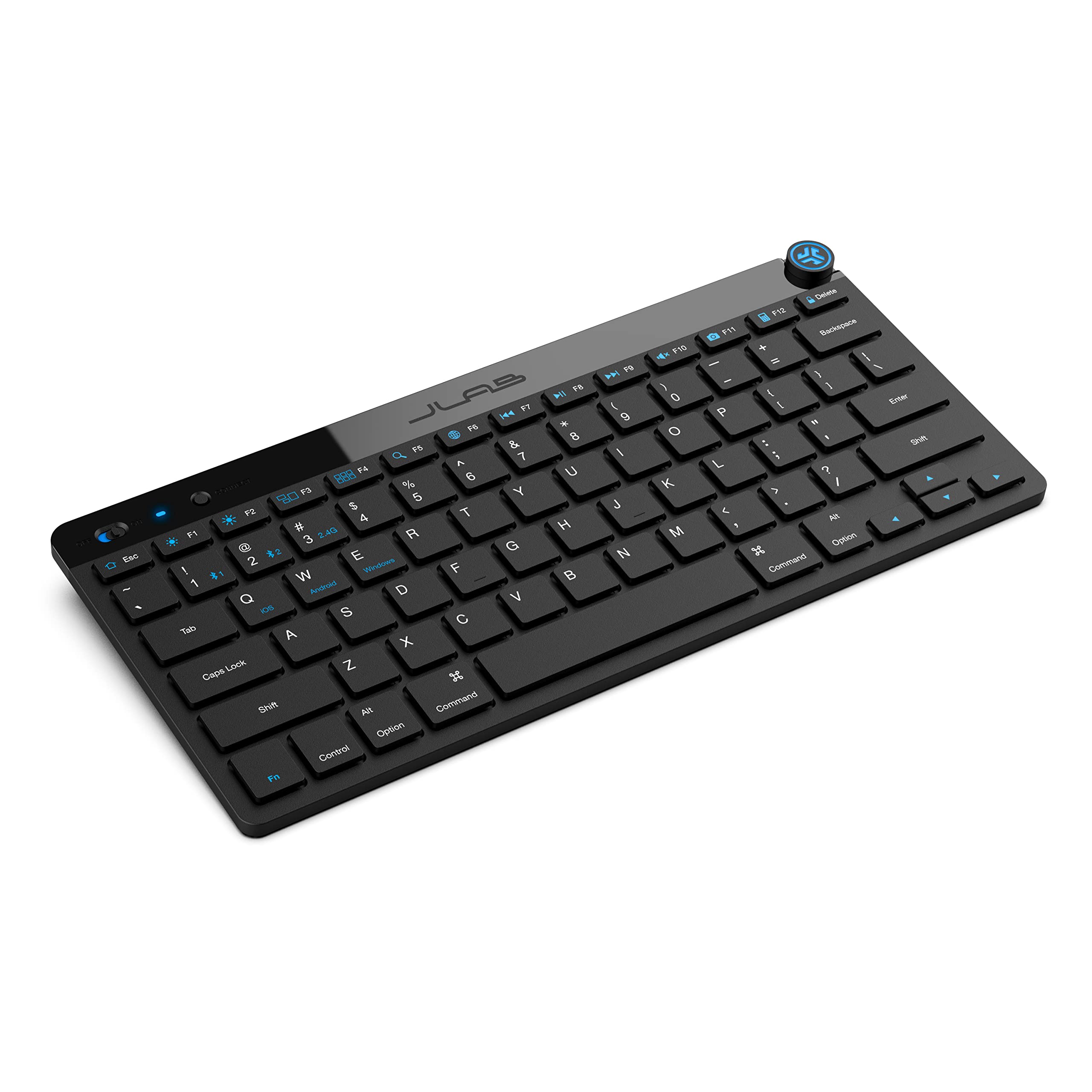
- Compact, low-profile design aims to keep desks uncluttered.
- Connects by Bluetooth 5.0 or USB wireless dongle.
- The supplied offer is a four-pack.
Best For: People who prioritize a compact, quiet keyboard for travel or a minimal desk.
SteelSeries Apex 3

- Whisper-quiet switches are designed for near-silent use.
- Includes a magnetic wrist rest and dedicated multimedia controls.
- IP32 water resistance addresses accidental spills.
Best For: Desk users who favor quiet keys, a wrist rest and dedicated media controls.
SteelSeries Apex 3 TKL

- Tenkeyless format frees space around the keyboard.
- Quiet switches and anti-ghosting are included.
- IP32 resistance covers water and dust protection.
Best For: Workers who want quieter typing and more mouse room without a number pad.
SteelSeries Apex 5
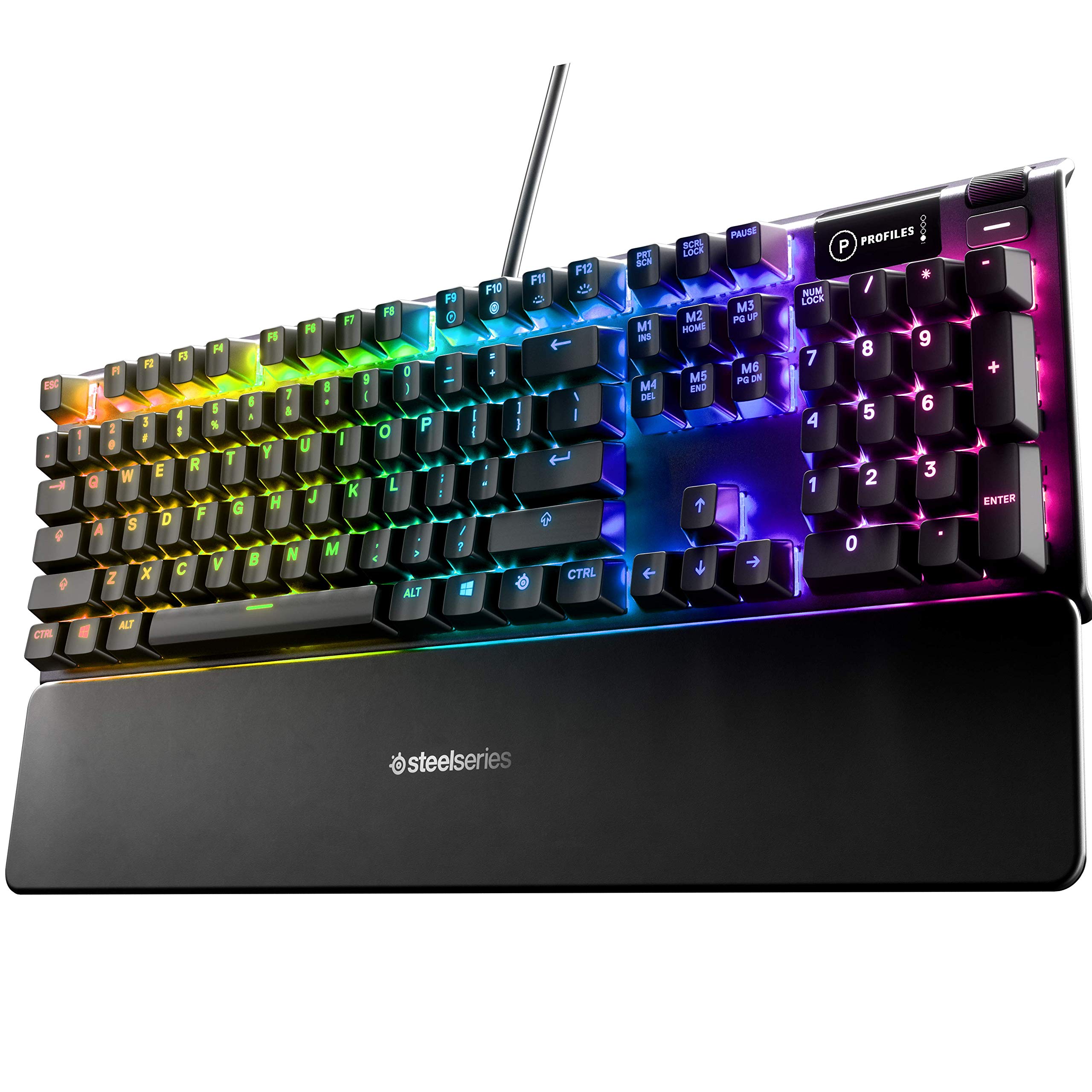
- Hybrid blue switches provide tactile, clicky feedback.
- OLED display can show game info, messages and GIFs.
- Magnetic wrist rest provides palm support.
Best For: People who like audible, tactile typing and want a display and wrist rest.
SteelSeries Apex 7
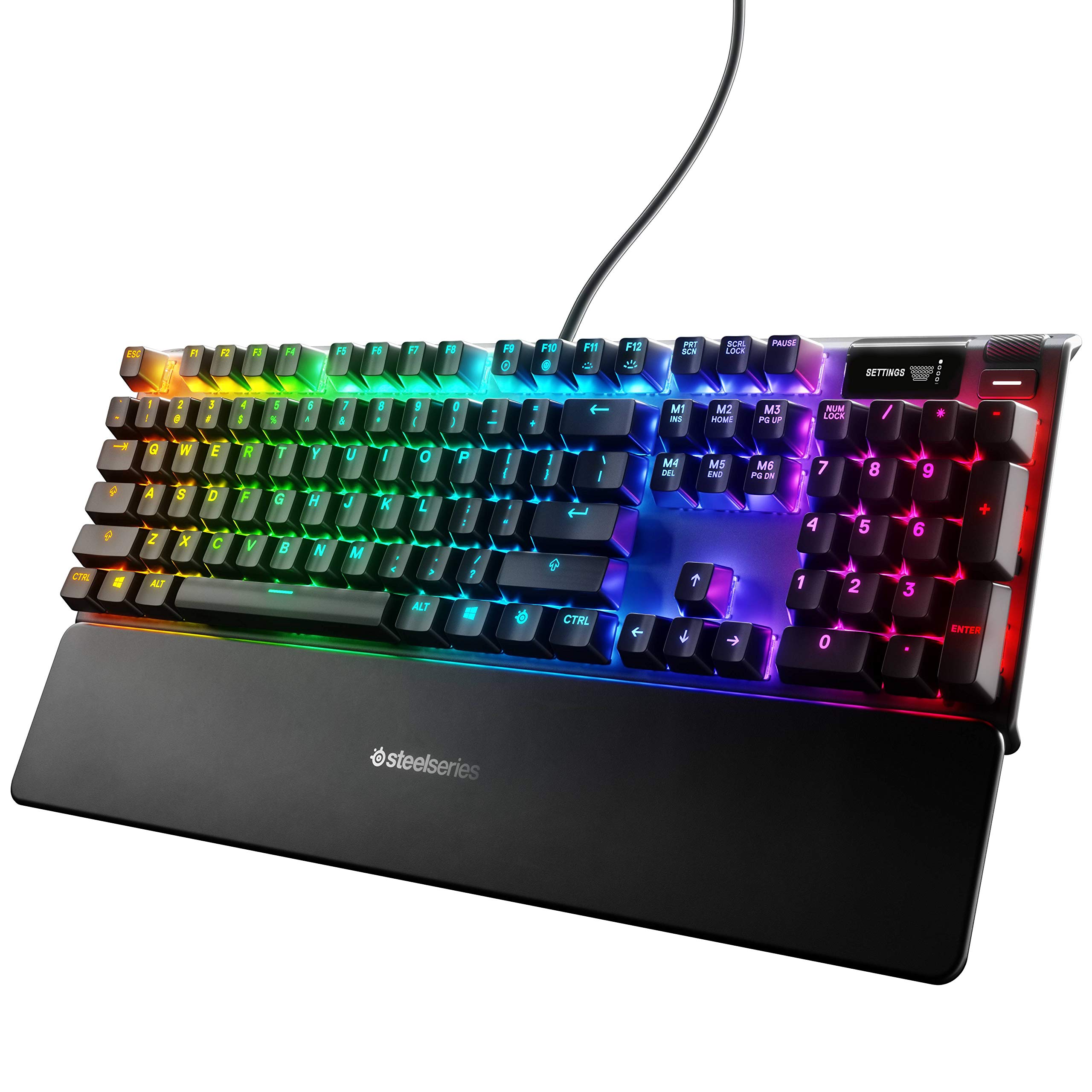
- Blue switches have a tactile, clicky feel.
- Includes an OLED display and media controls.
- Magnetic wrist rest supports the palm.
Best For: Those who prefer tactile, clicky mechanical keys and a full-size work layout.
SteelSeries Apex 7 TKL
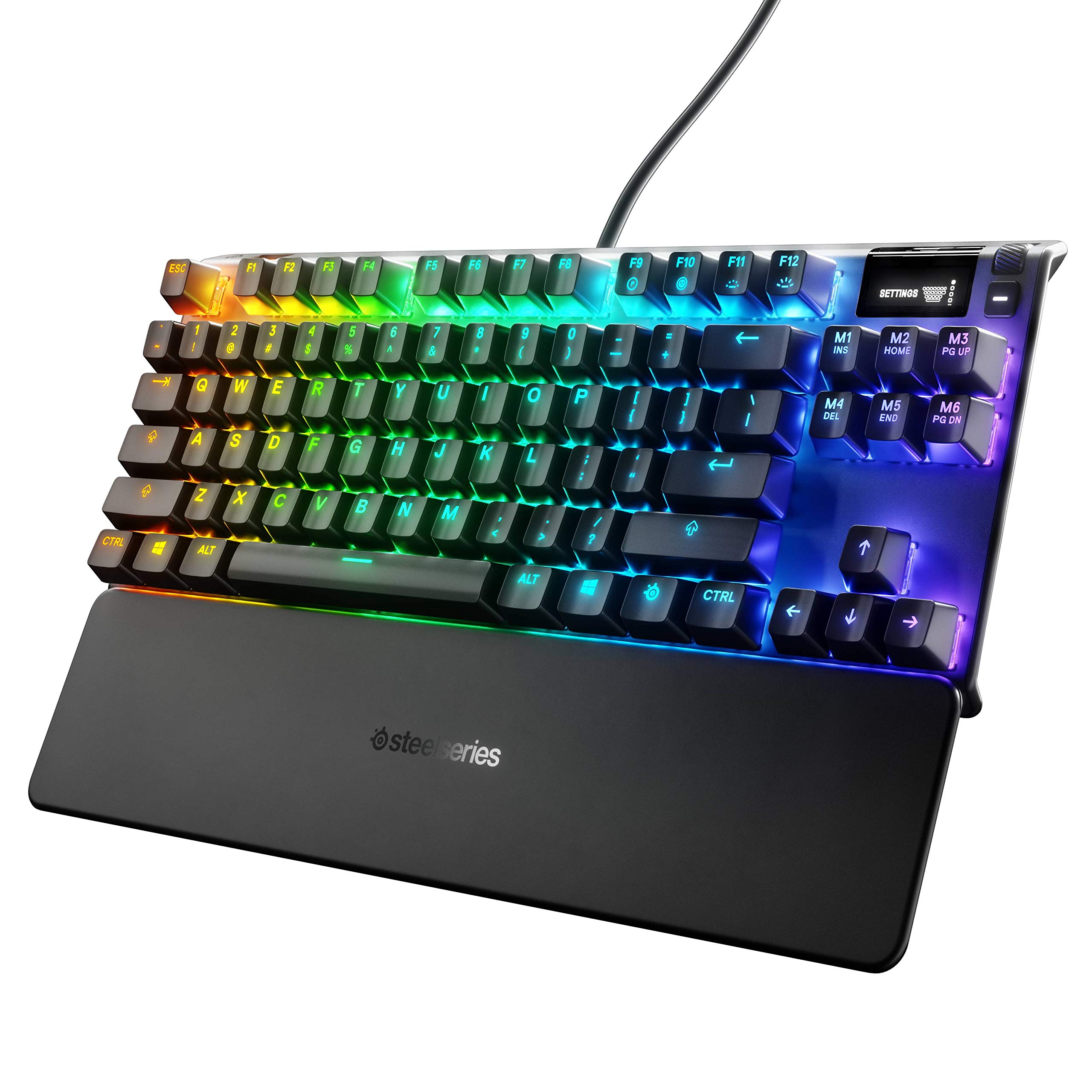
- Tenkeyless design reduces the keyboard footprint.
- Red switches are identified as linear and quiet.
- OLED display, USB passthrough and media controls are included.
Best For: Workers who want a compact mechanical layout with quiet linear switches and media controls.
SOLAKAKA KI99 Pro
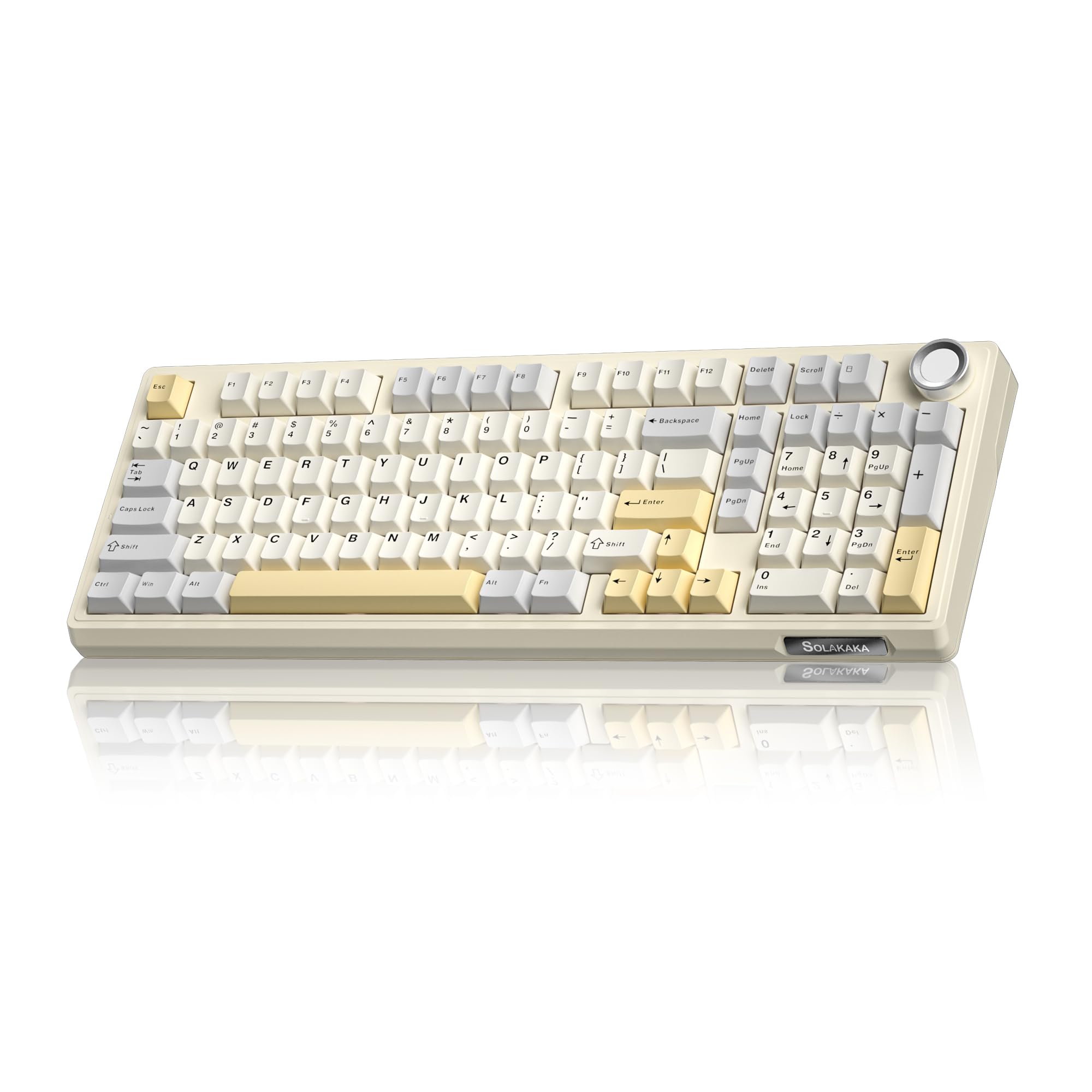
- 96% layout retains most full-size functions in a smaller footprint.
- Supports Bluetooth 5.0, 2.4GHz wireless and Type-C wired connections.
- Hot-swappable PCB supports replacing 3-pin and 5-pin switches without soldering.
Best For: People seeking a compact 96% wireless mechanical keyboard with a number pad and quieter switch option.
SOLAKAKA KI99 Pro Silent Switch

- Silent switches and five noise-reducing layers target quieter typing.
- 96% layout combines a compact footprint with a number pad.
- Triple-mode connectivity includes Bluetooth, 2.4G and Type-C.
Best For: Desk users who want a compact number-pad layout and specifically quieter mechanical switches.
Full-Size Wireless Workhorse
JLab, Epic, Wireless Keyboard, Bluetooth 5.2, USB Dongle, Multi-Device, Backlit, 108 Keys, Black
The JLab Epic brings a familiar 108-key layout to a wireless work setup, with backlighting across every key for dim desks or evening sessions. Its soft-touch keys are intended for comfortable, quiet typing, while the built-in media knob gives direct volume control.
Bluetooth 5.2 can pair with up to three devices, and a USB wireless dongle provides another connection option. A 2000 mAh rechargeable battery powers the keyboard, and custom profiles are available through the JLab Work App.
Its full-size footprint makes room for a number pad, but it takes more desk space than the compact picks here.
Best For: People who want a full-size layout, backlighting and easy switching among work devices.
| Pros | Cons |
|---|---|
|
|
Choose the Epic if you want a conventional number pad and plan to move among several computers or mobile devices. Its backlit keys and media knob add useful controls without requiring a compact layout.
Check that your desk has room for a full-size board, and confirm whether the JLab Work App profiles match the shortcuts you need. The record gives battery capacity but no runtime estimate, so factor in that uncertainty if charging frequency matters.
Slim Wireless With Number Pad
JLab JBuds Wireless Keyboard, 95 Key, Multi-Device Bluetooth and USB dongle, Soft Touch Keys, Media knob, Custom Profiles, Black
The JBuds Wireless Keyboard keeps the numeric keypad while trimming its overall layout to 95 keys. Its soft-touch keys are positioned for quiet typing, and the smart media knob handles volume and playback controls directly.
It connects over Bluetooth 5.2 or a USB wireless dongle, with device switching across up to three connections. JLab gives a battery-life estimate of up to 30 days, and its Work App can save up to three user profiles with custom shortcuts.
This makes it a practical fit for mixed-device office desks. Check whether the reduced key count preserves any dedicated keys your workflow relies on.
Best For: Office users who want a slim wireless board with a number pad and quiet-feeling keys.
| Pros | Cons |
|---|---|
|
|
Pick this model if you want a number pad but prefer a slimmer board than a traditional full-size keyboard. Wireless multi-device switching and saved profiles suit people sharing a keyboard across computers or platforms.
The 30-day battery figure is an upper estimate, so usage may affect how often charging is needed. Before buying, check the 95-key arrangement against your shortcuts and determine whether you need illuminated keys, which are not specified here.
Compact Multi-Device Option
JLab Go Wireless Keyboard, Bluetooth and USB dongle, Multi-Device, Compact, Black (4 Pack)
The JLab Go is the compact choice for workspaces where a full-size keyboard would crowd the desk. It uses low-profile keys and a lightweight construction, with a quiet typing feel suited to home offices, travel or shared spaces.
Bluetooth 5.0 and a USB wireless dongle provide connection options, and up to three device connections can be saved for switching. The keyboard works across Windows, macOS, iOS, Android and Chrome OS.
This candidate is sold as a four-pack, which may suit a team or classroom but is more than an individual buyer needs. Its number-pad arrangement and battery runtime are not specified.
Best For: People who prioritize a compact, quiet keyboard for travel or a minimal desk.
| Pros | Cons |
|---|---|
|
|
This is a sensible fit for shared offices, classrooms or a travel kit that benefits from a small, light keyboard. The compact format and multi-device connections support flexible setups, but the four-pack changes the value proposition for someone furnishing one desk.
Confirm the layout meets your typing habits, especially if you use a number pad or dedicated navigation keys. Battery runtime is also unclear, so check what power arrangement works for your routine.
Quiet Wired Typing With Wrist Rest
SteelSeries Apex 3 RGB Gaming Keyboard – 10-Zone RGB Illumination – IP32 Water Resistant – Premium Magnetic Wrist Rest (Whisper Quiet Gaming Switch)
The Apex 3 is a wired gaming keyboard with work-friendly comforts: whisper-quiet switches, a magnetic wrist rest and dedicated multimedia controls. Its 10-zone RGB lighting is customizable, while IP32 water resistance is aimed at protection from accidental liquid spills.
The quiet switch design is specified for 20 million low-friction keypresses. This is a full-size board in the records, so it makes sense for a fixed desk where a number pad and attached cable are acceptable.
It lacks the wireless device switching offered by the JLab choices, and the provided details do not specify its connection method or exact layout.
Best For: Desk users who favor quiet keys, a wrist rest and dedicated media controls.
| Pros | Cons |
|---|---|
|
|
Choose the Apex 3 if typing noise and palm support are priorities at a stationary workstation. Its spill resistance and media controls add practical touches, while RGB lighting is optional desk flair.
Check the physical layout and cable connection before buying, since the supplied details do not identify them clearly. It is a less suitable fit for a mobile setup or anyone who needs to switch quickly among several computers.
Quiet Tenkeyless Layout
SteelSeries Apex 3 TKL RGB Gaming Keyboard – Tenkeyless Compact Form Factor - 8-Zone RGB Illumination – IP32 Water & Dust Resistant – Whisper Quiet Gaming Switch – Gaming Grade Anti-Ghosting,Black
The Apex 3 TKL pares the keyboard down to a tenkeyless layout, leaving more space for a mouse while retaining arrow keys and a conventional typing area. Its whisper-quiet switches are described for near-silent use and over 20 million keypresses, and IP32 water and dust resistance adds protection against everyday desk mishaps.
Dedicated media controls include a clickable volume roller. RGB lighting can be customized, but the board is still wired and aimed at a fixed setup.
The key tradeoff is straightforward: you give up the numeric keypad to gain a more compact footprint. Confirm that the saved space is worth that loss for your work.
Best For: Workers who want quieter typing and more mouse room without a number pad.
| Pros | Cons |
|---|---|
|
|
This model suits writing, coding and general desk work where mouse room matters more than a dedicated numeric keypad. The quiet switch design, media roller and spill resistance support an everyday office setup.
If your job involves frequent spreadsheet entry, consider whether losing the number pad will slow you down. The keyboard offers less flexibility than wireless alternatives if you need to change devices or move between work locations.
Clicky Typing With Onboard Display
SteelSeries USB Apex 5 Hybrid Mechanical Gaming Keyboard – Per-Key RGB Illumination – Aircraft Grade Aluminum Alloy Frame – OLED Smart Display (Hybrid Blue Switch)
The Apex 5 pairs hybrid blue switches with an OLED smart display and a magnetic wrist rest. The switch is described as tactile and clicky, so it is better suited to a private office or a user who prefers audible key feedback than to a quiet shared room.
The display can show items such as game information, Discord messages or custom GIFs, and per-key RGB offers visual customization. Its aluminum-alloy frame and included wrist rest are practical desk features.
The available details do not specify wireless support or dedicated media controls, so check those needs before choosing this wired-style work option.
Best For: People who like audible, tactile typing and want a display and wrist rest.
| Pros | Cons |
|---|---|
|
|
Choose the Apex 5 if you enjoy a pronounced click and want a wrist rest plus an OLED display on your desk. Those features make it more distinctive than a plain office board, though the audible switch character is a real consideration for open offices or calls.
Check whether the displayed information is useful to your workflow and whether the keyboard offers the connection setup you need, since wireless details are not provided.
Full-Size Mechanical With Clicky Switches
SteelSeries Apex 7 Mechanical Gaming Keyboard – OLED Smart Display – USB Passthrough and Media Controls – Tactile and Clicky – RGB Backlit (Blue Switch)
The Apex 7 is a mechanical keyboard with blue switches, an OLED smart display, USB passthrough and media controls. The tactile, clicky switch character can make typing feel deliberate, but the audible feedback may not fit a shared office.
Its magnetic wrist rest provides palm support, and the display can surface information from apps such as Spotify or Discord. Per-key RGB lighting adds customization without changing the core work layout.
The supplied details do not identify a numeric keypad explicitly or provide connectivity beyond USB passthrough, so verify the physical arrangement and any device-switching requirements before purchase.
Best For: Those who prefer tactile, clicky mechanical keys and a full-size work layout.
| Pros | Cons |
|---|---|
|
|
The Apex 7 fits users who actively want tactile click feedback and an integrated display, with a wrist rest for longer desk sessions. It is less appropriate where quiet typing matters.
Compare its full-size gaming-oriented control set with a quieter work keyboard, and confirm the layout includes the keys you use most. USB passthrough is available, but multi-device wireless switching is not specified.
Compact Mechanical With Quiet Linear Switches
SteelSeries Apex 7 TKL Compact Mechanical Gaming Keyboard – OLED Smart Display – USB Passthrough and Media Controls – Linear and Quiet – RGB Backlit (Red Switch)
The Apex 7 TKL combines a tenkeyless footprint with red linear switches, an OLED display, USB passthrough and media controls. Its title identifies the switches as linear and quiet, which makes this a more restrained mechanical option than the blue-switch Apex models.
The compact layout saves room for mouse movement, while the magnetic wrist rest supports the palm. RGB lighting is customizable across 16.8 million colors per key.
A number pad is not part of the TKL layout, so frequent numeric entry may favor a larger keyboard. The details do not spell out device compatibility or wireless support.
Best For: Workers who want a compact mechanical layout with quiet linear switches and media controls.
| Pros | Cons |
|---|---|
|
|
This is a fit for someone who wants a compact mechanical board but prefers linear, quiet switches over clicky feedback. The OLED, media controls and wrist rest give it more desk functionality than a stripped-down TKL model.
Consider a full-size layout if spreadsheet work makes a number pad important. The provided details do not establish wireless support or compatibility, so verify those before pairing it with a specific work computer.
Compact Wireless With Number Pad
SOLAKAKA KI99 Pro 96% Wireless Gaming Keyboard, RGB Creamy Keyboardw with Knob, Hot-Swappable Pre-Lubed Switches, Gasket Structure Mechanical Keyboards (Beige-White, Non-Silent Version)
The KI99 Pro uses a 96% layout to preserve most full-size functions, including a number pad, while saving desk space. This beige-white offer is the non-silent version, so it is the better fit for workers who value a mechanical typing feel over the separate quiet-switch model in this group.
It supports Bluetooth, 2.4GHz wireless and USB-C wired connections, with a 10,000mAh battery and a control knob for volume, media and lighting. Five noise-reducing layers and hot-swappable switches allow customization.
Check the switch sound in your workspace and make sure the beige-white finish suits your setup.
Best For: People seeking a compact 96% wireless mechanical keyboard with a number pad and quieter switch option.
| Pros | Cons |
|---|---|
|
|
Pick the KI99 Pro if you want a number pad in a compact wireless mechanical board and value the ability to swap switches. Its connection choices and knob suit a versatile desk, while the non-silent version deserves thought in shared rooms.
Compare it with the silent KI99 Pro below if typing noise is a priority. The battery capacity is provided, but runtime is not, so check charging expectations before relying on it untethered.
Quiet 96% Mechanical Layout
SOLAKAKA KI99 Pro Wireless Mechanical Keyboard with Quiet Switch, Hot Swappable Pre-Lubed Switches with RGB Backlit, Gasket Structure Computer Gaming Keyboard (BlackBlue, Silent Switch)
This KI99 Pro variant focuses on quieter typing, with silent switches paired with a gasket structure and five noise-reducing layers. Its 96% layout is designed to save desk space while retaining number-pad functionality, and a knob handles volume, media and lighting brightness.
Bluetooth, 2.4GHz and Type-C connectivity provide wired and wireless choices. The 10,000mAh battery is specified, though no runtime is given.
Hot-swappable switches and PBT keycaps allow customization. The product title identifies the black-blue color and silent switch version, which differentiates it from the non-silent beige-white KI99 Pro.
Best For: Desk users who want a compact number-pad layout and specifically quieter mechanical switches.
| Pros | Cons |
|---|---|
|
|
Choose this variant when noise control and a number pad are both important, but you still want the customization of a hot-swappable mechanical board. It keeps the KI99 Pro's multi-mode connections and knob while making silent switches the defining feature.
Compare the color and switch version carefully if considering the non-silent KI99. Battery capacity is listed without runtime, so consider whether you will mostly use it wired or want further battery details.
How to Choose Keyboards For Work
How We Picked Keyboards for Work
We prioritized candidates with practical office features in the supplied records: quieter key feel, full-size or space-saving layouts, media controls, wireless connections, multi-device switching, and useful support such as a wrist rest or spill resistance. The roundup includes traditional wireless office boards, quieter gaming models that can double as desk keyboards, and customizable mechanical options for people who want more control over their typing setup.
The candidates are not interchangeable. A 108-key board suits people who want a conventional full-size layout, while a 95-key model keeps a number pad in a slimmer profile.
Tenkeyless keyboards leave more room for a mouse, and 96% designs aim to retain number-pad functions in less space. We also favored product records that identified their key feel or connection options clearly enough to guide a choice.
Comparing Keyboards for Work
For low-distraction typing, compare the quiet JLab options with the SteelSeries Apex 3 models and the silent-switch KI99 Pro. JLab’s JBuds pairs soft-touch keys with an estimated up-to-30-day battery life and up to three connections.
The Apex 3 TKL is wired and gives up a number pad, while the full-size Apex 3 adds a wrist rest and IP32 water resistance. The KI99 Pro Silent combines quiet switches with a number-pad layout, wireless modes and switch customization.
For device flexibility, the JLab Epic and JBuds offer Bluetooth plus a USB dongle. SOLAKAKA’s KI99 Pro models add 2.4GHz and USB-C, and the JLab Go can save up to three connections.
Check whether the keyboard’s listed operating systems match your work devices, and distinguish saved connections from simultaneous active use. Battery capacity alone does not tell you expected runtime, so the JLab JBuds is the only selected candidate with an explicit duration estimate.
The more gaming-oriented SteelSeries mechanical boards add displays, lighting and passthrough, but their blue switches are clicky. That can be enjoyable for focused solo work and disruptive in a shared room.
The Apex 7 TKL uses linear, quiet red switches, making it a more restrained mechanical alternative. If switch replacement matters, the KI99 Pro models support hot-swapping; that flexibility comes with more customization choices to consider.
| Product | Standout features | Best for |
|---|---|---|
| JLab Epic Wireless KeyboardCheck Price |
| People who want a full-size layout, backlighting and easy switching among work devices. |
| JLab JBuds Wireless KeyboardCheck Price |
| Office users who want a slim wireless board with a number pad and quiet-feeling keys. |
| JLab Go Wireless KeyboardCheck Price |
| People who prioritize a compact, quiet keyboard for travel or a minimal desk. |
| SteelSeries Apex 3Check Price |
| Desk users who favor quiet keys, a wrist rest and dedicated media controls. |
| SteelSeries Apex 3 TKLCheck Price |
| Workers who want quieter typing and more mouse room without a number pad. |
| SteelSeries Apex 5Check Price |
| People who like audible, tactile typing and want a display and wrist rest. |
| SteelSeries Apex 7Check Price |
| Those who prefer tactile, clicky mechanical keys and a full-size work layout. |
| SteelSeries Apex 7 TKLCheck Price |
| Workers who want a compact mechanical layout with quiet linear switches and media controls. |
| SOLAKAKA KI99 ProCheck Price |
| People seeking a compact 96% wireless mechanical keyboard with a number pad and quieter switch option. |
| SOLAKAKA KI99 Pro Silent SwitchCheck Price |
| Desk users who want a compact number-pad layout and specifically quieter mechanical switches. |
Choosing a Work Keyboard Layout
Start with the keys you use every day. Frequent spreadsheet work favors a dedicated number pad, which appears on the full-size JLab Epic, the 95-key JBuds and the 96% KI99 Pro models.
A compact tenkeyless board saves space but removes the dedicated keypad. The 75% SOLAKAKA A75 options also lose that keypad, so they are best considered only when a smaller footprint matters more than numeric entry.
Quietness and key feel matter in shared offices, video calls and home work areas. Soft-touch JLab keys and silent KI99 switches are the more office-oriented options in this set.
The Apex 3 line emphasizes whisper-quiet switches, while blue-switch Apex 5 and Apex 7 models are explicitly clicky. Check whether your workspace can accommodate that audible feedback before opting for a mechanical board.
Wireless, Controls and Customization
A wireless keyboard can simplify a changing desk, but look at both connection methods and saved-device support. JLab keyboards pair over Bluetooth and include a USB dongle option; the KI99 Pro supports Bluetooth, 2.4GHz and wired Type-C.
Multi-device switching is useful when one keyboard serves a work laptop and another device, though the exact switching controls and active connection behavior are not fully detailed for every model.
Media knobs, OLED displays and shortcut software are conveniences rather than essentials. A knob can adjust volume without interrupting typing, while custom profiles can help people who regularly move between work modes.
The SOLAKAKA KI99 Pro adds switch replacement and programmable settings, whereas JLab’s Work App saves user profiles. If you do not plan to adjust switches or macros, a simpler wireless office keyboard may be easier to live with.
Who Should Buy Which Work Keyboard?
Choose the JLab Epic for a full-size backlit layout and frequent device changes, or the JBuds for a slimmer wireless number-pad board with a stated battery estimate. The JLab Go suits travel and multi-seat environments where compact size matters and buying a four-pack makes sense.
Pick the Apex 3 for quiet typing with wrist support, and the Apex 3 TKL if reclaiming mouse space matters more than having a number pad. The Apex 7 TKL offers linear, quiet mechanical switches with a display and media controls.
For clicky tactile feedback, consider the Apex 5 or Apex 7 only if the sound fits your workplace. The KI99 Pro Silent suits those who want a customizable, wireless number-pad mechanical keyboard with quiet switches; its non-silent counterpart is better for users who prefer a more audible typing feel.