The best audio interfaces depend on whether you need straightforward guitar and vocal recording, flexible routing, or a mixer built for streaming. These five options range from compact PC-focused recording to mobile-friendly, multi-input creator setups, so match the connections and controls to your workflow.
Quick Top Products
MAONO PS22 Lite
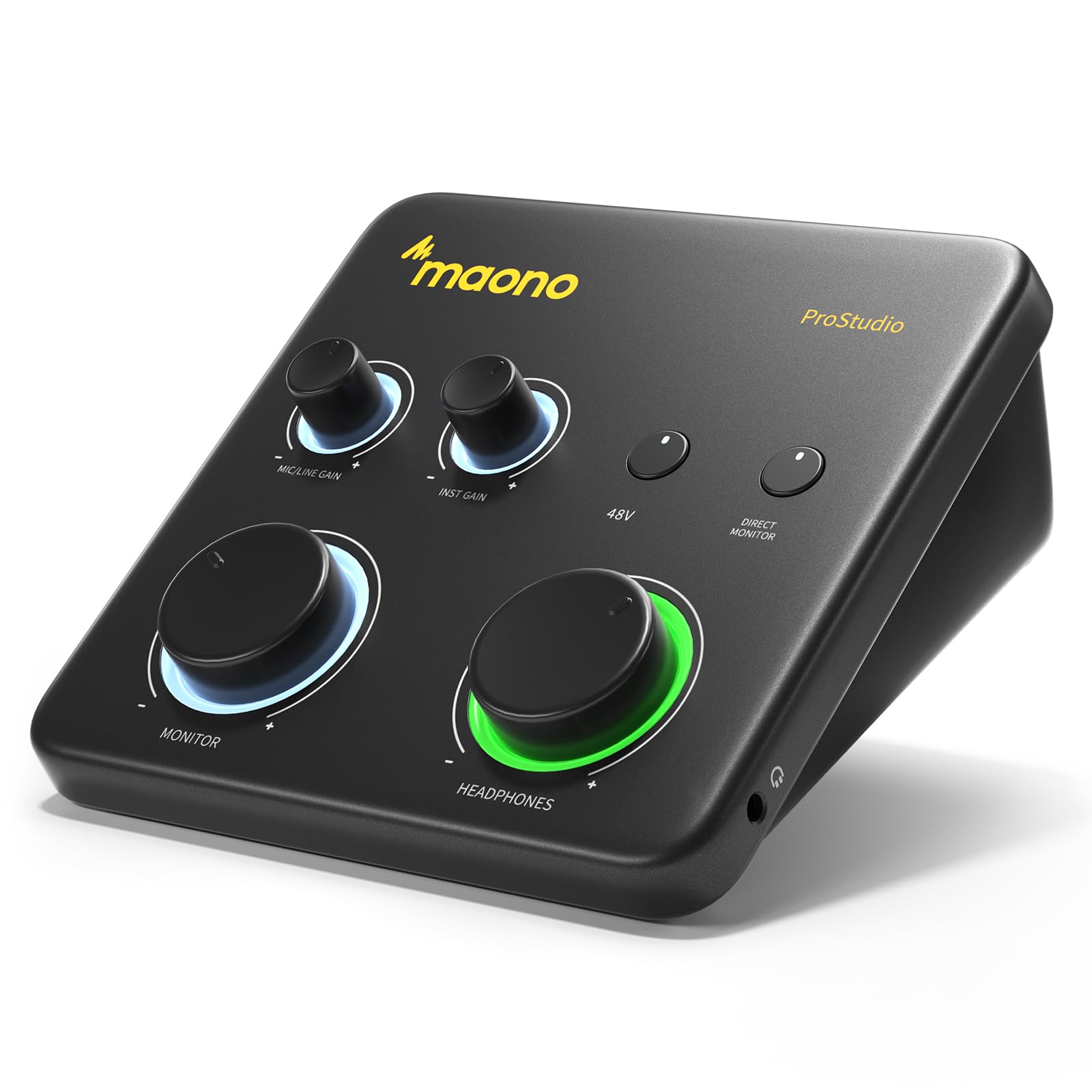
- Records at 24-bit/192kHz and has a 106dB dynamic range.
- XLR preamp supports up to 56 dB gain and 48V phantom power.
- ProStudio provides virtual channels and loopback.
Best For: Musicians and beginners who want a compact interface for guitar, vocals and DAW recording.

MAONO P1 USB Audio Interface
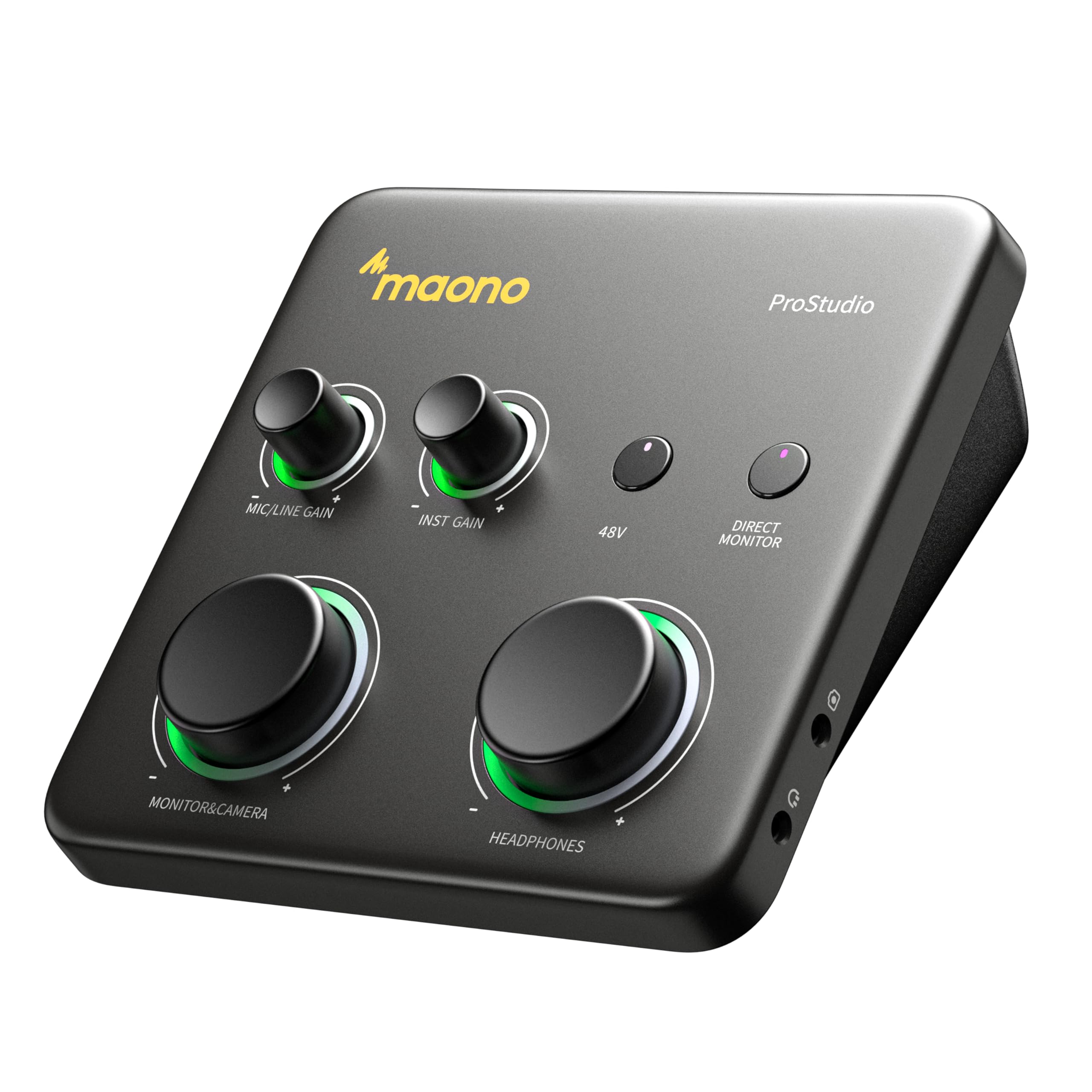
- Offers up to 70 dB of gain for dynamic microphones.
- Dual USB ports support simultaneous computer and phone or iPad connections.
- ProStudio2 includes routing, VST effects and loopback.
Best For: Solo creators who need substantial microphone gain and a hybrid computer-and-phone setup.
MAONO P2 Hybrid USB Audio Interface
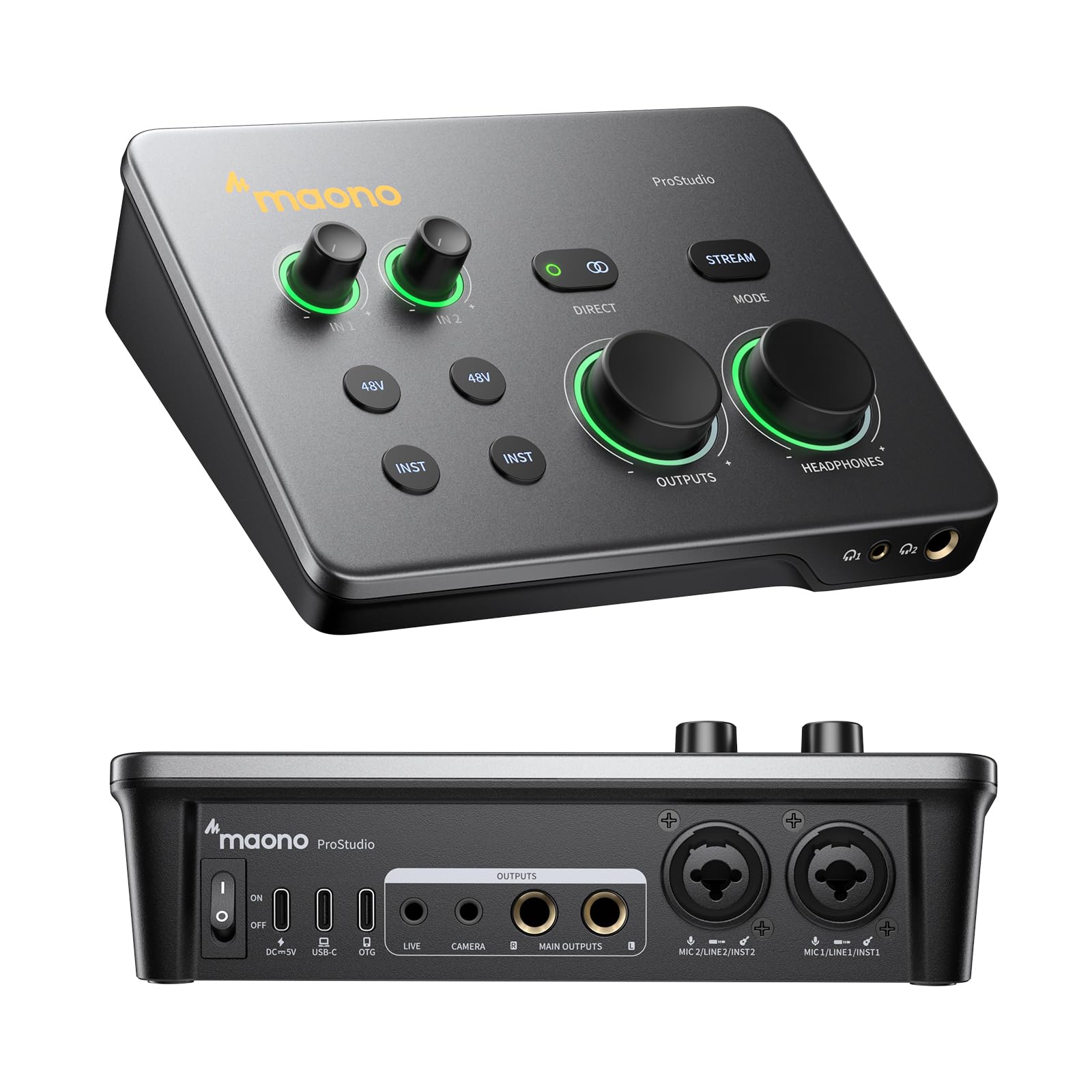
- Dual XLR inputs work with most condenser and dynamic microphones.
- Dual USB ports connect a computer and phone or iPad at the same time.
- Direct monitoring and loopback support recording and routing.
Best For: Musicians and creators who want dual XLR inputs and simultaneous computer-and-mobile connectivity.
MAONO MaonoCaster E2 Gen2
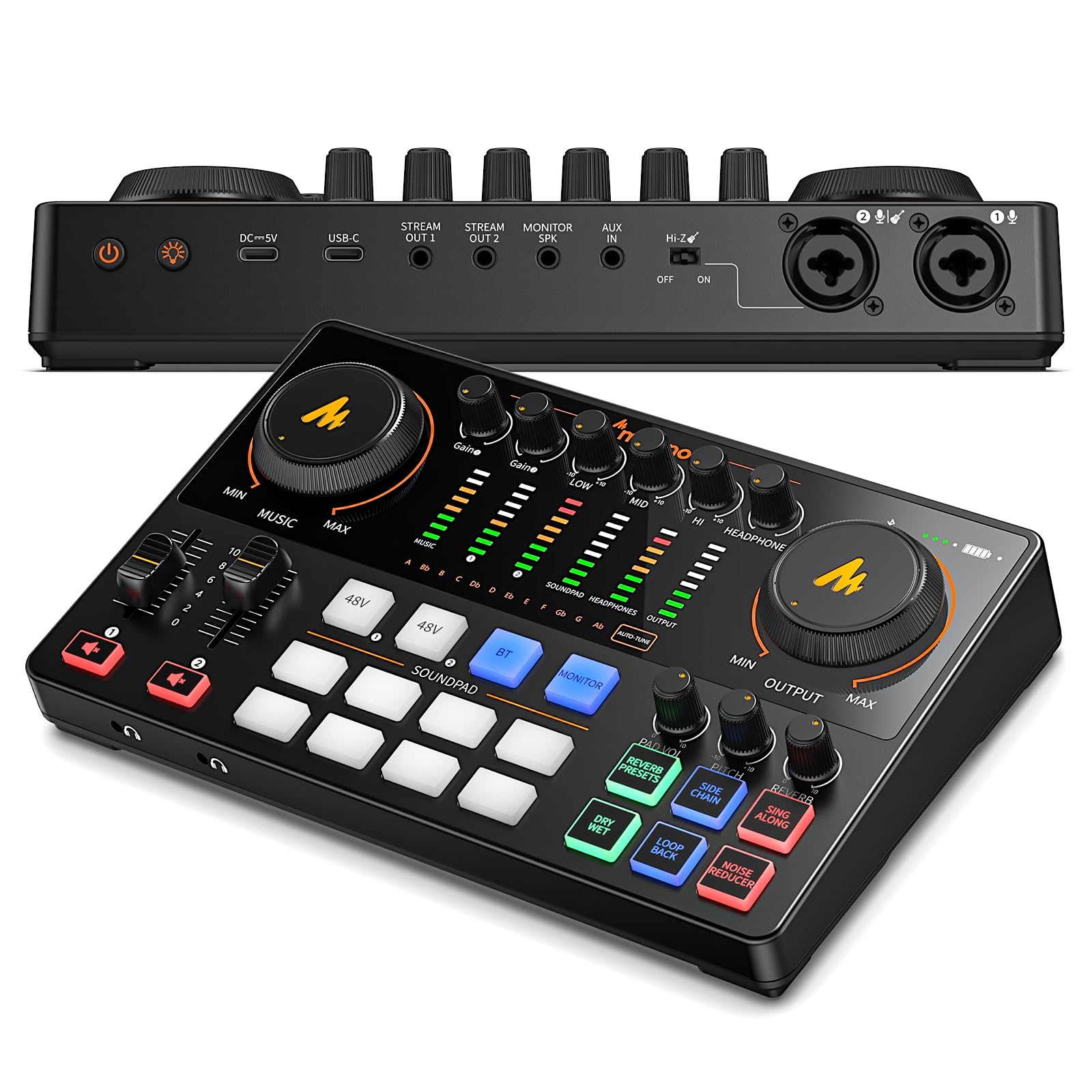
- Two XLR combo inputs and preamps with up to 60 dB gain.
- Eight customizable sound buttons each support up to 20 seconds of recording.
- Built-in 1500mA battery offers up to 8 hours of use.
Best For: Co-hosts and creators who need two XLR combo inputs, onboard effects and a built-in battery.
MAONO MaonoCaster AME2
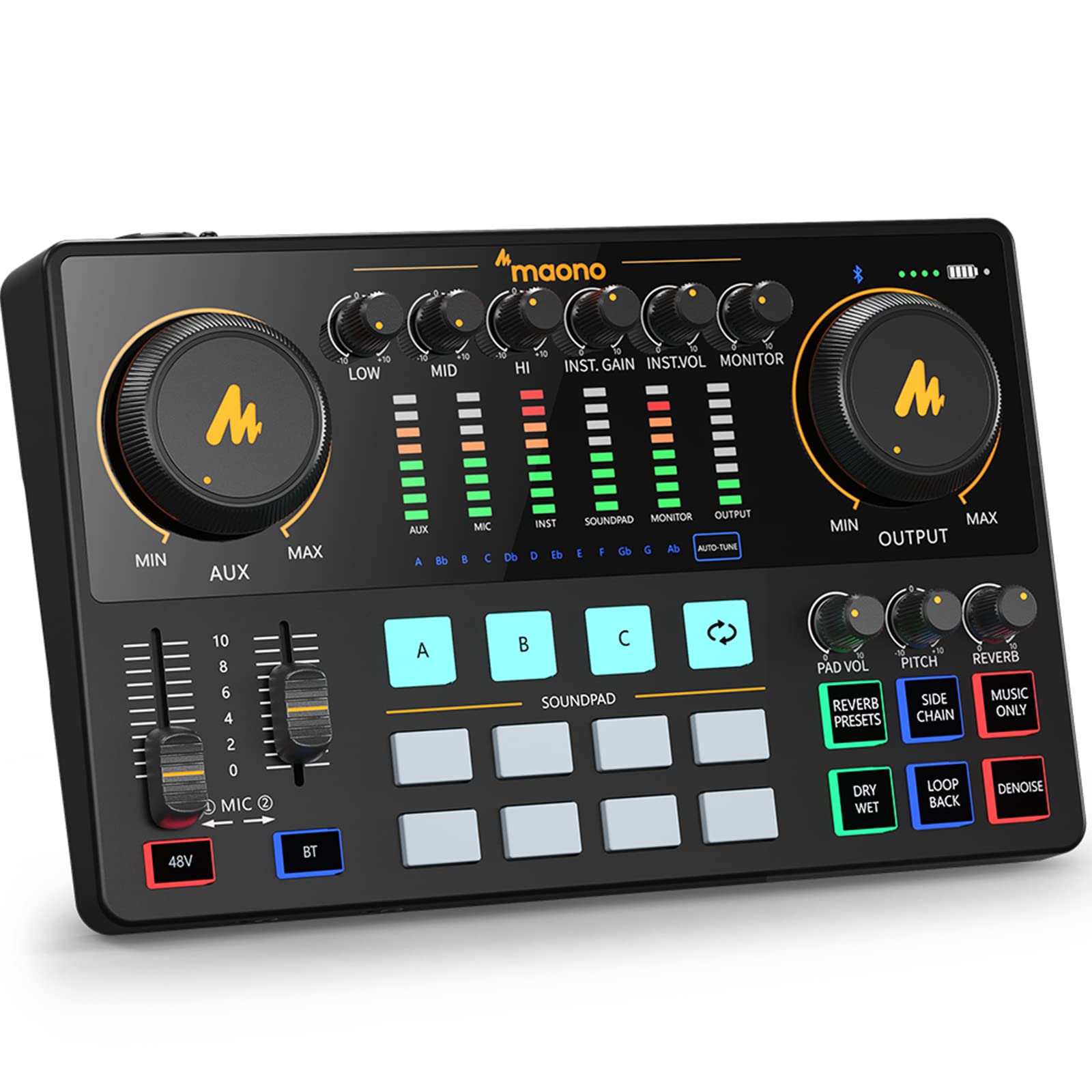
- Includes 11 customizable sound pads, with looping supported on three pads.
- Mic inputs have independent controls and gain up to 60 dB.
- Has an instrument input for guitar and bass.
Best For: Podcasters and streamers who want customizable sound pads, effects and instrument input in one mixer.
Compact DAW Recording
MAONO PS22 Lite USB Audio Interface for PC: Interface with XLR Input 24-bit/192kHz Routing Software LOOPBACK ASIO Driver for Recording Music, Home-Studio, Guitar, Podcast, Streaming, DAW(Black)
The MAONO PS22 Lite is a compact USB interface for recording guitar and vocals on a computer or iPad. Its XLR input supports condenser and dynamic microphones, with up to 56 dB of preamp gain and 48V phantom power.
A dedicated instrument input includes impedance adjustment, while direct monitoring and the dynamic light ring help with basic recording setup. ProStudio routing software adds virtual channels and loopback, and the interface works with Mac and Windows as well as iPads.
It suits a music-focused desk where space and approachable controls matter. Check your DAW’s driver settings and the inputs you need before choosing it.
Best For: Musicians and beginners who want a compact interface for guitar, vocals and DAW recording.
| Pros | Cons |
|---|---|
|
|
Choose the PS22 Lite if you want a small, music-oriented interface with a dedicated instrument input and DAW routing software. Its 56 dB preamp gain and phantom power cover supported condenser and dynamic microphones, while the impedance adjustment is useful for guitar.
The description focuses on a compact interface rather than multiple XLR inputs, so check how many sources your sessions require. Also confirm your DAW can use the MAONO ASIO driver if you rely on ASIO.
Extra Gain for Dynamic Mics
MAONO P1 USB Audio Interface with 70dB Gain for PC, Phone, iPad & Guitar
The MAONO P1 combines a USB interface with controls and routing aimed at solo creators. It offers up to 70 dB of gain for dynamic microphones, plus auto-gain to set a microphone level for OBS Studio.
Dual USB ports with MFi-certified connectivity can connect a computer and phone or iPad at the same time. Direct monitoring, level indicators and loopback support recording and streaming workflows, while ProStudio2 routes desktop audio and supports VST effects.
Its compact, tilted housing is designed for a desk or mobile setup. Check which devices and software features your workflow uses before buying.
Best For: Solo creators who need substantial microphone gain and a hybrid computer-and-phone setup.
| Pros | Cons |
|---|---|
|
|
The P1 is a fit for a solo musician or streamer who wants high stated gain for a dynamic mic and a workflow that can involve both a computer and a mobile device. Auto-gain, loopback and ProStudio2 focus it toward voice capture and content routing as well as music.
Before choosing it for a band or two-microphone session, verify the number and type of inputs you need. Also check whether your microphone requires phantom power, which is not specified here.
Computer and Phone Recording
MAONO P2 Hybrid USB Audio Interface Dual XLR for PC Phone iPad Guitar
The MAONO P2 is a hybrid USB interface with dual XLR inputs and dual USB ports for connecting a computer and phone or iPad simultaneously. It supports recording at 24-bit/192kHz and includes direct monitoring, loopback and ProStudio 2 routing for sources such as a DAW, streaming app or browser.
Independent mute controls and input signal indicators add practical control during recording and streaming. Its 15° tilt puts the controls within reach on a desk, and the aluminum-alloy housing keeps the unit compact.
It is suited to guitar-and-vocal creators working across devices; verify your required microphone power and software compatibility before buying.
Best For: Musicians and creators who want dual XLR inputs and simultaneous computer-and-mobile connectivity.
| Pros | Cons |
|---|---|
|
|
Pick the P2 if two XLR inputs and simultaneous computer-and-mobile connections match your recording or streaming routine. It pairs those connections with loopback and software routing, making it more oriented to flexible creator workflows than a basic guitar-and-vocal interface.
Its listing does not specify phantom power, so confirm that detail before pairing it with a condenser microphone. Check the included cables against your devices as well; the package details mention a USB connection cable and manual.
Two-Mic Podcast and Instrument Mixer
MAONO Podcast Equipment Bundle: Audio Interface mixer with Dual XLR Input for Podcast Streaming - MaonoCaster E2 Gen2
The MAONO E2 Gen2 is a podcast mixer and audio interface built around two XLR combo inputs, making it a natural fit for co-hosts or a creator who records two microphone sources. Its preamps offer up to 60 dB of gain, and the unit includes noise reduction, eight customizable sound-effect buttons and a one-touch mute.
Loopback supports computer streaming, while USB-C and 3.5mm ports provide connection options for phones and computers. A built-in 1500mA battery offers up to 8 hours of use.
It also has pitch-changing effects and preset reverb, so weigh its live-production controls against a simpler music-recording setup.
Best For: Co-hosts and creators who need two XLR combo inputs, onboard effects and a built-in battery.
| Pros | Cons |
|---|---|
|
|
Choose the E2 Gen2 when two microphone inputs, sound effects and mobile operation are more central than a compact, DAW-first recording interface. The two preamps and up to 60 dB gain suit co-host conversations, while loopback and USB-C support computer streaming.
Its battery and onboard effects add flexibility for creator sessions, though recording resolution and sample rate are not specified. If music recording is your main purpose, check that the mixer’s input and routing options suit your instruments and DAW.
Sound Pads and Live Podcast Controls
MAONO Audio Interface, MaonoCaster 10-Channel Podcast mixer with Pro-preamp, 48V Phantom Power, Bluetooth, 11 Customize sound pads for Recording, Streaming, Youtube, TikTok, PC, Guitar (AME2)
The MAONO MaonoCaster AME2 is a 10-channel podcast mixer with a built-in interface, a guitar or bass instrument input, and controls for live production. It has two microphone inputs with independent controls, phantom power, three-level mic gain adjustment and gain up to 60 dB.
The 11 customizable sound pads, reverb modes, auto-tune and pitch controls give it a broader performance feature set than a compact music interface. Loopback and separate output options support streaming to a computer or phone.
It can suit a creator who wants music and voice features on one desk, but USB microphones are not supported, and the number of inputs may be more than a basic recording setup needs.
Best For: Podcasters and streamers who want customizable sound pads, effects and instrument input in one mixer.
| Pros | Cons |
|---|---|
|
|
The AME2 suits a podcaster or streamer who wants live controls, sound pads and instrument input in the same unit. Its independent microphone controls, phantom power and up to 60 dB gain cover a wider range of analog sources than a basic voice interface, while loopback and mobile output connections support streaming.
It also brings effects such as reverb and auto-tune, which may matter for performance-oriented content. Confirm that your microphone is analog, since USB microphones are unsupported, and consider whether its many controls match your recording workflow.
How to Choose Audio Interfaces
How We Picked Audio Interfaces
We chose five distinct interfaces from the supplied options that fit music recording, guitar and vocal capture, podcasting or streaming. The selection covers a compact PC-focused interface, models with mobile connections, and mixers with multiple inputs or onboard effects.
We considered input type, microphone gain and power, monitoring, loopback and routing, plus the kind of recording workflow each product supports.
These products have overlapping uses, but they are not interchangeable. A guitar player recording at a desk may prioritize an instrument input and DAW compatibility.
A co-host show may need two microphone inputs, while a mobile creator may benefit more from connecting a phone and computer at once.
Comparing Audio Interfaces for Recording
The PS22 Lite is the most directly music-focused compact option here: it has an instrument input, direct monitoring and ProStudio routing. The P1 and P2 add dual USB connectivity for computer-and-mobile workflows; the P1 emphasizes up to 70 dB of mic gain and auto-gain, while the P2 has dual XLR inputs.
Check phantom power details for both before choosing a condenser microphone.
The E2 Gen2 and AME2 put more emphasis on live production. E2 Gen2 has two XLR combo inputs, customizable sound buttons and a battery rated for up to 8 hours.
AME2 adds 10-channel mixing, 11 sound pads and several voice effects, plus guitar or bass input. Their controls can be useful for streaming and podcasts, but a simpler DAW recording setup may not need those extras.
| Product | Standout features | Best for |
|---|---|---|
| MAONO PS22 LiteCheck Price |
| Musicians and beginners who want a compact interface for guitar, vocals and DAW recording. |
| MAONO P1 USB Audio InterfaceCheck Price |
| Solo creators who need substantial microphone gain and a hybrid computer-and-phone setup. |
| MAONO P2 Hybrid USB Audio InterfaceCheck Price |
| Musicians and creators who want dual XLR inputs and simultaneous computer-and-mobile connectivity. |
| MAONO MaonoCaster E2 Gen2Check Price |
| Co-hosts and creators who need two XLR combo inputs, onboard effects and a built-in battery. |
| MAONO MaonoCaster AME2Check Price |
| Podcasters and streamers who want customizable sound pads, effects and instrument input in one mixer. |
Choosing a USB Interface for Guitar, Vocals and DAW Work
For guitar and vocal recording, first confirm the exact input types: microphone XLR, instrument input or both. The PS22 Lite explicitly includes a dedicated instrument input and impedance adjustment.
AME2 also names guitar and bass input. P2 offers dual XLR inputs, but the supplied details do not specify phantom power, which matters if your microphone requires it.
Next, match software and monitoring features to your setup. PS22 Lite identifies compatibility with common DAWs and an MAONO ASIO driver; P1 and P2 describe ProStudio routing and loopback for combining instrument, voice and computer audio.
Direct monitoring appears on the PS22 Lite, P1 and P2. For any interface, check that the included cable and driver support your computer and recording software.
Which Audio Interface Fits Your Creator Setup?
Choose based on the sources you record and how you publish. Solo musicians who want a compact interface with a dedicated instrument input can start with the PS22 Lite.
A mobile creator who needs simultaneous computer and phone connections can compare the P1 and P2, checking input count and phantom power. The P1’s gain figure and auto-gain target dynamic microphones and voice streaming; the P2’s dual XLR inputs can better match a two-mic workflow.
For co-host podcasts, the E2 Gen2 provides two XLR combo inputs, while the AME2 adds more sound-pad and voice-effect controls alongside its instrument input. Check each mixer’s connections for your microphones, headphones, instruments and streaming devices.
Choose the controls that support your actual session, since a feature-heavy podcast mixer takes a different approach from a small interface aimed at straightforward DAW recording.